Invite Vera to a Meeting, One Address per Seat
We shipped calendar invites for seats. The negotiator, the market, the room, and Vera herself each have an email address you can add to a meeting.
There is a small friction in every buyer's day that nobody logs. You have a vendor call at eleven, you have prepared for it inside VendorBenchmark, and then at 10:58 you switch windows, find the right conversation, and try to bring your analyst back up to speed on a call that is already starting. The context you built lives in one place and the meeting happens in another. This update closes that gap. Every seat in your workspace now has a calendar address, so you can invite the seat to the meeting itself, the same way you would invite a colleague. If you have already worked through talking it through with Vera before the call, this is where that preparation walks into the room with you.
The named problem: context that stays behind
The problem is not that the analysis is missing. It is that the analysis is stationary. You do the reading, you pull the benchmark, you draft the counter, and all of it sits in the app while the meeting happens in Outlook or Google Calendar. Bringing it across is manual every single time. You copy a figure into chat, you paste a link, you tab back and forth, and the moment the vendor says a number out loud you are the one holding both threads. For a procurement team running dozens of renewals, that switching cost is small per call and large per quarter.
What was missing was a way to make a seat part of the meeting on the meeting's own terms. Not a bot you launch, not a link you remember to click, but a participant your calendar already knows about, invited from the calendar, admitted at the door, standing where everyone can see it.
How it works: one address per seat
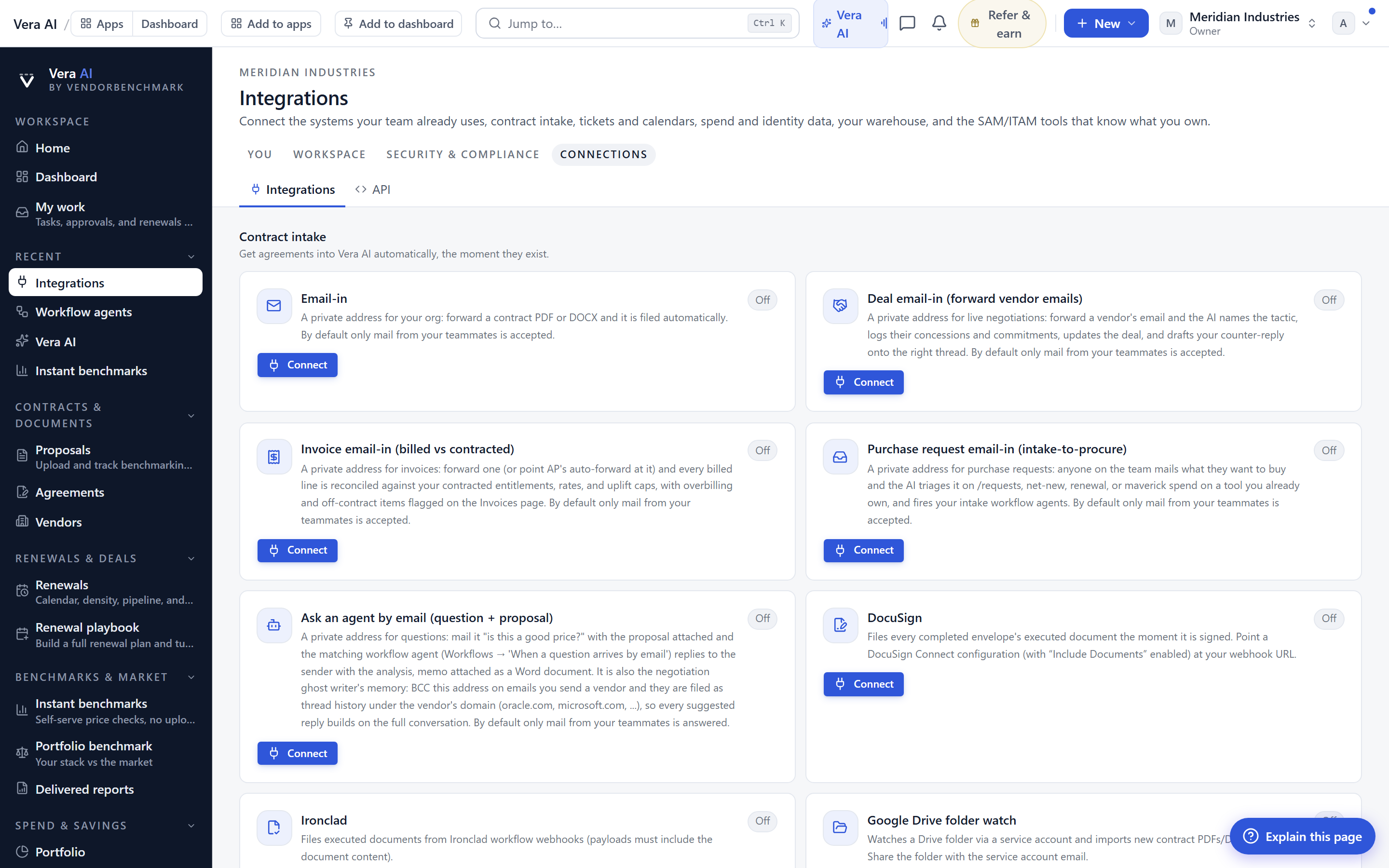
Open Settings, Integrations and you will see a list of addresses on your workspace's private inbound token. Vera has one, listed as vera+. Vera Demo has demo+. The Oracle negotiator has oracle+ or marcus+, and the same pattern runs across the platform: sap+, microsoft+, salesforce+, ibm+, servicenow+, workday+, aws+. The discipline seats, the market seats, and the room seats each have their address by their word or first name. These are not shared inboxes. They are seats, and each one carries its own posture into a call.
To use one, add its address to a meeting the way you would add any guest. When the meeting starts, that seat walks in and waits at the door until the host admits it. Once admitted, it says who it is out loud, so the vendor across the table knows exactly which participant has joined. There is no separate app to launch and no link to circulate in advance. The calendar is the interface.
It follows the meeting, not a fixed time
Meetings move. A vendor pushes the call an hour, the reschedule generates a new link, or the whole thing gets cancelled the night before. The seat follows all of that. A new time in your calendar moves the seat to the new time. A new link moves it to the new meeting. A cancellation stands it down. You do not re-invite it and you do not clean up a stale bot sitting in an empty room. Whoever sent the change gets exactly one reply confirming which of those things happened, so there is a written trail without a thread of noise.
This is the same principle that runs through the way it records every meeting and reads up for you first. The seat is not a novelty that needs babysitting. It behaves like a reliable colleague who reads the invite, honours the reschedule, and stands down when the meeting is off.
Whose seat it is, and why that matters
Only a member of the workspace can invite a seat. When you do, the seat is created as yours. That ownership is not a formality. It is what lets your call room find the seat and show where it stands, and it is what keeps the workspace's tenant isolation intact. A seat invited by you carries your context, sits in your call room, and reports back through your view. Someone outside the workspace cannot summon one by guessing an address, because the address lives on a private token that belongs to your workspace alone.
For a procurement lead running a portfolio, this means the seat you brought to the Oracle renewal and the seat a colleague brought to the SAP call are separate, owned, and traceable. Each sits in its owner's room. This is consistent with how the platform already keeps every screen you work in holding on to your work, and it is why the seat can carry prepared context into a live call rather than starting cold.
The honest limits
Be clear about what this is and is not. The seat waits at the door and needs the host to admit it, which is deliberate, but it means an unattended call where nobody admits guests will leave the seat outside. If your organisation's calendar policy strips external guests or blocks unknown addresses, the invite may not reach the seat at all, and that is a setting on your side, not ours.
The seat carries the context that was prepared in the workspace before the call. It is not a substitute for that preparation. If you have not built the position, pulled the benchmark, or worked the number in advance, the seat has less to stand on. The best results still come from doing the reading first, then letting the seat carry it in, in the same way that knowing whether a quoted figure is any good starts with the work you can do on the call itself. Treat the seat as the analyst who read up, not as a replacement for reading up.
Finally, the one reply on reschedule and cancellation is intentionally minimal. It confirms which action was taken and nothing more. If you want the full narrative of what was said in the meeting after it ends, that lives elsewhere in the platform, where you can ask your meetings what was said. The calendar reply is a receipt, not a report.
None of this changes the shape of your day dramatically on any single call. What it changes is the aggregate. Across a quarter of vendor conversations, the seat removes the small tax of bringing your work across, and it keeps the analysis in the room where the numbers are actually spoken.
Want to be updated when major licensing and pricing changes land? One analyst brief a week: the price rises, metric changes and audit campaigns that move software costs. Work email only.
Morten brings two decades of enterprise and software procurement, with stints across Oracle, IBM, SAP, and Salesforce shaping how he reads a deal. He has led sourcing through hundreds of renewals, from mid market order forms to nine figure global agreements, and learned that the buyers who win are the ones who walk in knowing the market. He built VendorBenchmark to make that pattern recognition repeatable.


