The Document Agent now works like an application
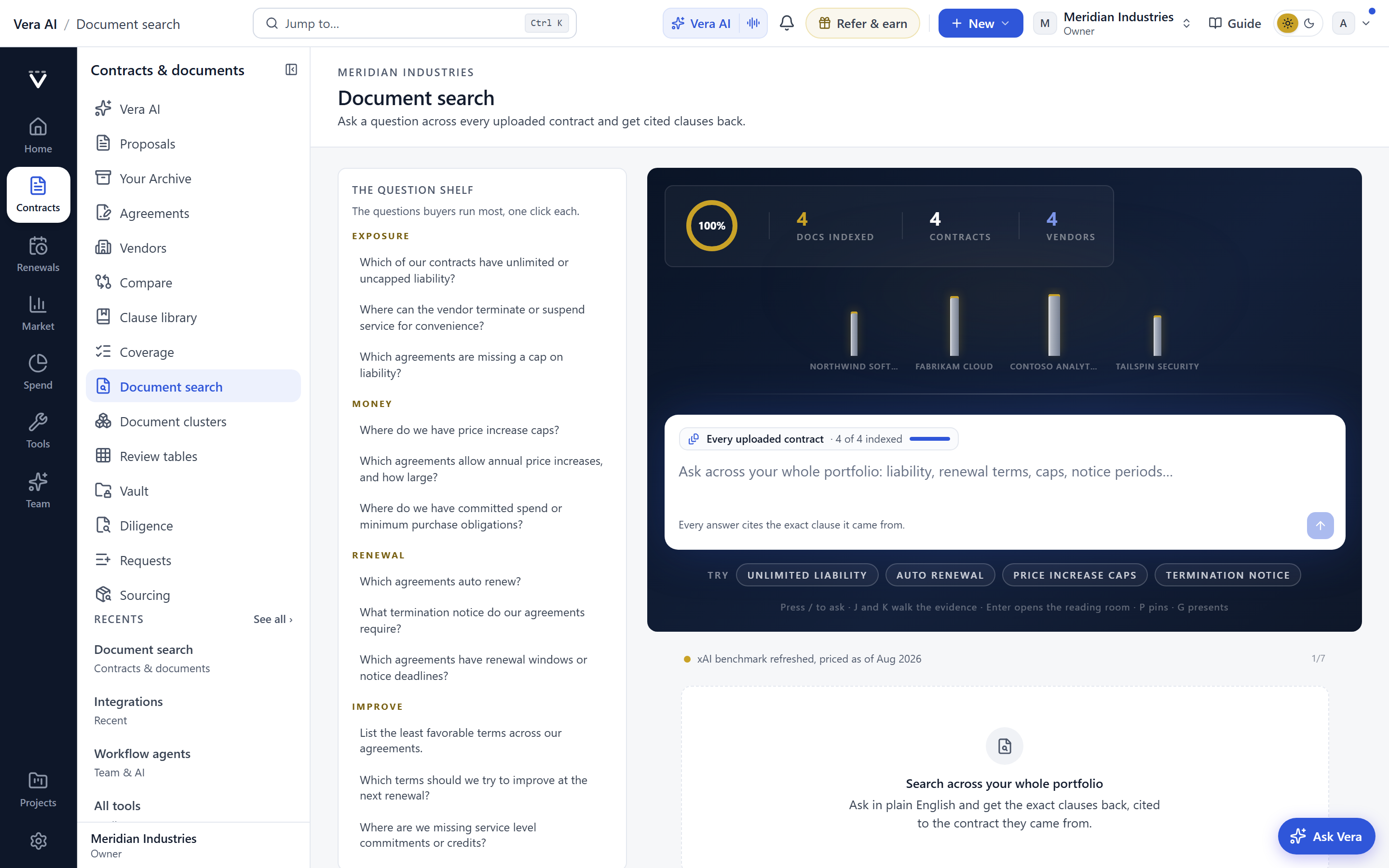
One fixed workbench, a search line that suggests as you type, and rooms that fill the window. The ledger is the only thing that scrolls.
If your contract set lives in a shared drive, a redlined mailbox and one heroic spreadsheet, you already know the failure mode. A question that should take two minutes takes an afternoon, and the answer is only as good as the last person who touched the file. The Document Agent used to help with that, but it still felt like a chat pane bolted onto a viewer. We rebuilt it. It now works like an application: a fixed workbench, a search line that suggests as you type, and rooms that fill the window. This is the same direction we took with the Entitlement Agent and with your Archive. The point is not novelty. The point is that a buyer under a deadline should not have to think about the tool.
The problem is not search, it is the space around search
Search alone was never the bottleneck. The bottleneck was everything that happened before and after the query. Before, you had to guess whether your words even appeared in any contract. After, you had to reconcile the answer against figures nobody could press. The new workbench closes both gaps. As you type in the question line, a flyout offers your recent and pinned questions, and the matches start resolving underneath: papers, vendors and clauses. A live count tells you how many papers hold your words before you commit to asking. So you learn, in the first second, whether this is a five document question or a five hundred document question.
Once you ask, the verdict strip carries figures you can press to filter the ledger. The conflict and the gap arrive as single line notices, not buried footnotes. The ledger is the only thing that scrolls, which sounds trivial until you have spent a year fighting a viewer where the answer and the evidence both moved at once.
The ledger has a real selection, and the toolbar acts on all of it
This is the change most buyers will feel first. The ledger behaves like a table you already know how to use. Shift click for a range, Ctrl click to add or remove, Ctrl A to take everything, and the arrow keys to move without the mouse. Whatever you have selected, the toolbar acts on the whole of it. Twelve clauses that share a bad indemnity position are twelve rows you select once and export, tag or send onward in a single action. The tool stops being a place you read and becomes a place you work.
The deadline line sits as its own pane, so a notice window in play is never off screen. The Next row carries the moves, which means the answer does not dead end. It hands you to the drafting, the comparison or the escalation without a hunt through a menu. If the answer is a renewal problem, that path connects to the same logic we describe in the auto-renewal clause piece.
Rooms that fill the window, each shaped for its job
The Library is a table that fills the room, grouped by vendor with sortable columns. It is a file manager, not a gallery, so a fifty vendor estate reads at a glance. The brief room is an editor with an outline, the page and an inspector, so the thing you write and the evidence behind it sit together. Collaboration is three panes with the thread at full height, because a negotiation conversation is a first class object, not a sidebar. Report is a table with a preview, so what you send looks like what you saw.
The panes are translucent over the window's material and the display headlines are gone. That is a deliberate reduction. We took out the chrome that told you what screen you were on and left the material that tells you what the data is. Contracts that read as styled pages rather than embedded files, which we covered in the styled pages update, follow the same principle.
What changes for the buyer
The honest limits
This is a reading and reasoning tool over the documents you give it. It is not a system of record, and it does not sign anything. The verdict strip is only as complete as your uploaded set, so a contract sitting in someone's inbox is invisible until it is in the Library. The paper count is a count of textual matches, not a guarantee that every relevant clause uses your exact words, so a synonym or an oddly drafted term can still hide. Treat the count as a floor, not a ceiling.
On conflict and gap notices: they are prompts for a human to check, not legal conclusions. The agent flags that two clauses appear to disagree. It does not decide which one governs, and it will not read the intent of a poorly written amendment for you. Scanned documents with weak text layers reduce match quality, and heavily bespoke language will always want a lawyer's eye. Finally, the figures you press are drawn from your contracts and from our benchmark set, so when you take a number to the CFO, cite the source. The hand the verdict to your CFO piece covers how we package that. The Document Agent gives you the fast, honest first pass. It does not replace the judgement you are paid for. It gives you back the hours you used to spend before your judgement could even start.
Fredrik has spent more than twenty years in enterprise software, with time at Oracle, IBM, SAP, and Salesforce before moving to the buy side. He structured and priced the kind of large agreements most buyers only see once or twice in a career, which taught him where the leverage sits and how far a vendor will actually move. He started VendorBenchmark to hand that knowledge to every sourcing team.


