Research papers now read as styled pages, not embedded files
The research library stopped serving embedded files and started serving pages. 377 papers render this way today, and every new paper publishes this way from now on.
You know the moment. A renewal is three weeks out, someone forwards you a research paper that supposedly settles the price question, and the link opens a document viewer inside a browser tab. The scroll is sluggish, the figures are stuck at the wrong zoom, you cannot tell how long the thing is, and searching inside it finds nothing because the text is trapped in an embedded file. So you download it, open it in Word, lose your place, and skim. That friction is small, but it repeats every time, and it quietly discourages the one behaviour we most want from a procurement buyer: actually reading the evidence before the call. This update removes that friction. Every paper in the research library now opens as a real page in our executive brief style.
The named problem: evidence you cannot skim
The old behaviour was a file, wrapped in a viewer, wrapped in a tab. It looked like reading but it was really file handling. The practical cost showed up in three places. First, you could not judge scope before committing, because a viewer does not tell you the paper is a four minute read or a twenty minute read. Second, search was blind, because the platform indexed a card title and maybe a summary, not the section headings inside the document. Third, the reading experience punished the eye, so buyers downloaded and read offline, which broke the link back to the benchmarks and playbooks the paper referenced. When the evidence is hard to move through, it gets cited less and trusted less. That is the opposite of what a research library is for.
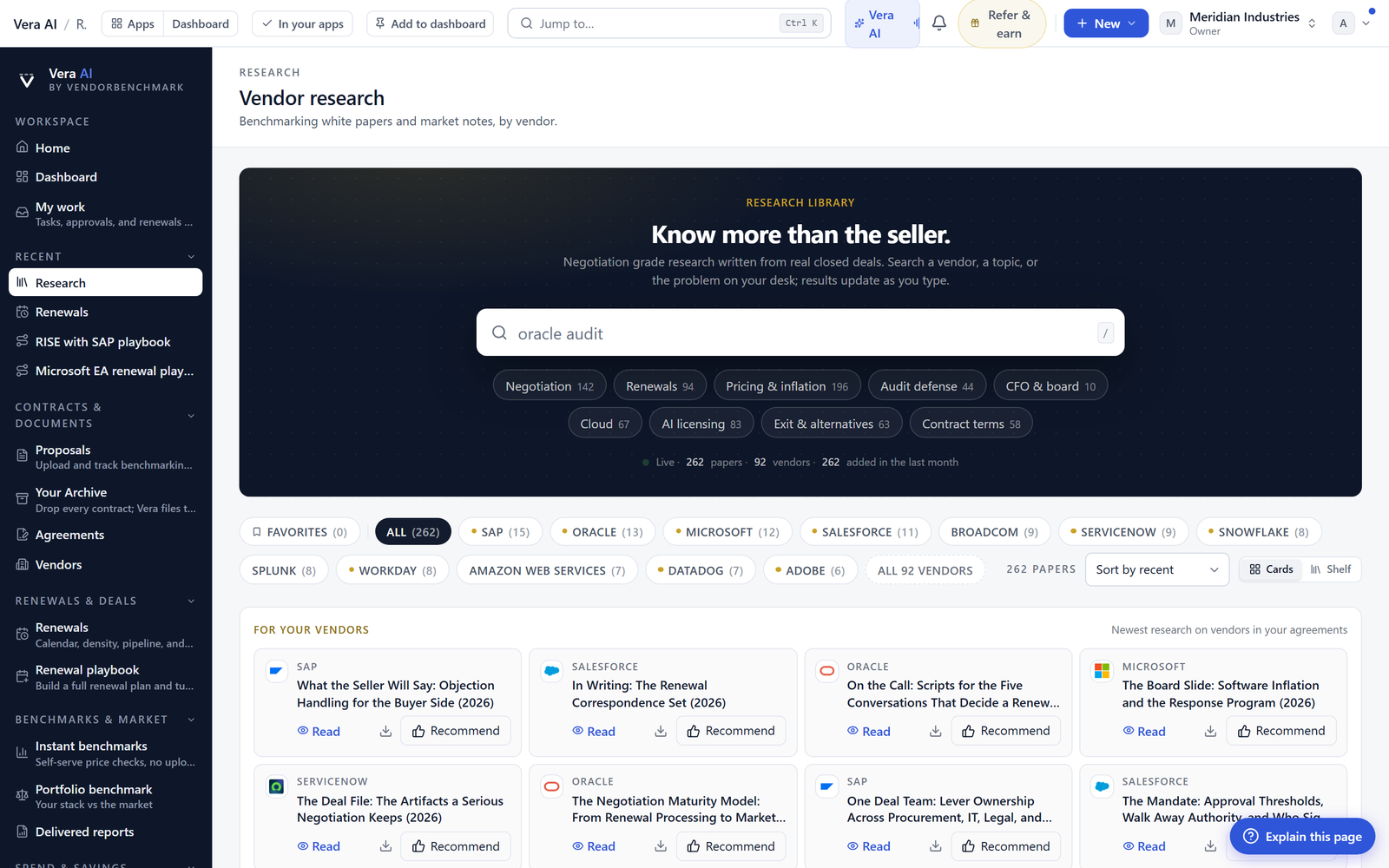
What the styled page actually gives you
A paper now opens with the masthead, so you see the title, category, and date in the same layout you already read across the platform. Below it, the three figure strip states the headline numbers up top, so the claim is visible before you have read a word of body copy. Navy section bands break the paper into parts you can scan, and the benchmark tables render as tables, not as flattened image captures, so the columns line up and the percentile context reads cleanly. At the end, the bottom line states the takeaway in plain terms. The whole shape is the executive brief format, applied consistently, so a paper reads the same way our one page answers read.
The contents rail is the part you will feel most. It sits alongside the page, follows your place as you scroll, and lets you jump between sections without hunting. If a stakeholder asks about the guarantee section while you are looking at the pricing section, you move there in one click and back again without losing your position. This is the same navigation discipline we brought to the Negotiation Dossier, where a document you can move through quickly is a document people actually use in the room.
Search that looks inside the headings
Search now reaches into section headings, not just card titles. That is a small change with a large payoff for the way buyers actually work. When you type a term like renewal uplift or true up, you now surface the papers that address it in a section, even if the card title never mentioned it. That means the evidence you need finds you when you are mid task, rather than requiring you to remember which paper covered which point. Combined with the reading time stated on every card, you can triage before you open: this is a four minute read that answers my exact question, that is a twenty minute read I will save for the flight.
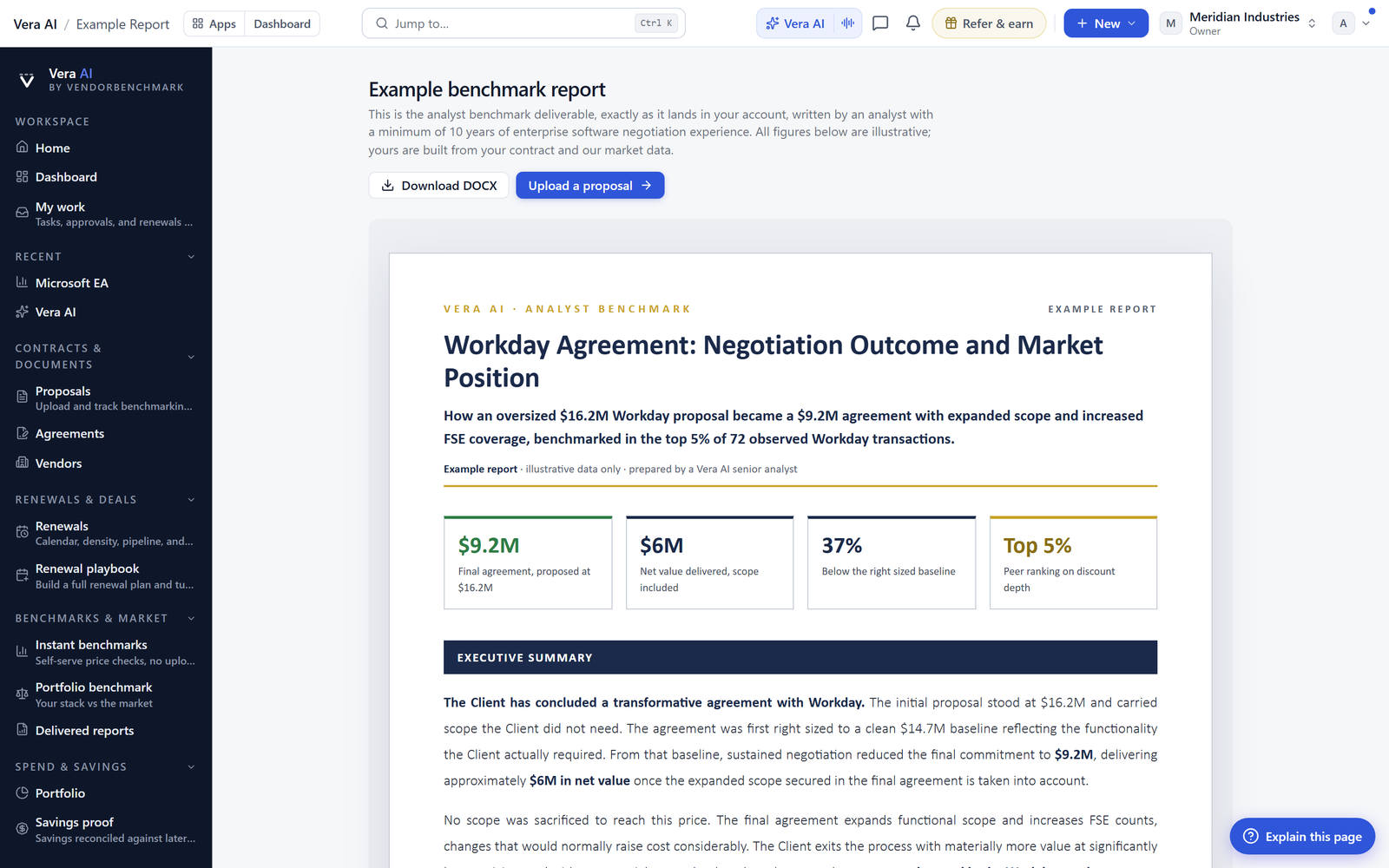
How it fits the workflow
The point of reading research is to change what you do next. A styled page keeps you inside the platform, next to the benchmarks the paper draws on, so the path from claim to action is short. Read the paper, note the figure, and move to the benchmark hub or the portfolio view to check your own position against it. Because the format matches the rest of the platform, the mental switch from research to negotiation prep is negligible. The Word file has not gone away. It stays one press away as the download, so when you need to route a paper to a stakeholder who lives in Word, or attach it to an internal case file, you press once and you have it. Reading in the browser and sharing as a file are now separate acts, each done the way it should be done.
The honest limits
Be clear about what this update is and is not. It changes how papers are read, not what they say. A styled page does not make a weak argument strong, and it does not update the underlying figures any faster than we publish them. Search now reaches section headings, which is a real improvement, but it is not yet full text search inside every paragraph, so a term buried in body copy without a heading may still not surface. The 377 papers rendered today were converted to the styled format; a handful of older papers with unusual layouts may show minor spacing quirks we are still tuning, and the download remains the canonical copy if you need pixel exact fidelity for an archive. Finally, this is a reading and navigation change. It does not replace the analytical work you do with a paper once you have read it, whether that is working a negotiation discipline or checking a clause against your own position. What it does is make the reading itself fast enough that you actually do it before the call. For a procurement buyer, that is the whole point.
Want to be updated when major licensing and pricing changes land? One analyst brief a week: the price rises, metric changes and audit campaigns that move software costs. Work email only.
Morten brings two decades of enterprise and software procurement, with stints across Oracle, IBM, SAP, and Salesforce shaping how he reads a deal. He has led sourcing through hundreds of renewals, from mid market order forms to nine figure global agreements, and learned that the buyers who win are the ones who walk in knowing the market. He built VendorBenchmark to make that pattern recognition repeatable.


