The renewals QBR: present the next four quarters straight from the calendar.
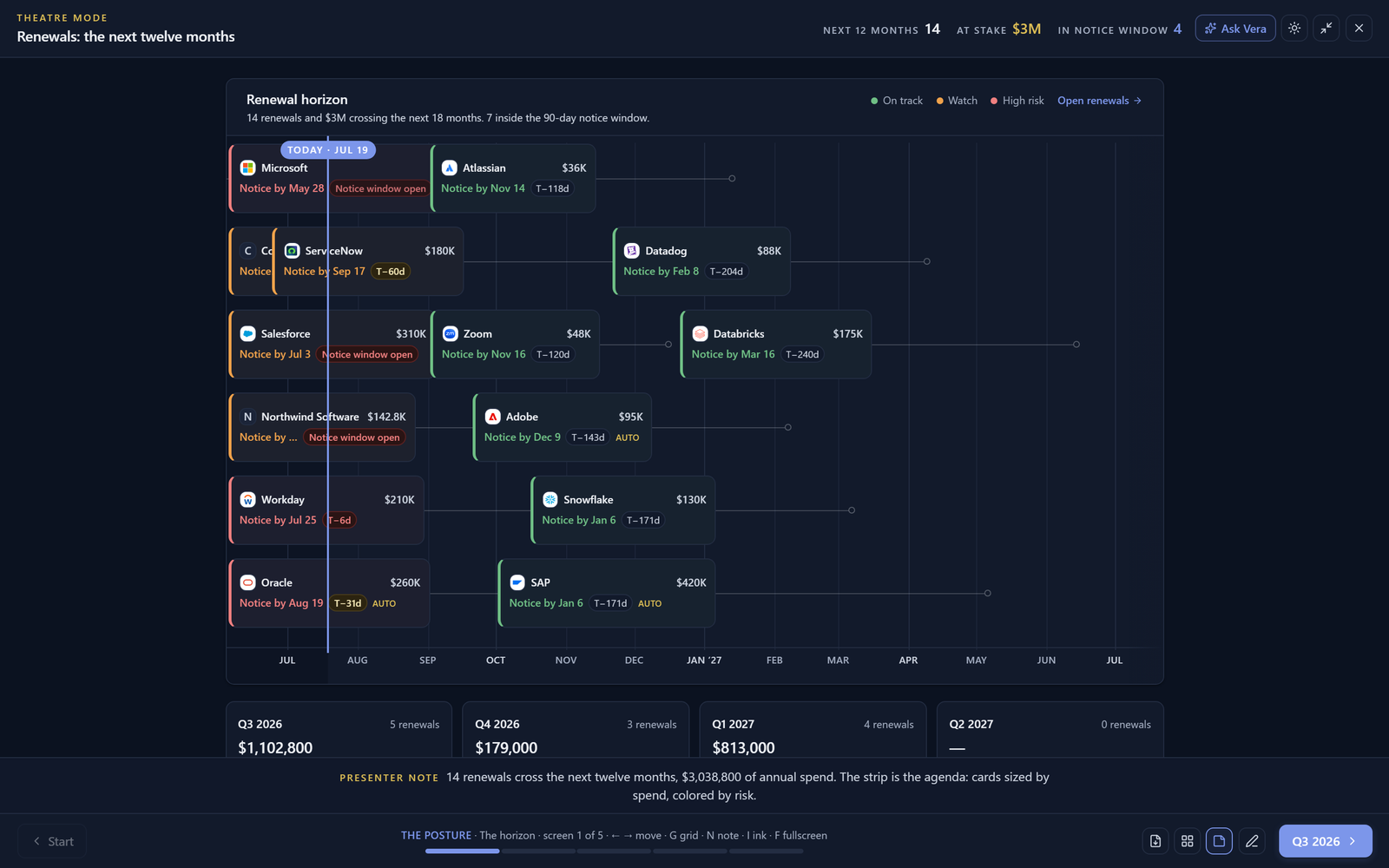
The renewals desk now presents itself: a staged quarterly business review where renewals are bucketed by notice deadline, not renewal date, each quarter walks its deals with status and exposure, and the meeting ends with a print packet instead of a promise to circulate slides.
The quarterly renewals meeting usually runs on a deck exported the Friday before, which means the room debates numbers that were already stale on Monday. The renewals desk now carries a Present button that removes the export step entirely: it stages a quarterly business review directly from the live calendar, and what the room sees is what the system knows, as of now.
One design decision does most of the work: the quarters are bucketed by notice deadline, not renewal date. A renewal that lands in April with a hundred and twenty day notice window is a January problem, and a QBR grouped by renewal date systematically presents it a quarter too late. Grouping by the deadline that actually binds you is the difference between a review and a post mortem.
Four quarters, walked deal by deal
The show opens on the position: how many renewals are in flight, the spend they govern, and where the next deadlines cluster. Then each quarter gets its scenes, and each renewal appears with the things a room decides on: the vendor, the value at stake, the status of the work, and the time remaining in the notice window. The ticker recomputes as the quarters advance, so the cumulative exposure builds visibly instead of hiding in a summary slide.
Because it is the shared stage, the grammar is the one your team already knows: arrows to walk, G for the grid when someone asks to jump to Q3, notes on N for the presenter, a light or dark stage for the room you are in. A deep link opens the show at an exact screen, so the meeting invite can point at this quarter directly.
End with a packet, not an action item to make slides
The show prints. The leave behind packet renders the quarters and their deals as a static document with the verdicts stated, so the meeting's record is generated by the meeting itself. Nobody owes anybody a deck on Friday, and next quarter's review starts from the same live calendar rather than from last quarter's export.
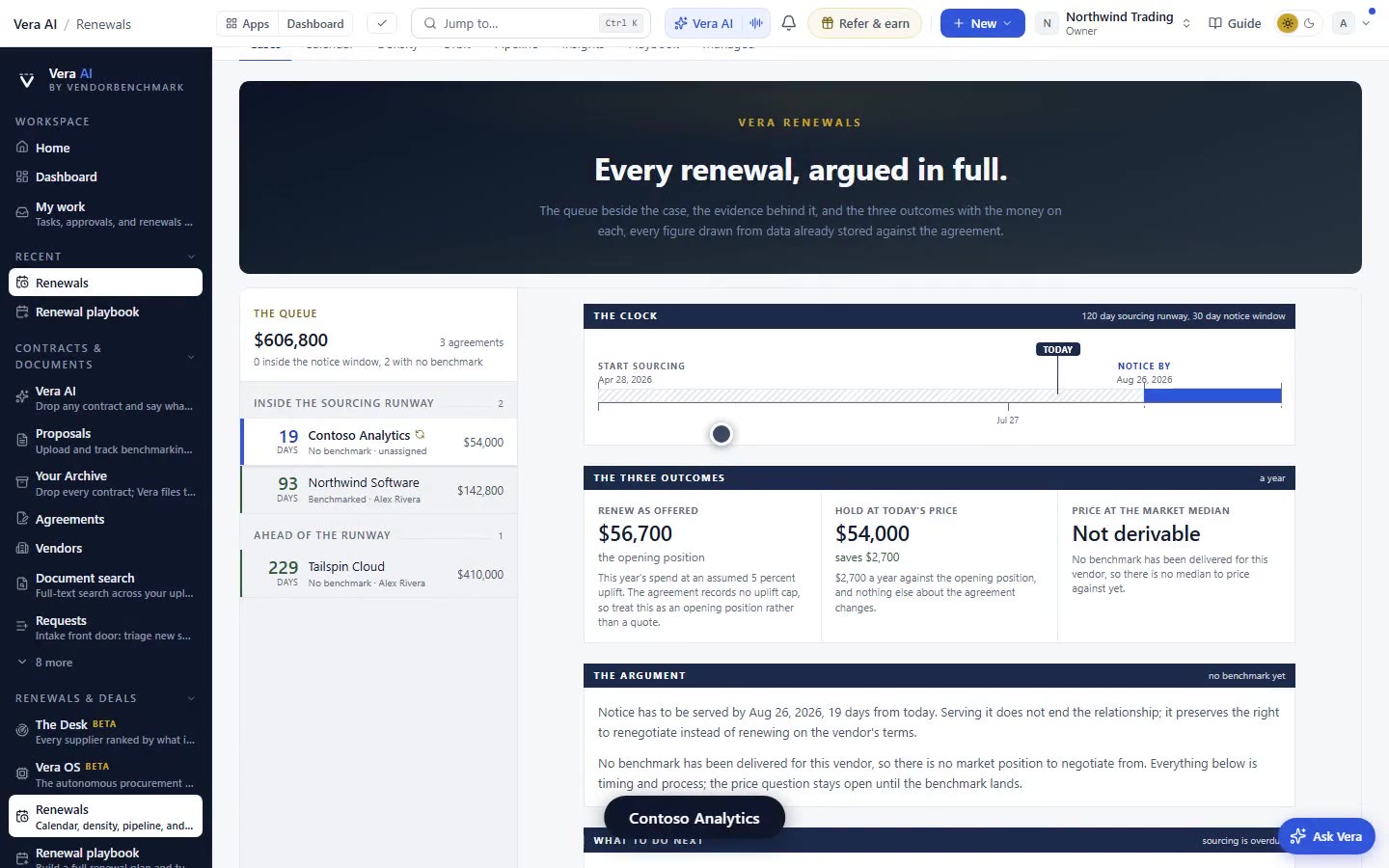
Between meetings, the desk keeps working: the same data drives the renewal pipeline, the notice window alerts, and the weekly digests. The QBR is a view of that machinery, not a parallel process, which is precisely why it cannot drift from reality the way a deck does.
What you can do in the renewals QBR
The QBR shows the work, it does not do it
A staged review makes the state of every renewal visible, including the ones nobody has started. That is the point, and it can be uncomfortable: the show has no mechanism for making an unworked renewal look worked. The work itself happens in the playbooks, the workups, and the negotiation desk the rest of the platform provides.
And the bucketing is only as good as the notice terms on file. If a contract's notice window is missing, the deal buckets by its renewal date with the rest, which is the visible reminder to decode the contract and capture the term that actually governs it.
Morten brings two decades of enterprise and software procurement, with stints across Oracle, IBM, SAP, and Salesforce shaping how he reads a deal. He has led sourcing through hundreds of renewals, from mid market order forms to nine figure global agreements, and learned that the buyers who win are the ones who walk in knowing the market. He built VendorBenchmark to make that pattern recognition repeatable.
The week in enterprise software buying, in one email.
What shipped on the platform, and the pricing and licensing moves worth knowing before your next renewal. One email a week, to your work address. Unsubscribe any time.