Two contracts side by side. Every change lit red.
Pick two contracts and read them side by side with every change marked, then the summary of what moved and what to ask for, and both as Word.
What teams use it for.
Pick two contracts and read them side by side with every change marked, then the summary of what moved and what to ask.
A renewal draft
What changed from last year's paper.
Two vendors
The same terms, side by side.
A reply
What to ask for, drafted.
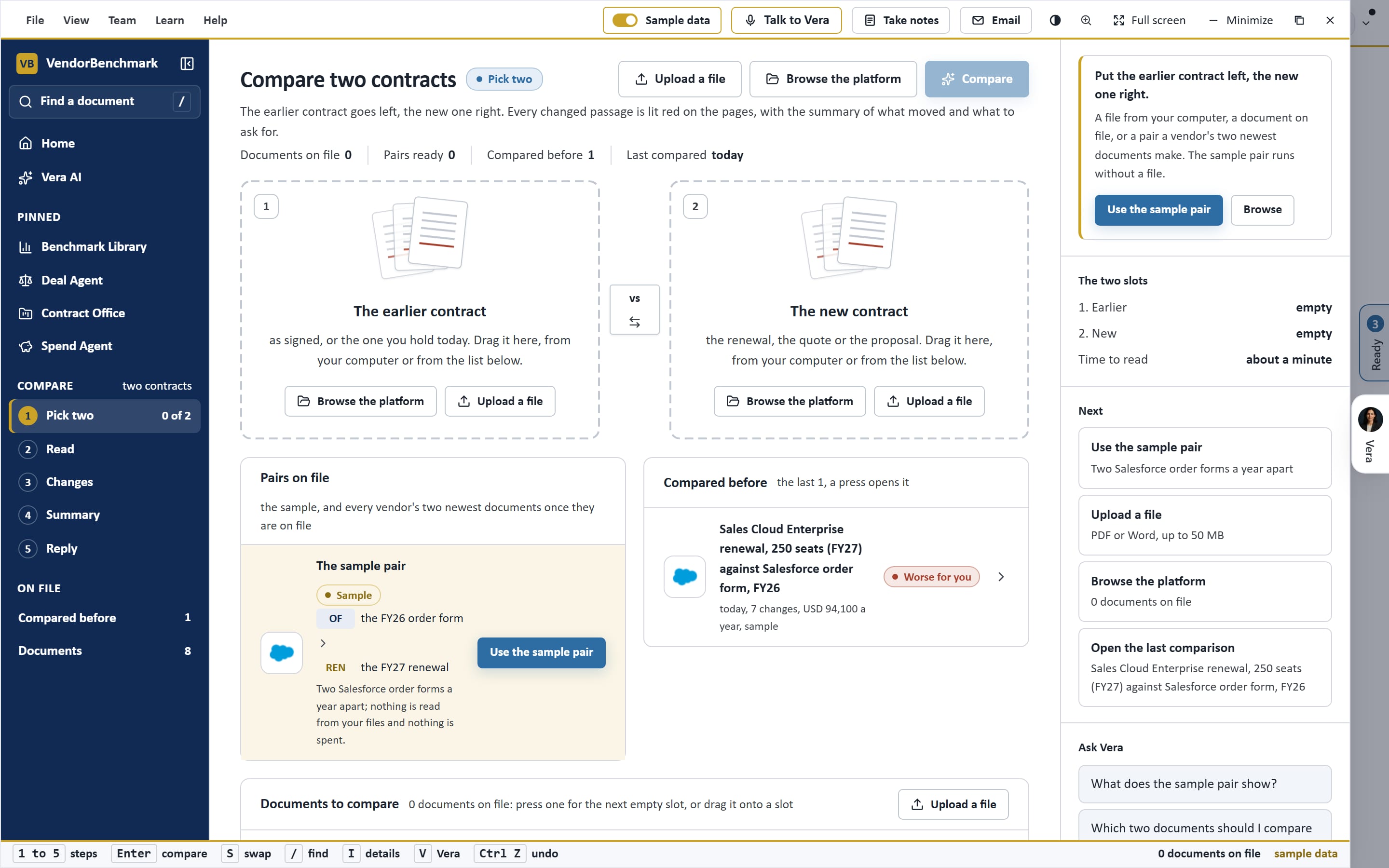
What you see.
Captured on the sample workspace in the live app.
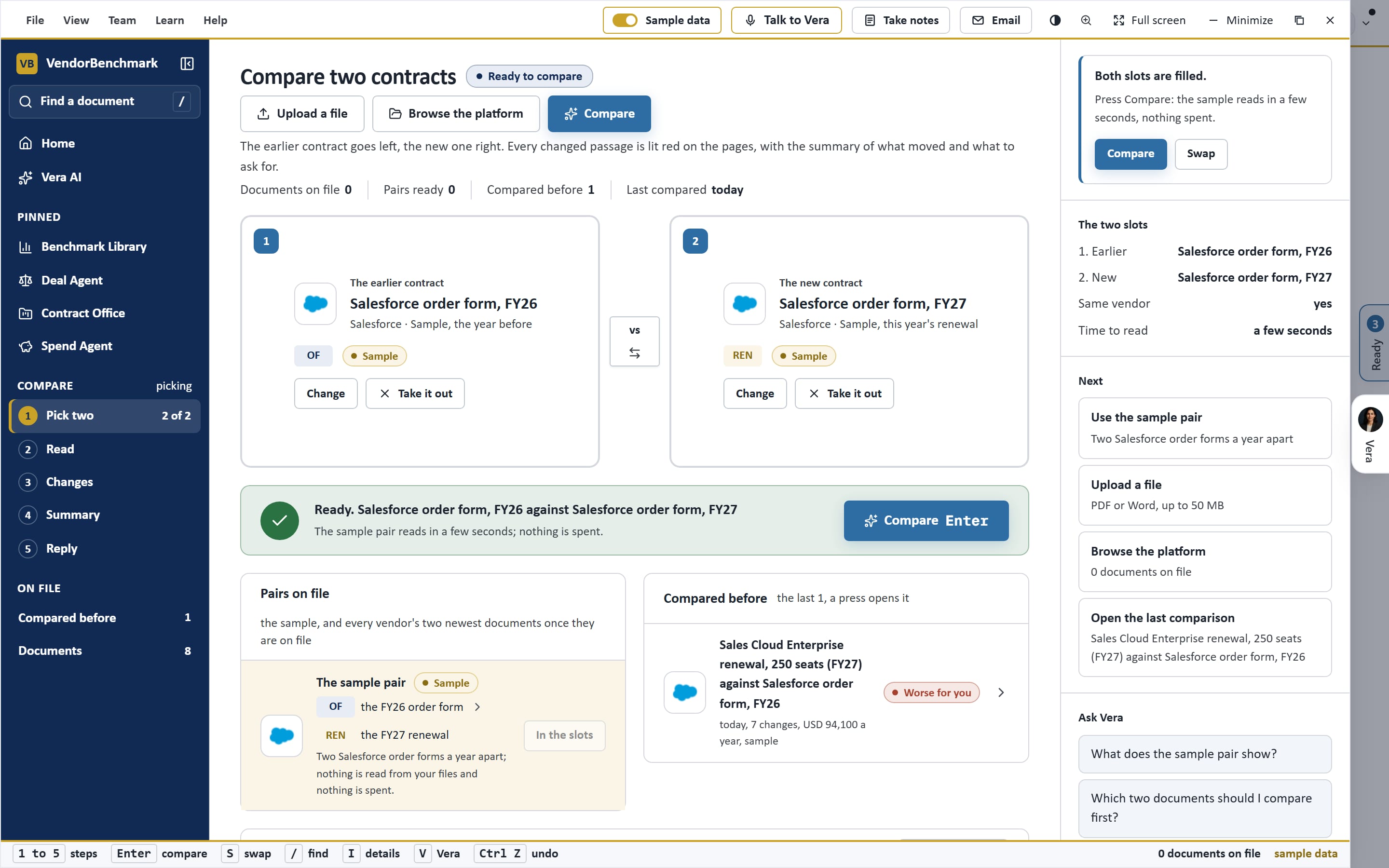
How it works.
One window on the frame every app shares, with Vera beside it.
Pick two
CompareAny two documents on file.
Read
CompareBoth pages, changes lit red.
Summary
CompareWhat moved and what it means.
Reply
CompareWhat to ask for.
See Compare on your own data.
A walk through on an estate like yours, or the sample workspace in the Free Trial. Enterprise pricing, scoped with sales.
Related apps.
Contract Agent
Upload a document and it opens as pages with every suggested change on it: approve a change into the redline, edit its wording or ask a.
Document Agent
Every contract read for the terms that decide a renewal, and searched for any words you type. Each answer comes back with its figure and the.
Contract Office
Your vendors by cost, what needs you, the year ahead, the ledger and the renewals with what next year costs. Press any contract and it opens.
Two contracts side by side.
Compare is one of the apps in Vera AI by VendorBenchmark. Enterprise pricing, scoped with sales.