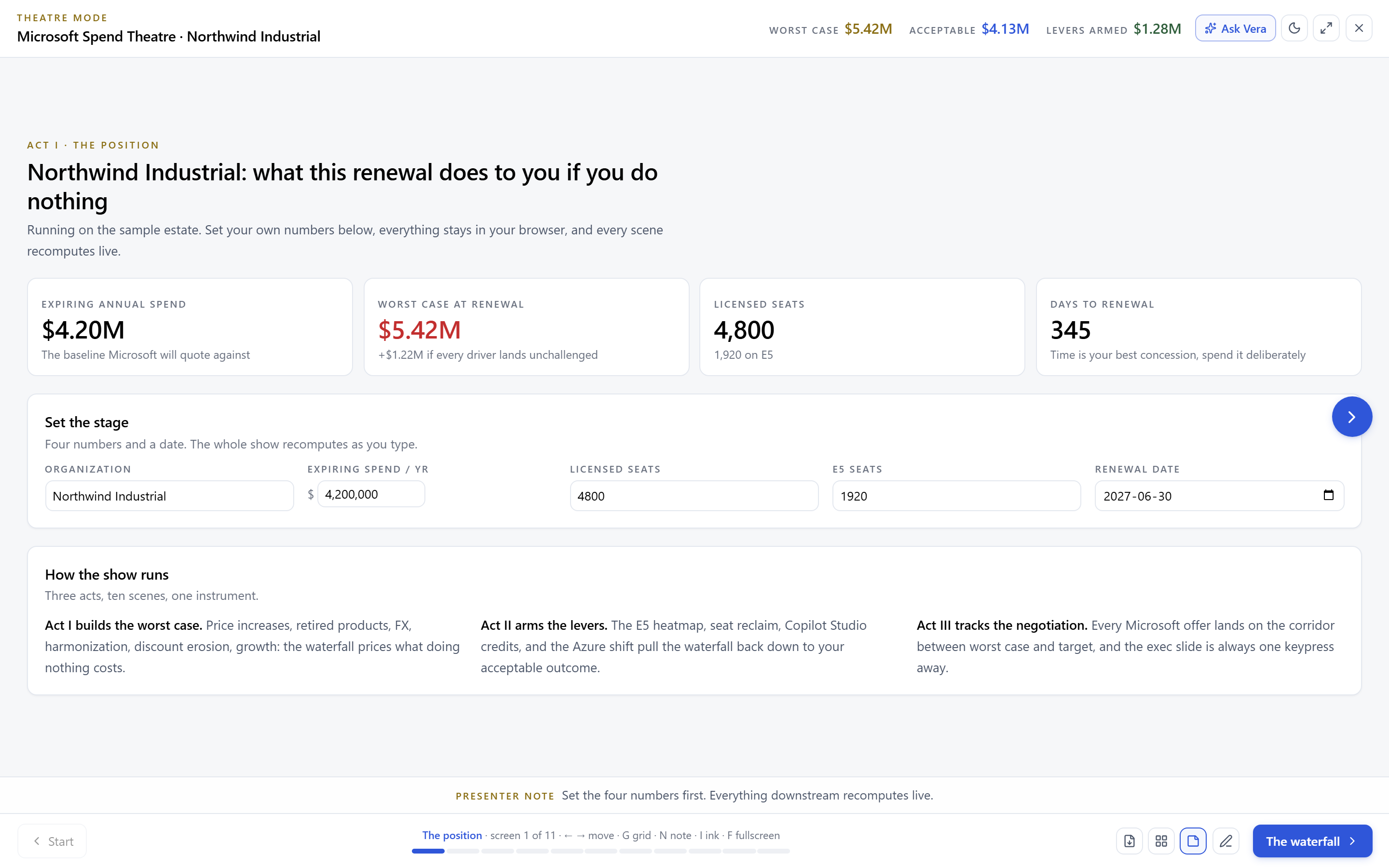
The Microsoft Spend Theatre: your EA's next three years in ten scenes.
A theatre first tool for the Microsoft estate: the worst case waterfall and the levers against it, price history back to 2012, an E5 utilization heatmap, Copilot Studio credit math, and an asks sheet, staged as three acts you can present to your CFO unedited.
Every Microsoft renewal conversation eventually produces the same artifact: a slide that claims the spend must grow, assembled by the vendor. The Microsoft Spend Theatre exists to put a different artifact in the room first, built from your side of the table. Open it and a show raises on arrival: three acts, ten scenes, walking your EA from where the spend stands to what you will ask for, with every number recomputing as you work the levers.
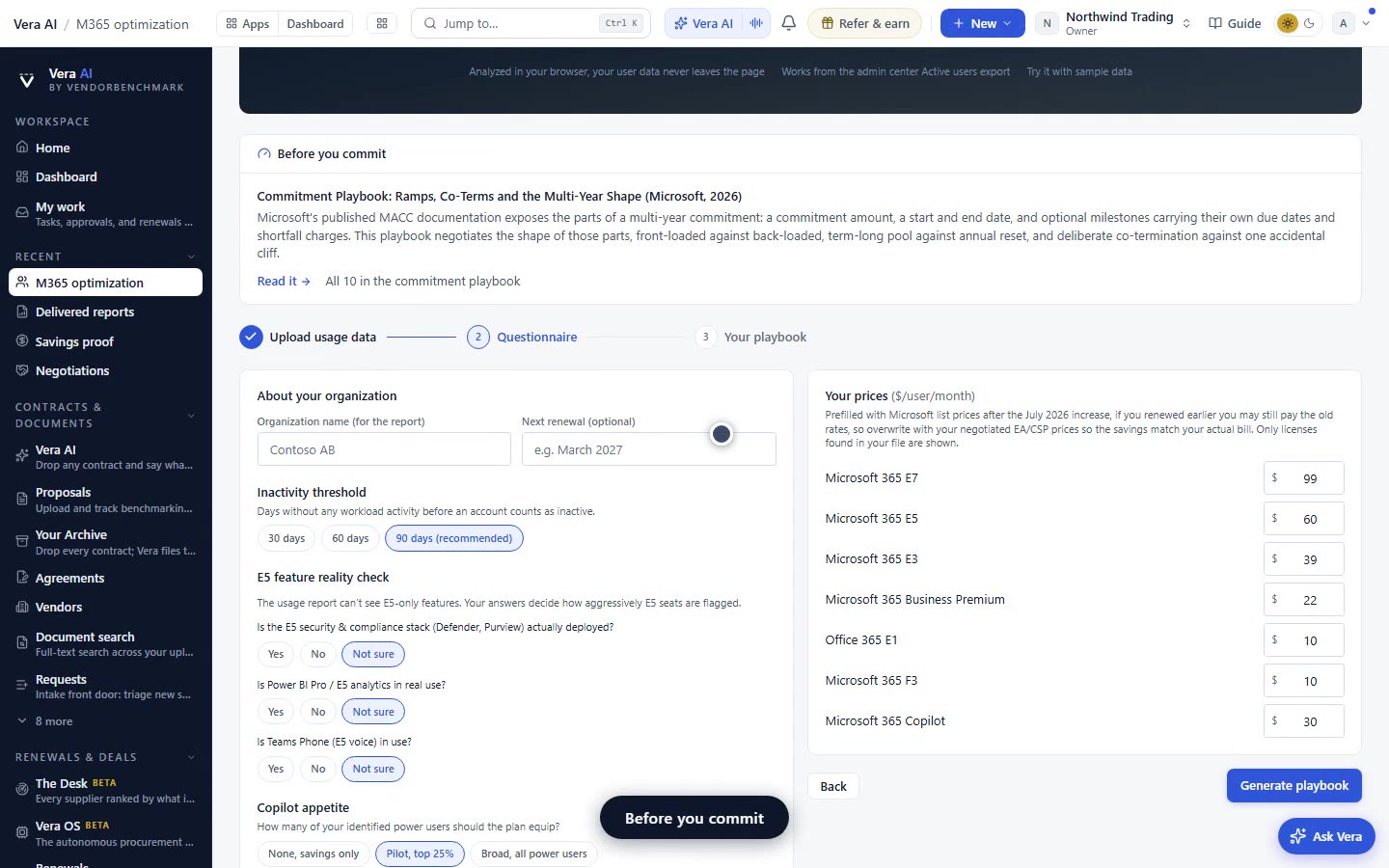
It seeds itself from your Microsoft 365 optimizer data where you have it, so the show opens on your real license mix rather than a template. From there, each scene makes one part of the position visible, and the final scenes turn the position into the meeting: a corridor, an asks sheet, and a single exec slide.
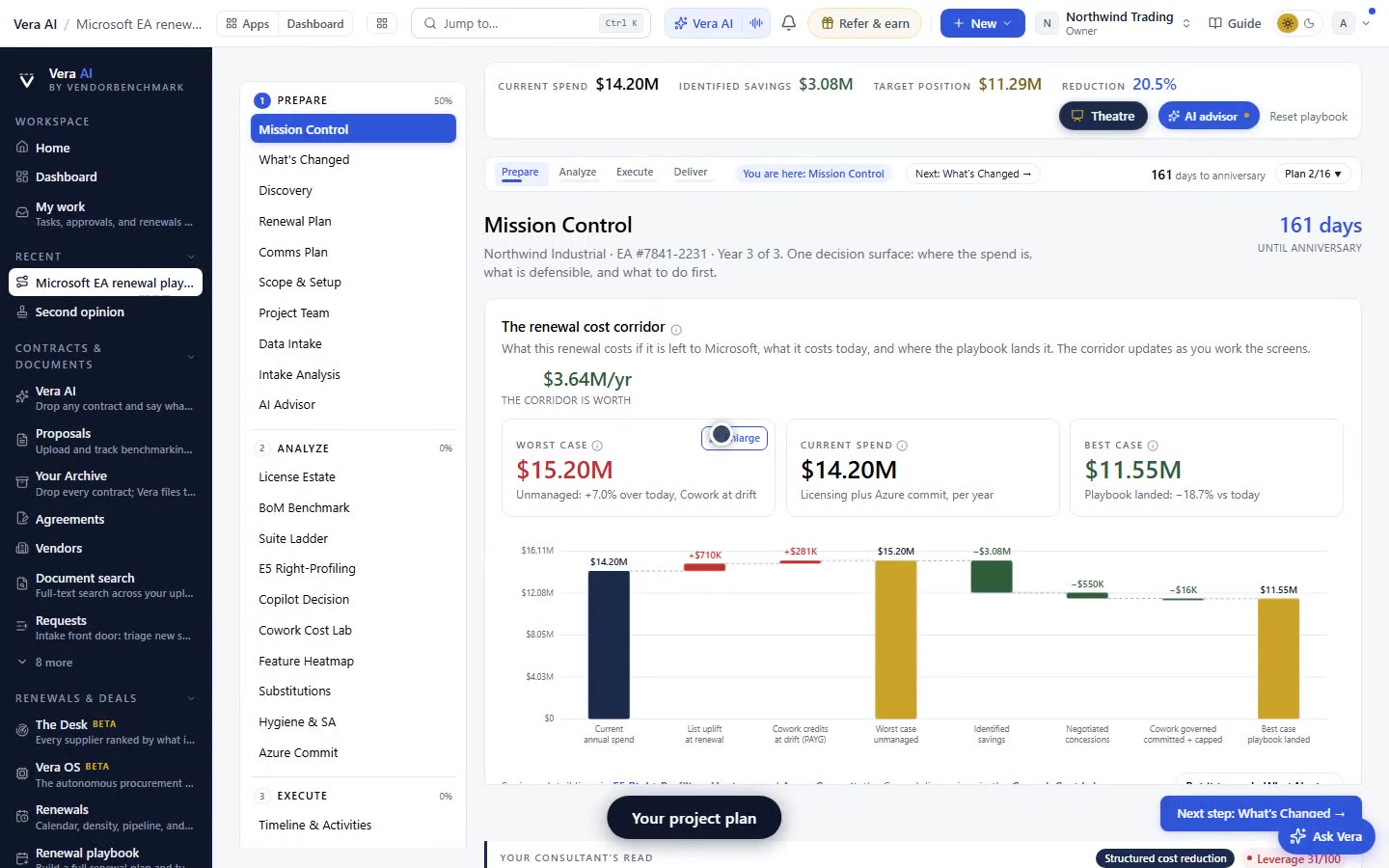
The waterfall: six drivers, five levers, one line you set
The centerpiece is a waterfall of your worst case: six drivers that push the renewal up, from list increases and additions Microsoft expects to the padding that arrives uninvited, stacked against five levers you control. You drag one line across it, the outcome you would accept, and run scenario A against scenario B to see which levers carry the number under it. The waterfall is not a chart of what happened; it is a rehearsal of what you will let happen.
Behind it sits the price Time Machine: curated Microsoft price lists and events from 2012 to July 2026, indexed by budget area, so when the account team calls this year's increase normal you can put fourteen years of what normal actually looked like on the screen behind them.
E5 by component, and the Copilot credit math nobody shows you
The E5 heatmap breaks the suite into six components and maps adoption bands across them, because E5 is not one product, it is a bundle you justify component by component. Where adoption is thin, the heatmap sends the unused half straight to the lever it funds: that is the difference between knowing you underuse E5 and negotiating with it.
The Copilot Studio scene does the credit arithmetic in the open: pay as you go at one cent per credit against $200 packs of 25,000, with consumption ramping around six percent a month, so you can see exactly when a commitment starts paying and when it starts owning you. An Azure scene prices the roughly eight percent benefit of shifting eligible spend, and the estate levers scene collects the rest of the yield.
Corridor, asks, and the workroom after the show
The closing act is the negotiation itself. The corridor scene tracks offer rounds against your target and shows how much of the gap each round closed, the asks sheet states every request with the evidence scene it came from, and the exec slide compresses the whole show into the one image your CFO will actually forward.
Then the theatre hands you a workroom. Outreach cards open pre drafted emails, and a deterministic project plan lays four phases and fifteen tasks against your real runway, compressed to fit however many weeks you actually have. The show persists its state locally, so the plan you half finished is the plan you resume.
What the three acts cover
It optimizes Microsoft, not your whole estate
This theatre is deliberately Microsoft only. The vendor wide picture, every publisher combined, lives in the IT spend optimizer, which is a different tool answering a different question. Bring the Microsoft show to the Microsoft meeting and the portfolio view to the budget meeting, not the reverse.
The price history is curated, not scraped: it covers the major list events and price moves that matter to an EA position, and the credit ramp is a model you should sanity check against your own Copilot telemetry once you have it. The theatre gives you the argument; your usage data keeps it honest.
Fredrik has spent more than twenty years in enterprise software, with time at Oracle, IBM, SAP, and Salesforce before moving to the buy side. He structured and priced the kind of large agreements most buyers only see once or twice in a career, which taught him where the leverage sits and how far a vendor will actually move. He started VendorBenchmark to hand that knowledge to every sourcing team.

The week in enterprise software buying, in one email.
What shipped on the platform, and the pricing and licensing moves worth knowing before your next renewal. One email a week, to your work address. Unsubscribe any time.