Second Chair now runs on a Mac
Prep, coaching, minutes and the seat now work on a Mac exactly as they do on Windows. The one difference is how a Mac captures the call, and it is worth knowing before you rely on it.
If you run procurement on a Mac, you have spent the last stretch watching a useful tool work for everyone but you. The call copilot that sits in the seat during a vendor call, feeds you the counter, and drafts the minutes the moment you hang up, shipped for Windows first. That left Mac buyers doing the old thing: taking notes by hand, missing the price signal buried in a sentence the rep said forty seconds ago, and reconstructing what was agreed from memory the next morning. As of this release, that gap closes. Second Chair now runs on a Mac, a universal build for Apple silicon and Intel, macOS 13 and later, published beside the Windows installer on the desktop app page and held at the same version number.
The problem: the seat only helped half the room
The named problem is simple and it is a platform problem, not a feature problem. A vendor call is a live negotiation with an information gap, and the rep has closed hundreds of them this quarter while you have closed a handful. The whole point of a copilot in the call is to level that. It hears the discount being floated, checks it against comparable deals, and puts the number you should be asking for in front of you before the moment passes. When that capability exists on Windows and not on Mac, half your team is negotiating with the copilot and half is negotiating from memory. That is not a small inconvenience. It is two different levels of preparation sitting on the same call, and the vendor can tell which one they are talking to.
The fix is not a stripped down Mac app. It is the same product. The prep runs, the live coaching runs, the minutes are drafted the same way, and the seat behaves the same way. Everything the Windows build does, this one does, with a single exception on audio capture that we get to below because you should understand it before you depend on it.

How a Mac hears a call at all
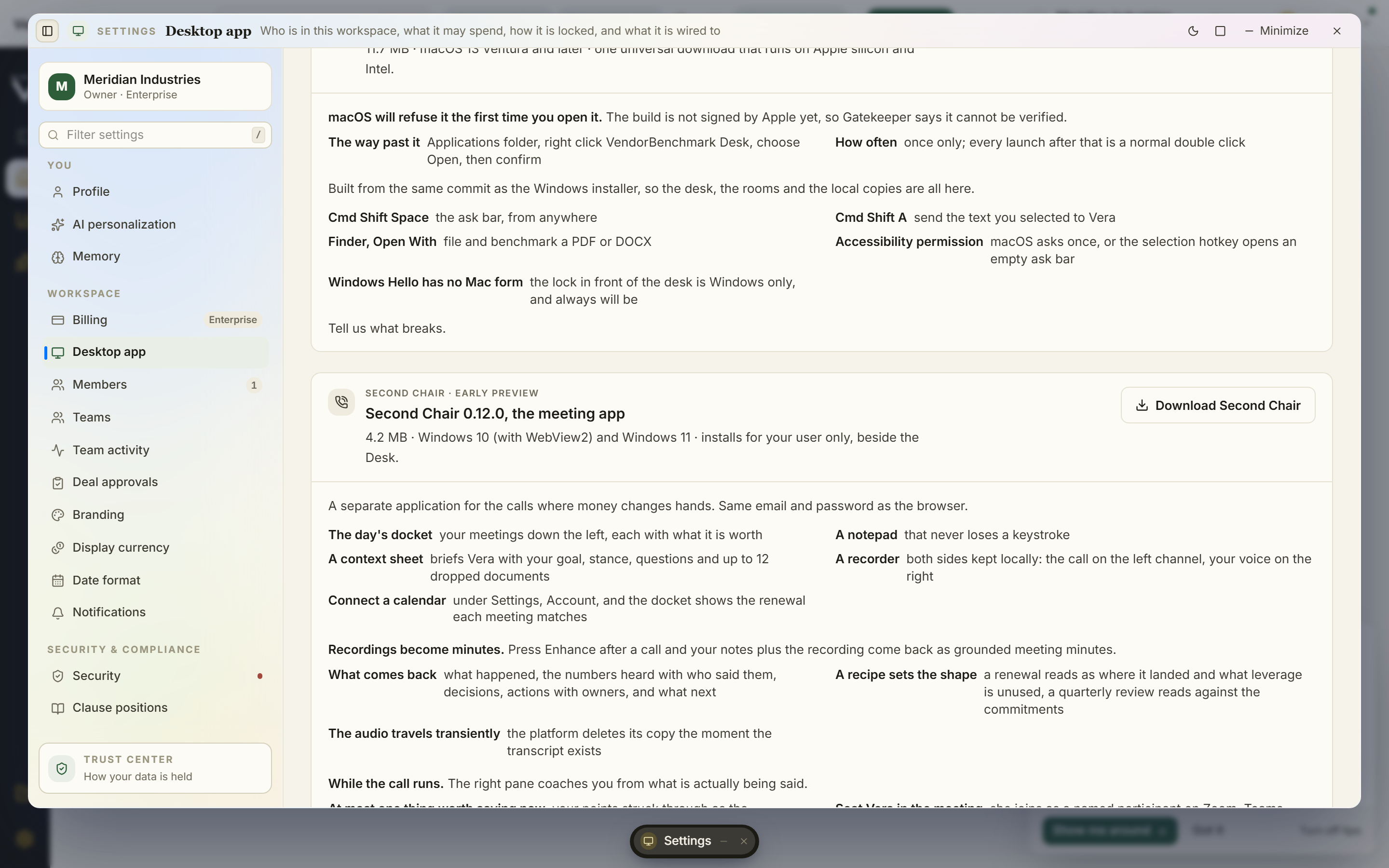
This part matters because it explains the one permission prompt you will see and the one limit you will live with. macOS has no loopback audio device. On Windows there is a clean way to capture what your own speakers are playing, which is how the copilot hears the vendor side of a call. Apple does not ship that. The only supported route to capture system audio on a Mac runs through the same framework that screen recorders use. So the first time you open Second Chair it asks for Screen Recording permission. That request is not about your screen in any meaningful sense. It is the only door macOS provides to the sound coming out of your speakers.
To be precise about what happens to the video: the frames are thrown away the instant they arrive. The build takes the audio out of that stream and discards the picture. Nothing is stored, nothing is transmitted, the visual side of the capture exists for a fraction of a second and is gone. If your security team asks, and they should, the answer is that the permission is required by macOS architecture, not by the product wanting to watch your screen, and it is worth pairing that answer with a look at how anything the copilot produces is handled downstream.
The one difference worth knowing
Here is the honest limit, stated plainly so you can decide before you rely on it. On Windows the copilot keeps two audio channels: the far side of the call on one, and your own microphone on the other. That is what lets it attribute lines to speakers cleanly and split the transcript by who said what. On a Mac, the far side of the call is captured in mono. Your microphone is not kept as a second channel. Everything downstream of that still works. The prep runs, the coaching in your ear runs, the minutes are drafted, and the seat behaves exactly as it does on Windows. What does not work the same is the speaker split. The transcript is there, the numbers are captured, the record is complete, but the crisp who said which sentence separation that Windows gives you is not present on the Mac build today.
For most of what a buyer needs, that is a footnote. When you review the minutes to check the vendor's committed discount against your uplift cap position, the number is what matters and the number is there. Where it does bite is any workflow that leans on precise attribution, for example a compliance record that needs to show who authorised a concession in the room. If that is your case, know the limit now rather than discover it later.
Installing it, including the one friction point
The build is not signed by Apple yet. That means the first time you open it, a double click will not do it. macOS will refuse to launch an unsigned app on a plain open. The workaround is the standard one: right click the app and choose Open, then confirm once. After that first confirmation the app opens normally every time. Signing is in progress and this step will disappear when it lands, but we would rather tell you the truth about the first launch than let you hit a Gatekeeper warning and assume something is broken. The universal build means you download one file whether you are on Apple silicon or Intel, and it runs native on both. You will find it on the desktop app page, sitting beside the Windows installer at the same version.
Where this fits the rest of the workflow
The call is one moment in a longer chain. What the copilot captures in the seat feeds straight into the record you take into the next stage, whether that is a counter offer built as a document or the approvals that have to clear before anyone signs. The value of having it on a Mac is not that the Mac is special. It is that the moments where a rep floats a number and moves on are exactly the moments a human loses, and losing them on a Mac cost you real leverage that the Windows users on your team were keeping. That asymmetry is now gone. Grant the one permission, accept the one limit, and the seat works for everyone who takes a vendor call, whatever laptop they carry into it.
Fredrik has spent more than twenty years in enterprise software, with time at Oracle, IBM, SAP, and Salesforce before moving to the buy side. He structured and priced the kind of large agreements most buyers only see once or twice in a career, which taught him where the leverage sits and how far a vendor will actually move. He started VendorBenchmark to hand that knowledge to every sourcing team.


