The Agent Center opens as an application
The agent surface stopped being a long page and became an application. Five views under one masthead, a rail that keeps coverage and pending approvals in sight, and forwarded links that land where you meant them to land.
If you have staffed a procurement desk with agents, you have met the scroll. It starts honestly enough. You hire two agents, you build a workflow, you add a situation bundle for a renewal that is coming fast. Six months later the page that holds all of it is long enough that the thing you most need to see, the approval sitting quietly at the bottom, is the thing you see last. This release closes that gap. The Agent Center now opens as an application rather than a page. One masthead states the floor's figures. Five views sit beneath it. Coverage and anything waiting on your approval ride in a rail beside every view, so nothing urgent hides behind a tab or below a fold.
The named problem: your workforce lived in a scroll
The agent surface grew faster than the layout that held it. There are six specialist agents doing the heavy analytical work, thirteen inbox agents that answer by email, and 99 background jobs running whether or not anyone is watching. On top of that sits whatever your own team built in the workflow builder, plus the situation bundles you deploy when a renewal turns awkward. All of it was legible. None of it was addressable. You could see everything, provided you were willing to scroll for it and to remember what you were scrolling for.
Three failure modes followed from that, and buyers reported all three. First, approvals aged. A finding that needed a human decision sat below the visible area of the screen and waited for someone to remember it existed. Second, the weekly read became a memory exercise. There was no single place that said what is staffed today, what ran overnight, and what is still open, so procurement leads rebuilt that picture by hand every Monday. Third, sharing was broken. A forwarded link opened at the top of the page, and the colleague you sent it to had to scroll to find the section you were actually pointing at. That is a small friction that becomes a large one when you do it forty times a quarter.
None of those are agent problems. They are desk problems. We wrote about the staffing decision itself in six agents and a ghost writer. This update is about the room those agents work in.
One masthead, five views
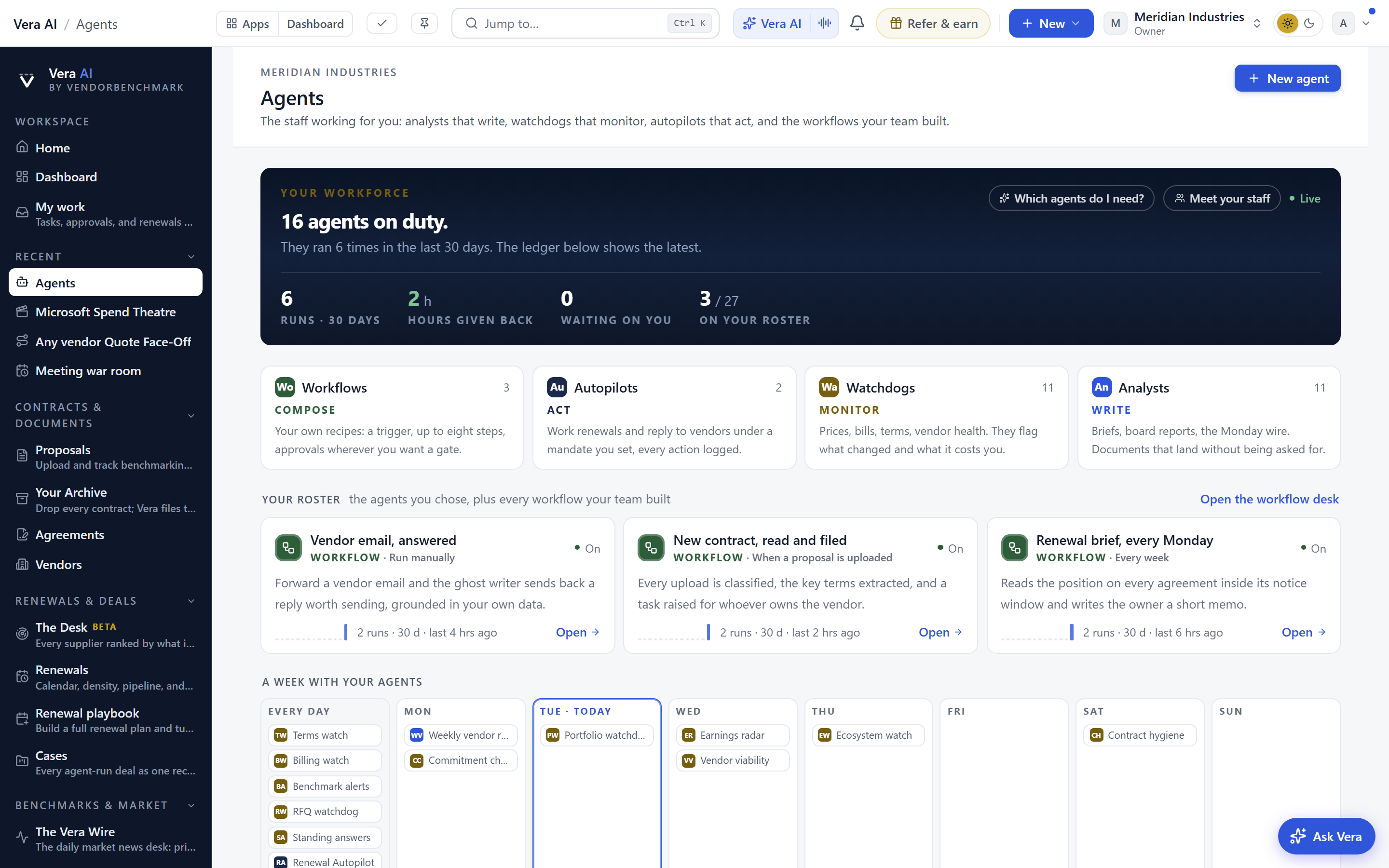
The masthead is the first change and the one you will notice within a second. It states the floor's figures: what is running, what has landed, what is waiting. It does not change when you switch views, so the headline numbers stay in your peripheral vision while you work in detail underneath them.
Beneath it sit five views. The Overview leads with Ask Vera, then the four departments, then the latest ledger entries and the agents scheduled today. It is the morning read, and it is designed to be finished, not browsed. Your roster holds the staff you chose plus every workflow your team built, in one place, so a hired agent and a homemade workflow sit as equals because operationally they are equals. Hire agents holds the one click situation bundles and the whole bench by class, which is where you go when a situation arrives faster than your staffing plan did. The week shows the staffed calendar, read directly from the deployed schedule rather than from an aspiration. The ledger shows every finding and every run in full, which is the view you open when someone asks what the agents have actually done.
The rail: coverage and approvals travel with you
The second structural change is the rail. Two things ride beside every view rather than living inside one of them. The first is coverage, meaning which parts of your estate currently have an agent watching them and which do not. The second is anything waiting on your approval. Both were previously destinations. Now they are constants.
That matters more than it sounds. Coverage is the number that quietly predicts your next surprise. A vendor with no agent assigned is a vendor whose price list can move without anyone noticing until the invoice arrives. Keeping coverage in the rail means the gap is visible while you are doing something else, which is the only reliable way gaps get closed. The same logic applies to protections rather than agents, which is the argument we made in the must have coverage grid. Absence is the hardest thing to see, so it has to be shown to you rather than looked up.
Approvals behave the same way. When a finding needs a human decision, it now sits in the rail with the view you are already in, not in a queue you have to visit. If you are the person who signs off a challenge to a vendor invoice, or who authorises an agent to open a thread with the account team, the decision finds you. It does not wait for you to go looking.
Keys, addresses and forwarded links
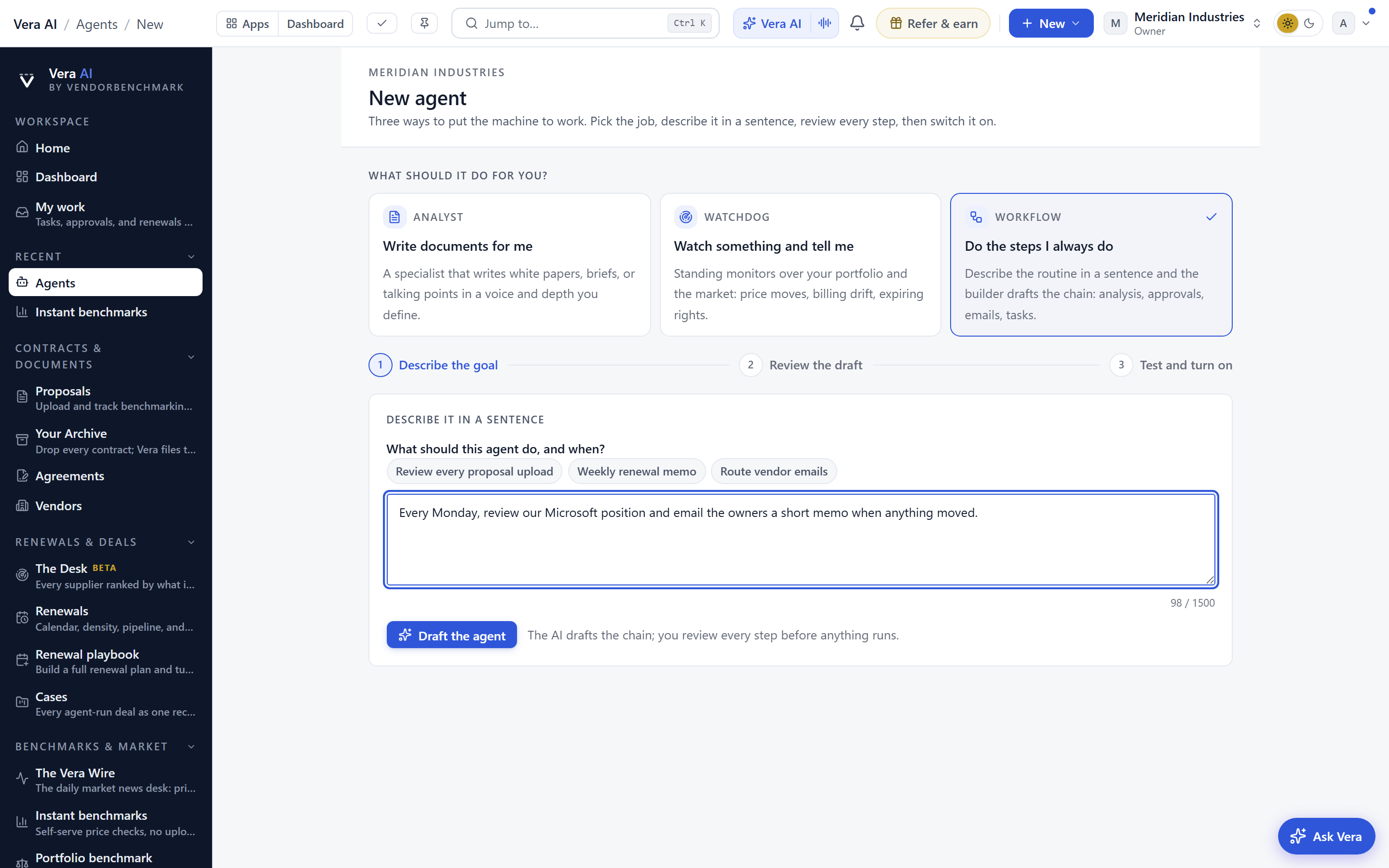
Press 1 to 5 to switch views. Press / to ask Vera from wherever you are. That is the whole interaction model, and it was chosen because the people who use this surface daily use it many times a day. A desk you operate from the keyboard is a desk you stop thinking about, which is the point.
Each view is addressed. A forwarded link lands on the view it was sent from rather than at the top of a page. If you send the ledger to your CFO, the CFO opens the ledger. If you send the week to a category manager, the category manager opens the week. This is the difference between a link and a location, and it is what makes the Agent Center usable by people who do not live in it. The same principle is why we push finished artefacts rather than chat transcripts, as argued in from chat to deliverable. A colleague should receive the thing, not the instructions for finding the thing.
Honest limits
This is a reorganisation of surface, not an expansion of capability. No agent got smarter this week. If your six specialist agents were producing findings you did not act on, they will now produce those findings in a better lit room. The layout removes an excuse, it does not remove the work.
The week view reads from the deployed schedule, which means it is only as full as your deployment. A tenant that has hired agents but never scheduled them will open the week and see very little. That is accurate rather than broken, but it is worth knowing before you judge the view. Similarly, the ledger shows findings and runs. It is a record of what the agents did, not a replacement for your contract system of record or your ERP. If your contracts are not loaded and your invoice feed is not connected, the ledger will be thin for reasons that sit upstream of this release.
The rail surfaces what is waiting on your approval. It does not decide for you, and it deliberately does not nudge. If an approval sits for three weeks, the rail will still be showing it, patiently, in the same place. Escalation is a policy question for your team rather than a product behaviour we have imposed.
Keyboard shortcuts assume a keyboard. On a phone the views are tappable and the rail collapses, which is a reasonable experience but not the same one. Addressed links also respect permissions, so a forwarded ledger link opens for a colleague only if that colleague has access to the underlying records. Sending a link to someone outside the tenant will not work, and we think that is the correct trade even though it occasionally frustrates.
Finally, the masthead states the floor's figures, not your savings. It tells you what is running and what is waiting. It does not tell you whether your renewal calendar is survivable, which remains a separate and harder question we treated in 300 vendors, 52 weeks, one team. The Agent Center makes your workforce legible. Whether that workforce is pointed at the right vendors is still your call. You can see the current bench, the situation bundles and the departments at /agents, and the fastest way to judge the change is to open it, press 1, and see how long the morning read actually takes.
Fredrik has spent more than twenty years in enterprise software, with time at Oracle, IBM, SAP, and Salesforce before moving to the buy side. He structured and priced the kind of large agreements most buyers only see once or twice in a career, which taught him where the leverage sits and how far a vendor will actually move. He started VendorBenchmark to hand that knowledge to every sourcing team.


