Theatre mode everywhere: learn the stage once, present anything.
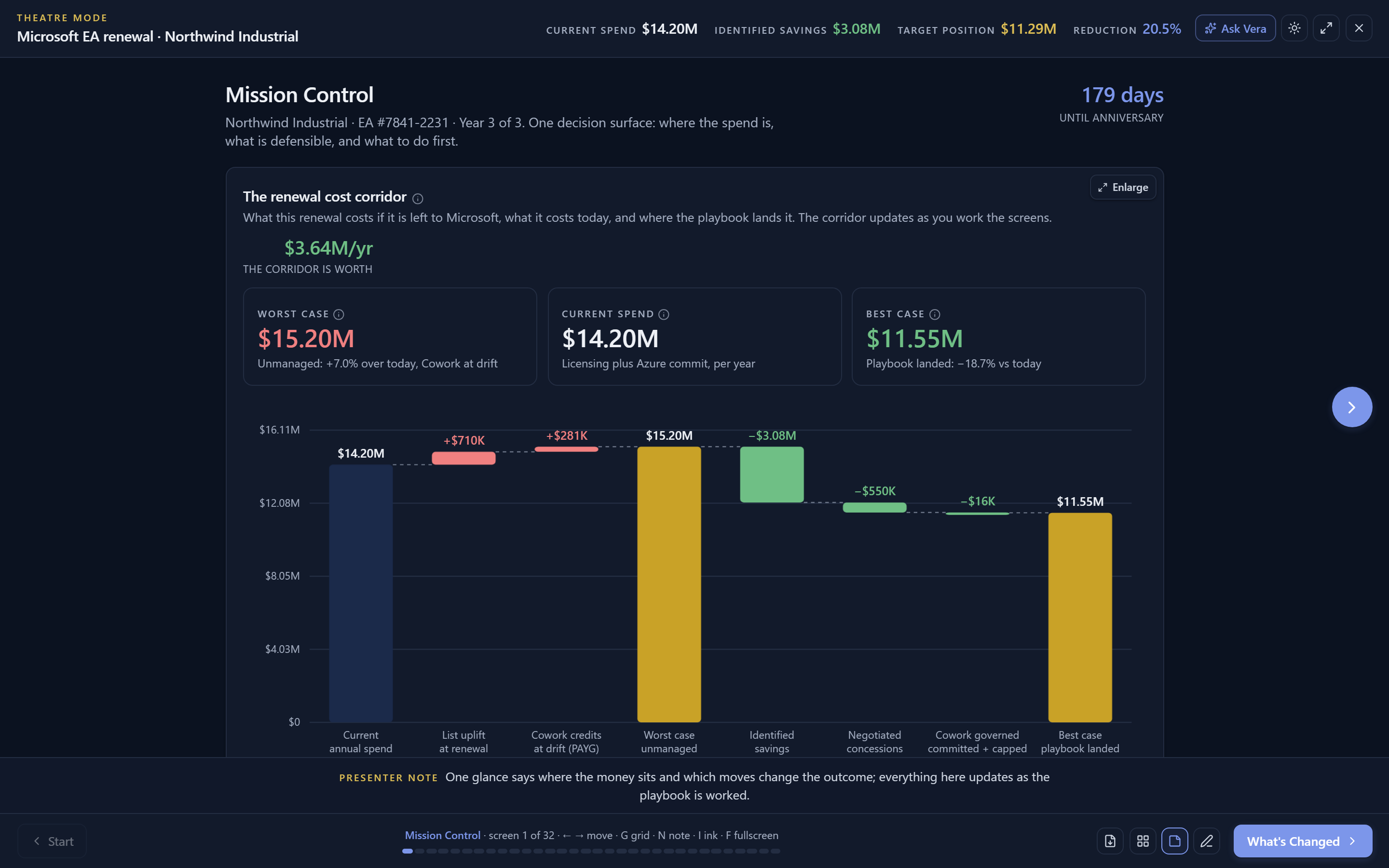
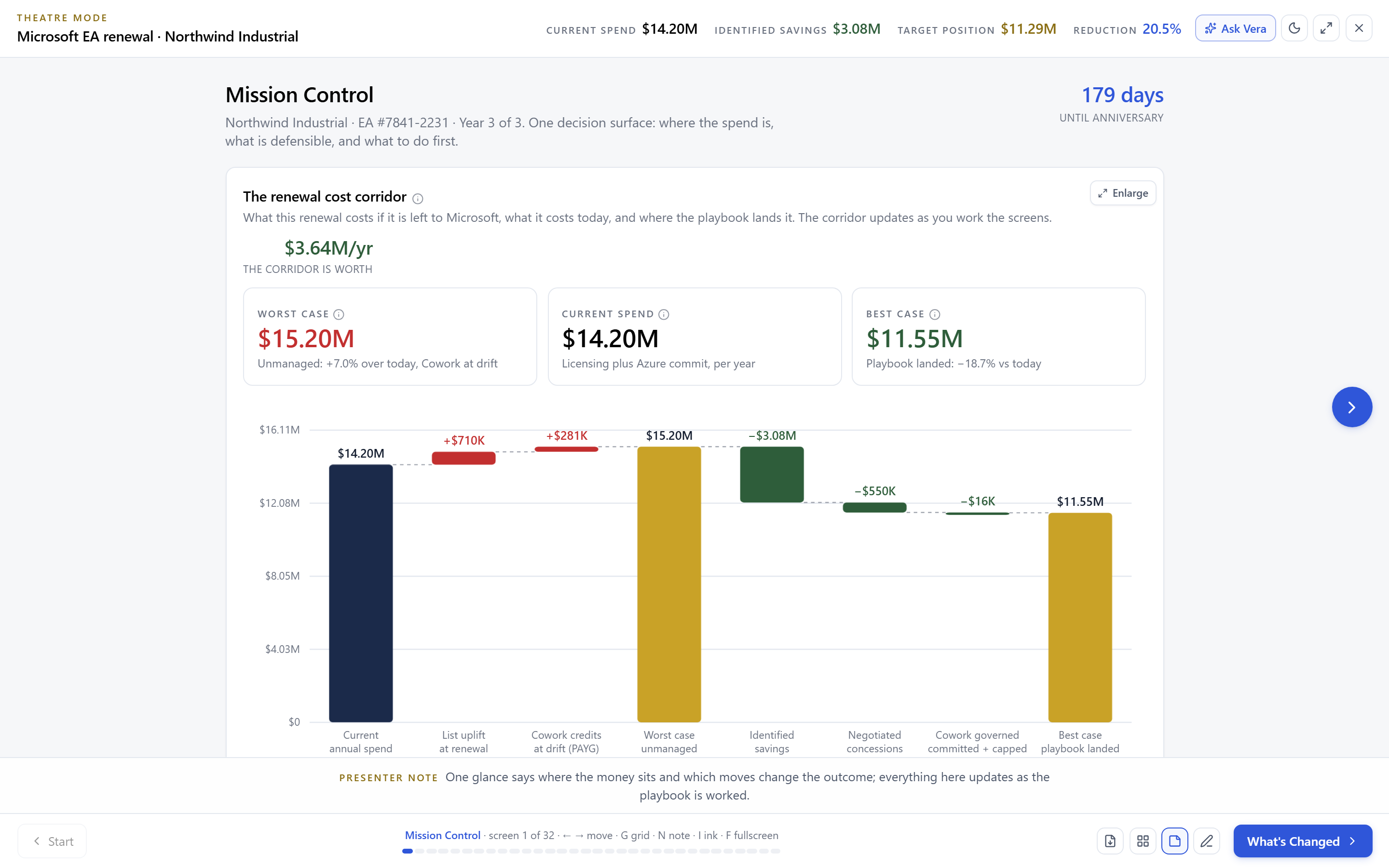
One shared stage now powers presentations across the platform: playbooks, benchmark reports, the boardroom brief, vendor intel, the renewals QBR, advisory sessions, research reading mode, and more. Same keys, same grid, same presenter notes, same leave behind packet, on every surface.
Software buyers present constantly: the renewal position to the CFO, the benchmark to the vendor, the quarter to the team. Until recently each surface on the platform had its own idea of how a presentation should behave, which meant learning each one separately and trusting none of them in a live meeting. That is fixed. There is now one stage, and everything presents on it.
Look for the navy Present button. It is on the playbooks, on delivered benchmark reports and the example report, on the Boardroom Brief, the vendor intel briefing, the renewals desk, the price Time Machine, advisory sessions, the rate benchmark, and the research library's reading mode. Press it and the same thing happens everywhere: the chrome falls away, the lighting shifts, and your content walks one screen at a time.
One grammar for every room
The keys are the whole grammar. Arrow keys or Space move forward and back. G opens an overview grid of every screen so you can jump straight to the one your CFO asks about. N opens a presenter note rail with a private read on the current screen. F takes the browser full screen, and Escape peels one layer at a time. The chrome erases itself after a few idle seconds so the room sees your numbers, not your toolbar, and returns the moment you move the pointer.
The stage has lighting. Choose a light or dark stage per surface, and the choice sticks; a dark app can raise a light stage and the reverse, because the stage relights itself independently of your workspace theme. Deep links carry the stage with them, so the link you paste into the meeting invite opens on the exact screen you meant, already staged.
Resume, rehearse, and leave something behind
A stage that forgets where you were is a liability in a real meeting, so this one remembers. Each surface keeps a resume mark: leave mid act and the Present button offers to reopen exactly there. Rehearsal is the same show without the audience, and because the ticker stats recompute live, a scenario question from the room is answered by moving the control, not by promising a follow up.
Every show can print a leave behind packet: a static, print clean rendering of the screens with the verdicts stated, so the room keeps a document that matches what they just watched. And Ask Vera is available from the stage itself, above the lighting, for the question that needs the data behind the screen rather than the screen.
Want to be updated when major licensing and pricing changes land? One analyst brief a week: the price rises, metric changes and audit campaigns that move software costs. Work email only.
The stage grammar, five keys and a button
A stage is not a substitute for a position
Theatre mode presents what the underlying surface computed; it adds no numbers of its own. A weak negotiation position presented beautifully is still weak, and the stage will stage it faithfully. The work of building the position happens in the playbook, the benchmark, and the workup, before the curtain.
Nothing auto enters full screen, ever. The stage fills the viewport on its own, and browser fullscreen is a choice you make with F or the header button. Public demo surfaces present without the Ask button, since there is no workspace behind them to ask against.
Fredrik has spent more than twenty years in enterprise software, with time at Oracle, IBM, SAP, and Salesforce before moving to the buy side. He structured and priced the kind of large agreements most buyers only see once or twice in a career, which taught him where the leverage sits and how far a vendor will actually move. He started VendorBenchmark to hand that knowledge to every sourcing team.



The week in enterprise software buying, in one email.
What shipped on the platform, and the pricing and licensing moves worth knowing before your next renewal. One email a week, to your work address. Unsubscribe any time.