What the deal costs. What peers pay. Where you rank.
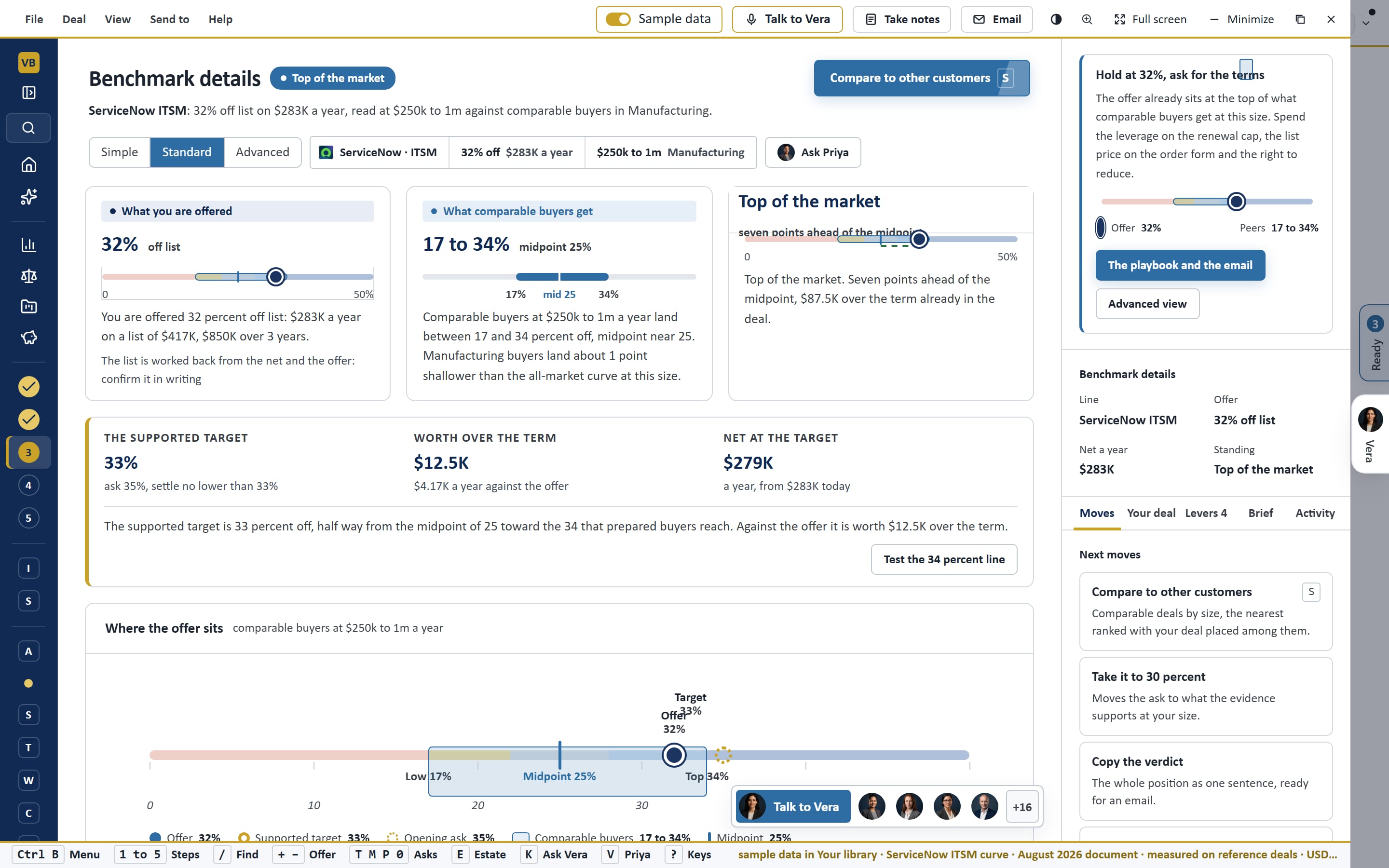
Open one line of one vendor and the library answers the three questions a buyer asks: what this deal costs, what comparable buyers are offered for the same deal, and where it ranks.
What teams use it for.
Open one line of one vendor and the library answers the three questions a buyer asks: what this deal costs, what.
Check a quote before you sign
Enter the value, the term and the discount; see the peer range and your rank in seconds.
Prepare a renewal
Take the target and the gap in money into the negotiation, with the evidence behind it.
Brief the board
Present the benchmark as a report or a deck in the firm's document design.
What you see.
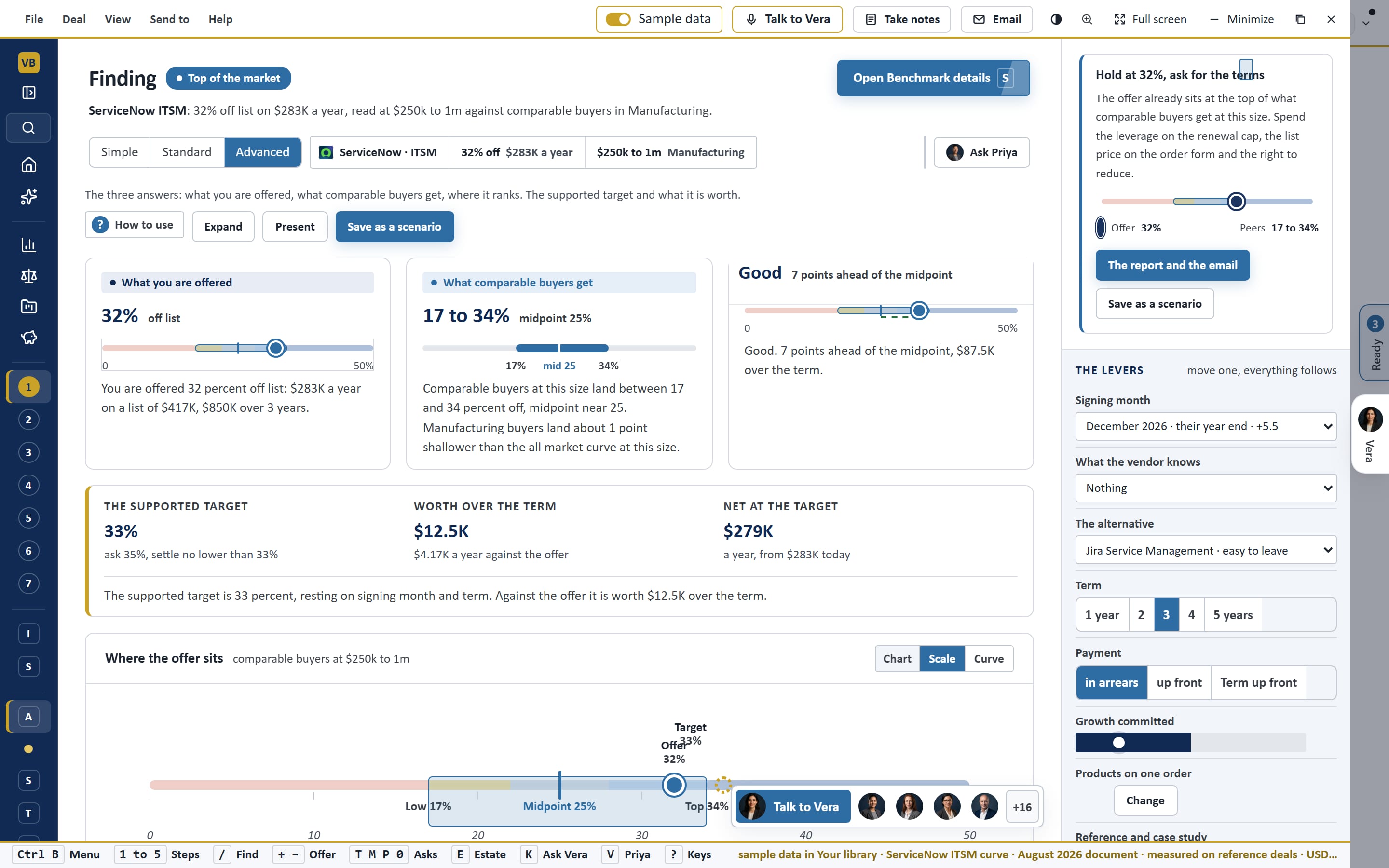
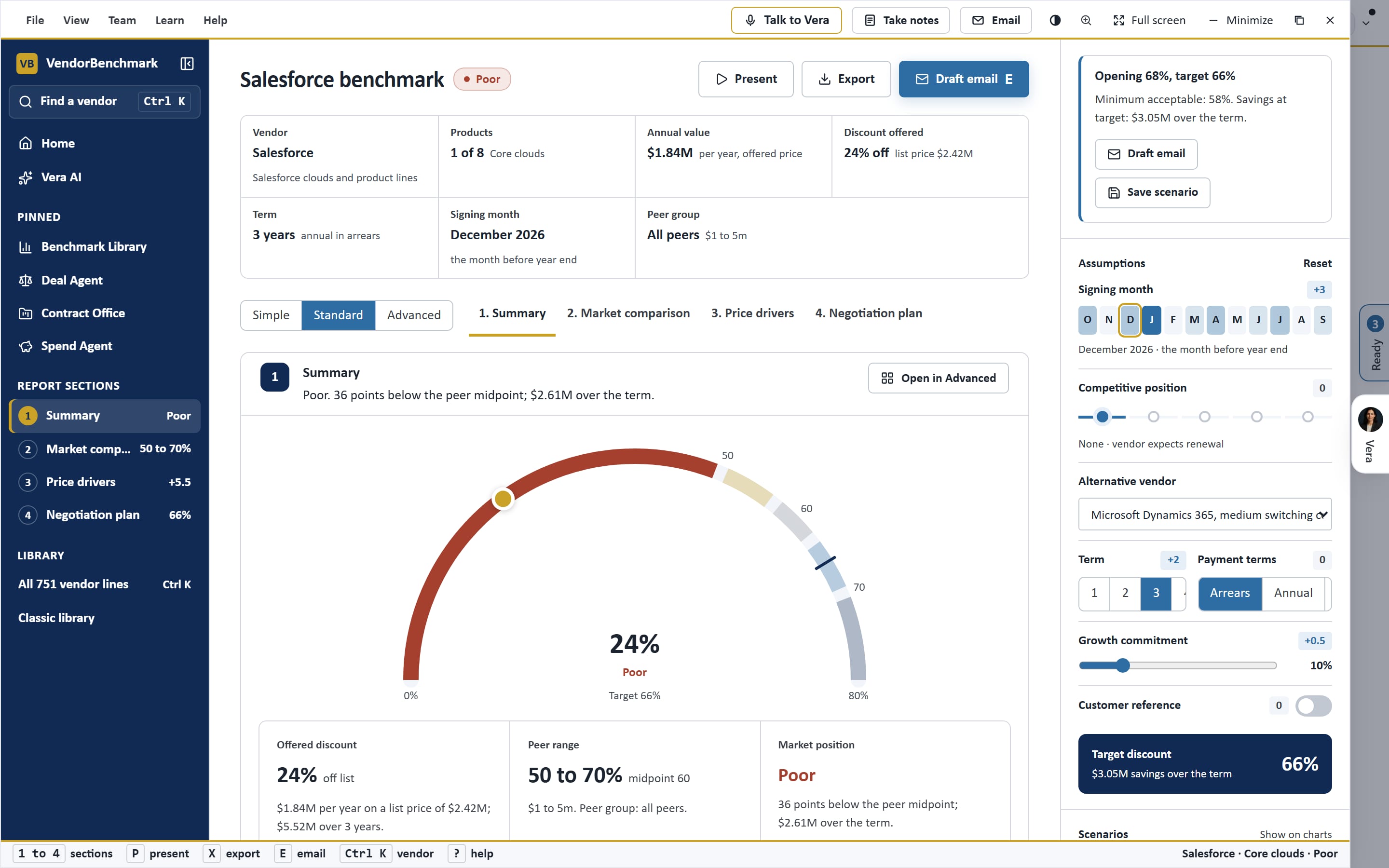
Captured on the sample workspace in the live app.
How it works.
One window on the frame every app shares, with Vera beside it.
Five steps
BenchmarkThe deal, the market, the rank, the target and the report, in order.
Peer ranges
BenchmarkWhat comparable buyers pay for the same product at the same size.
The verdict
BenchmarkPoor, Below market, At market, Good or Top of the market, with the gap in money.
Reports and decks
BenchmarkA standard report, an advanced view, Word and PowerPoint.
See Benchmark Library on your own data.
A walk through on an estate like yours, or the sample workspace in the Free Trial. Enterprise pricing, scoped with sales.
Related apps.
Self Drop Benchmark
Upload a vendor's offer and get the pricing benchmark: where it sits against the market, the target, what each ask is worth and the counter.
Is this a good deal?
Name the vendor, the product and what you are offered, and the Benchmark Library says whether it is a good deal, against what comparable.
Report Studio
Every report is written from your stored agreements, for the reader you choose: the board, the CIO, the CFO or procurement, with dashboards.
What the deal costs.
Benchmark Library is one of the apps in Vera AI by VendorBenchmark. Enterprise pricing, scoped with sales.