One question. An answer in seconds.
Name the vendor, the product and what you are offered, and the Benchmark Library says whether it is a good deal, against what comparable buyers pay.
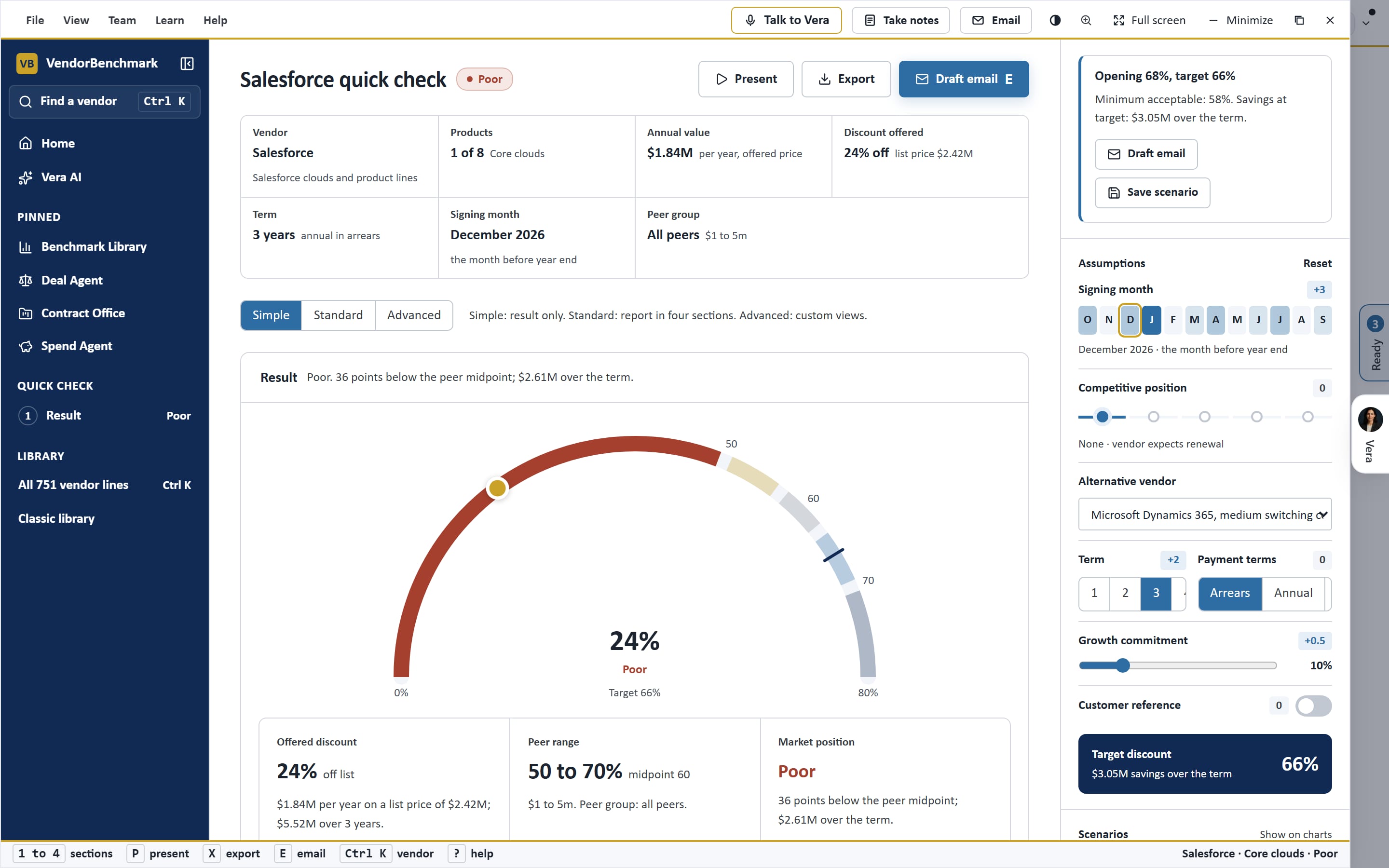
What teams use it for.
Name the vendor, the product and what you are offered, and the Benchmark Library says whether it is a good deal, against.
A quote just arrived
Check it before the vendor's deadline, without a project.
A colleague asks
Answer with the peer range rather than a guess.
Before you escalate
Know whether the offer is worth a fight.
What you see.
Captured on the sample workspace in the live app.
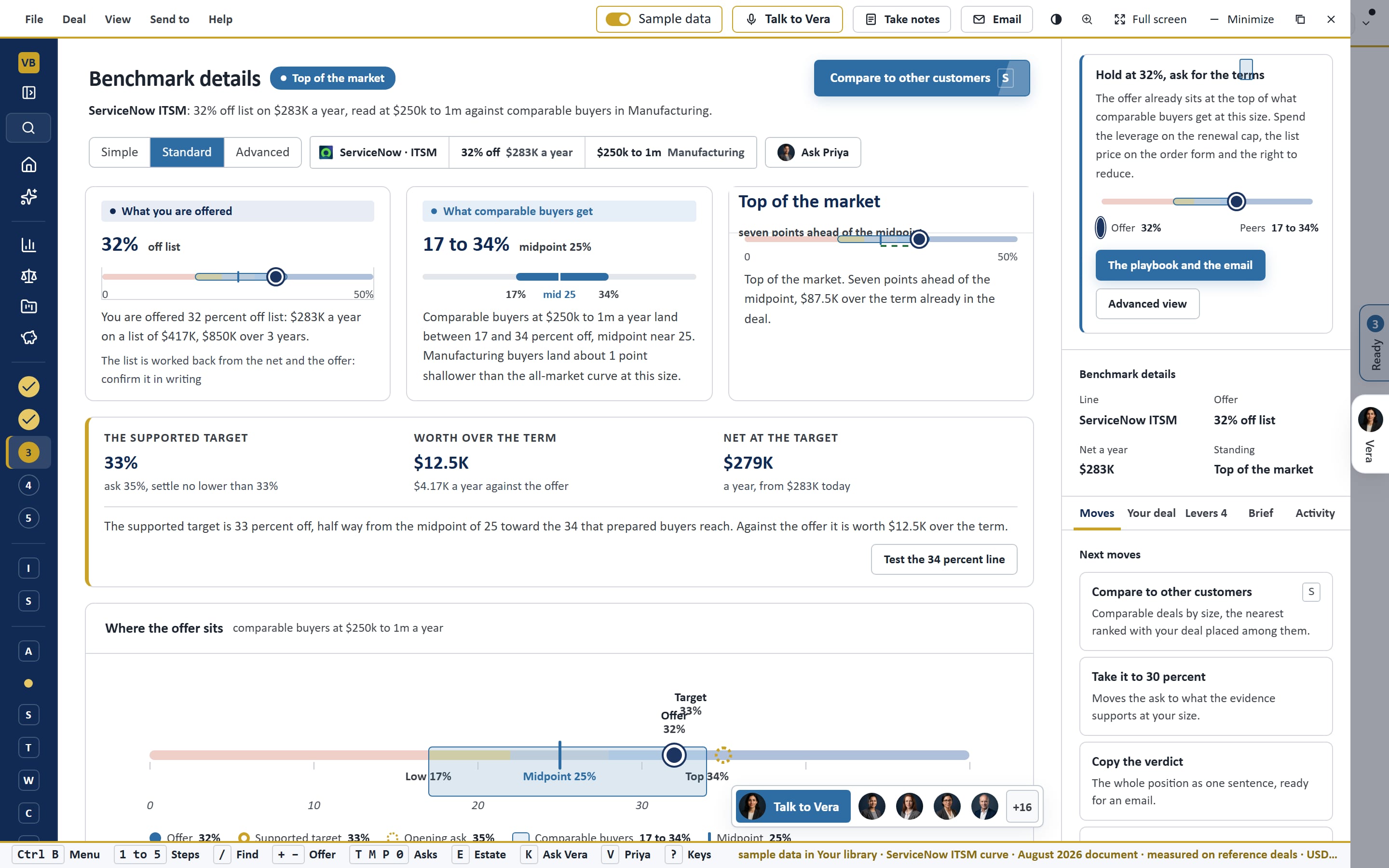
How it works.
One window on the frame every app shares, with Vera beside it.
Three inputs
IsVendor, product and the offer.
The verdict
IsWhere the offer ranks against the market.
The next step
IsOpen the full benchmark or ask an analyst.
See Is this a good deal? on your own data.
A walk through on an estate like yours, or the sample workspace in the Free Trial. Enterprise pricing, scoped with sales.
Related apps.
Benchmark Library
Open one line of one vendor and the library answers the three questions a buyer asks: what this deal costs, what comparable buyers are.
Self Drop Benchmark
Upload a vendor's offer and get the pricing benchmark: where it sits against the market, the target, what each ask is worth and the counter.
Ask a human
Say what you need, add the document or write the question, and a named VendorBenchmark analyst answers within 24 hours, read by a second.
One question.
Is this a good deal? is one of the apps in Vera AI by VendorBenchmark. Enterprise pricing, scoped with sales.