How to integrate Vera AI with Coupa
Three Coupa connections and one switch: the contracts and their documents come in, the supplier master and the purchase orders fill in the research, and each AI managed renewal writes its outcome back as a comment on the Coupa contract.
Coupa is where the purchase orders, the suppliers and the approved invoices live. It is rarely where the renewal is negotiated. The contract record in Coupa knows the end date; it does not know what comparable customers pay, it does not write the email asking for a better price, and it does not notice that a quote is above the market until the requisition is already approved. Vera AI by VendorBenchmark connects to Coupa in both directions: the contracts and their documents come in to be read and benchmarked, the supplier master and the orders feed the vendor research, and when the AI runs a renewal the outcome goes back as a comment on the Coupa contract, so the record in Coupa says what happened. Here is how to set it up and what each connection needs.
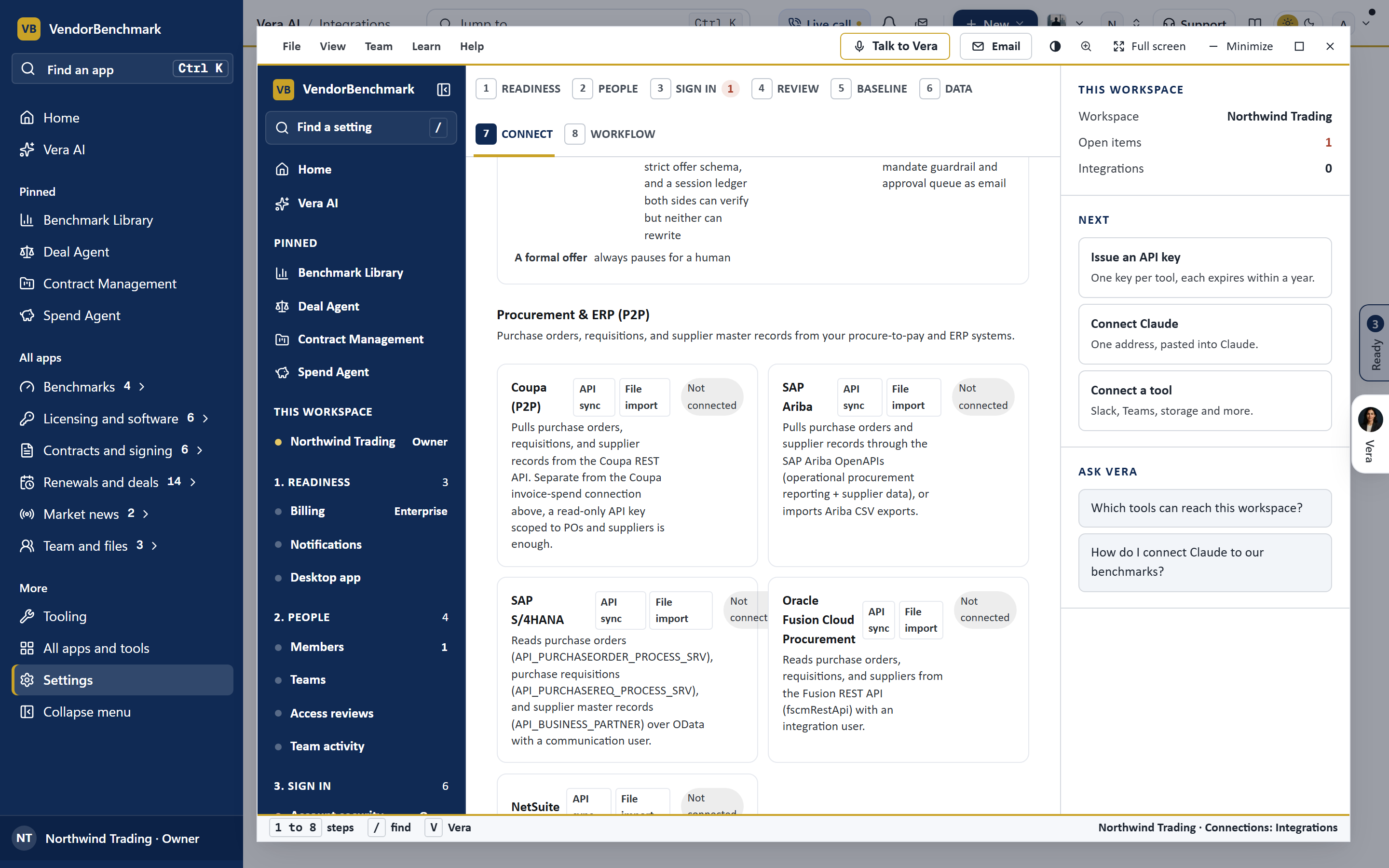
The three Coupa connections
Settings, Integrations lists Coupa three times because the data lives in three places and an administrator usually grants each separately. Coupa contract attachments reads the contracts in Coupa through its API and imports the documents attached to them, new and replaced files, on the connection's schedule (daily unless you set otherwise) and on demand. Coupa (P2P) pulls purchase orders, requisitions and supplier records; a read only API key scoped to purchase orders and suppliers is enough, or you can import a Coupa CSV export instead. Coupa (API) pulls approved invoices nightly so paid against contracted stays current. Each needs the instance address and an API key from Setup, Integrations, API keys in Coupa; the keys are sealed on save and never shown again.
Step by step: contracts in
Suppliers and orders on every run
The P2P connection is what makes the vendor research real. When AI Managed hands a contract to the AI, the run shows the purchase orders of the last twelve months on that vendor, their count and their total, next to the fiscal window and the behavior profile. When the contract's paper names no email address for the vendor, the supplier master's contact fills it in, so the first email has somewhere to go without anyone looking it up. And the request intake in Sourcing checks a new purchase request against the supplier master, which is how a vendor you pay but have no contract for gets found.
The outcome goes back to Coupa
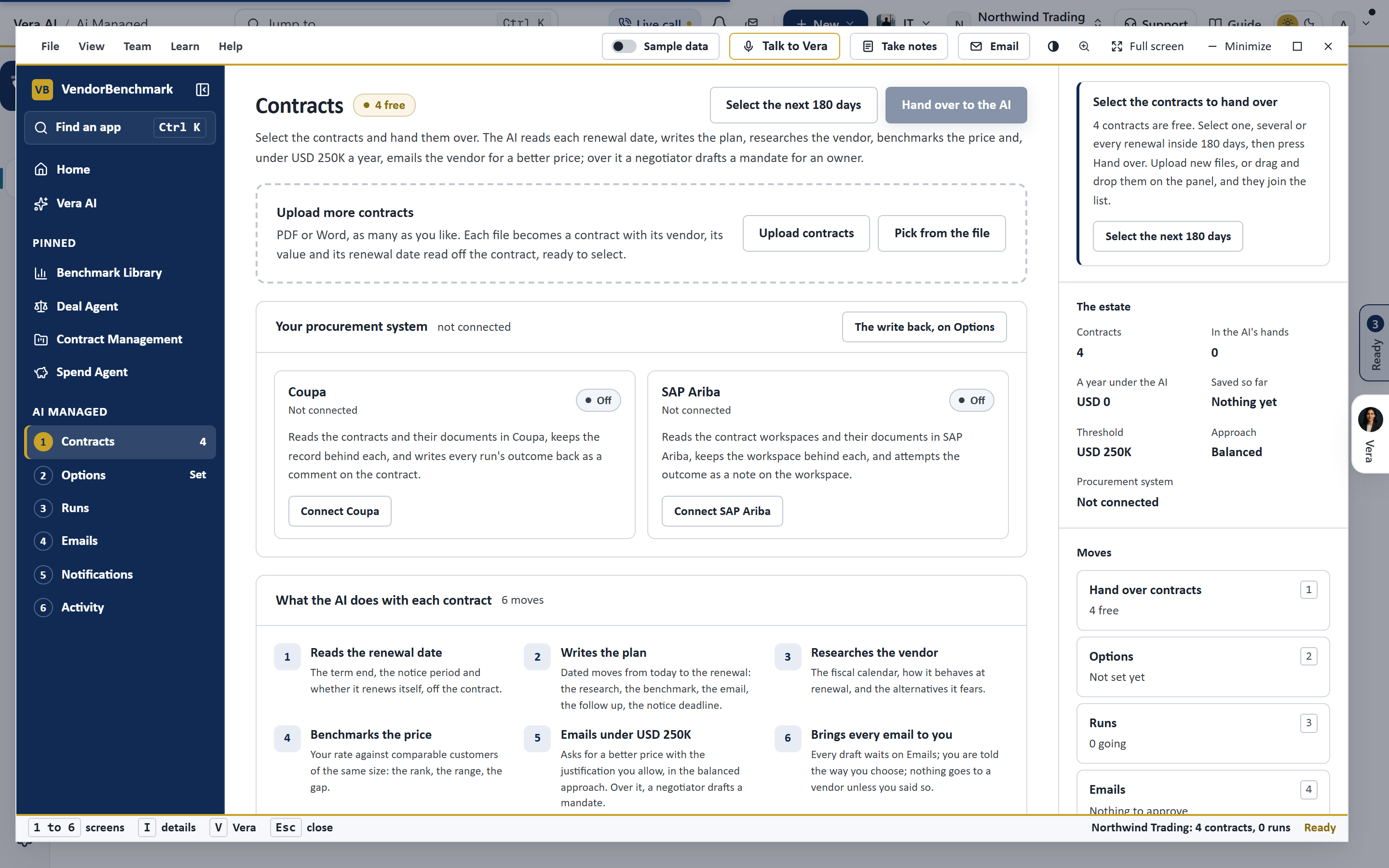
Under Options in AI Managed, Write each run's outcome back is on by default. With Coupa connected, the run writes a comment on the Coupa contract at each step: when the contract is handed over (the date, the plan, the research and the benchmark are read; the email waits for approval), when the email goes to the vendor, when the vendor's offer is countered or held, and when the renewal is agreed, with the price, the benchmark placement and a link back to the run. A contract imported from Coupa already knows its record; one that was uploaded by hand is matched to its Coupa contract by the supplier's name on the first note. Every attempt is recorded on the run, in Activity, and in the connection's history, and a refusal is written in words rather than hidden: a key without write access to comments says so the first time it tries.
Honest limits
A few things to know before you connect. The comment on a contract goes through Coupa's Comments API with the contract as the commentable record; if your Coupa instance restricts that route, the note is kept on the run and the refusal is reported, and your administrator can grant the key the write it lacks. Coupa is moving from API keys to OAuth clients in its newer releases; the connection takes a key today, and a key that Coupa has retired will fail the connection test rather than silently stopping. The contracts import reads attachments that are documents (PDF and Word); a contract with no attachment arrives as a record to be completed by hand. And the AI never creates a requisition or changes a purchase order: it reads them, and writes notes.
The same shape works for SAP Ariba, with the contract workspace as the record: how to integrate Vera AI with SAP Ariba. For the signature at the end of the renewal, see how to integrate Vera AI with DocuSign, and for what the AI does between the two, how AI agents negotiate for you in Vera AI.
Want to be updated when major licensing and pricing changes land? One analyst brief a week: the price rises, metric changes and audit campaigns that move software costs. Work email only.
Morten brings two decades of enterprise and software procurement, with stints across Oracle, IBM, SAP, and Salesforce shaping how he reads a deal. He has led sourcing through hundreds of renewals, from mid market order forms to nine figure global agreements, and learned that the buyers who win are the ones who walk in knowing the market. He built VendorBenchmark to make that pattern recognition repeatable.


