How to integrate Vera AI with SAP Ariba
The contract workspaces and their documents come in through the SAP Ariba open APIs, the supplier data and the purchase orders fill in the vendor research, and each AI managed renewal attempts its outcome as a note on the workspace.
SAP Ariba keeps the contract workspace, the supplier record and the purchase order; it does not benchmark the price in the workspace or write to the vendor when the renewal comes up. Vera AI by VendorBenchmark connects to Ariba through the SAP Ariba open APIs so the two sides meet: the contract workspaces and their documents come in to be read and benchmarked, the supplier data and the orders feed the vendor research on every run, and when the AI runs a renewal it attempts its outcome as a note document on the workspace. This post is the setup, step by step, with the realm, the keys and the API entitlements an Ariba administrator will ask about, and the limits of what the public APIs allow.
What an Ariba administrator needs to set up
Every call to the SAP Ariba APIs is made by an application registered on the SAP Ariba developer portal and approved for your realm. For the contracts connection the application needs the Contract Workspace API; for the P2P connection the supplier data API and the operational procurement reporting API. The portal gives you an application key and an OAuth client (an id and a secret) per application; the connection in Vera takes the data center your realm is on (US, EU or APAC), the realm name, the application key, and the OAuth client. Vera signs in with the two legged OAuth grant the APIs use, then reads with the application key. The secrets are sealed on save.
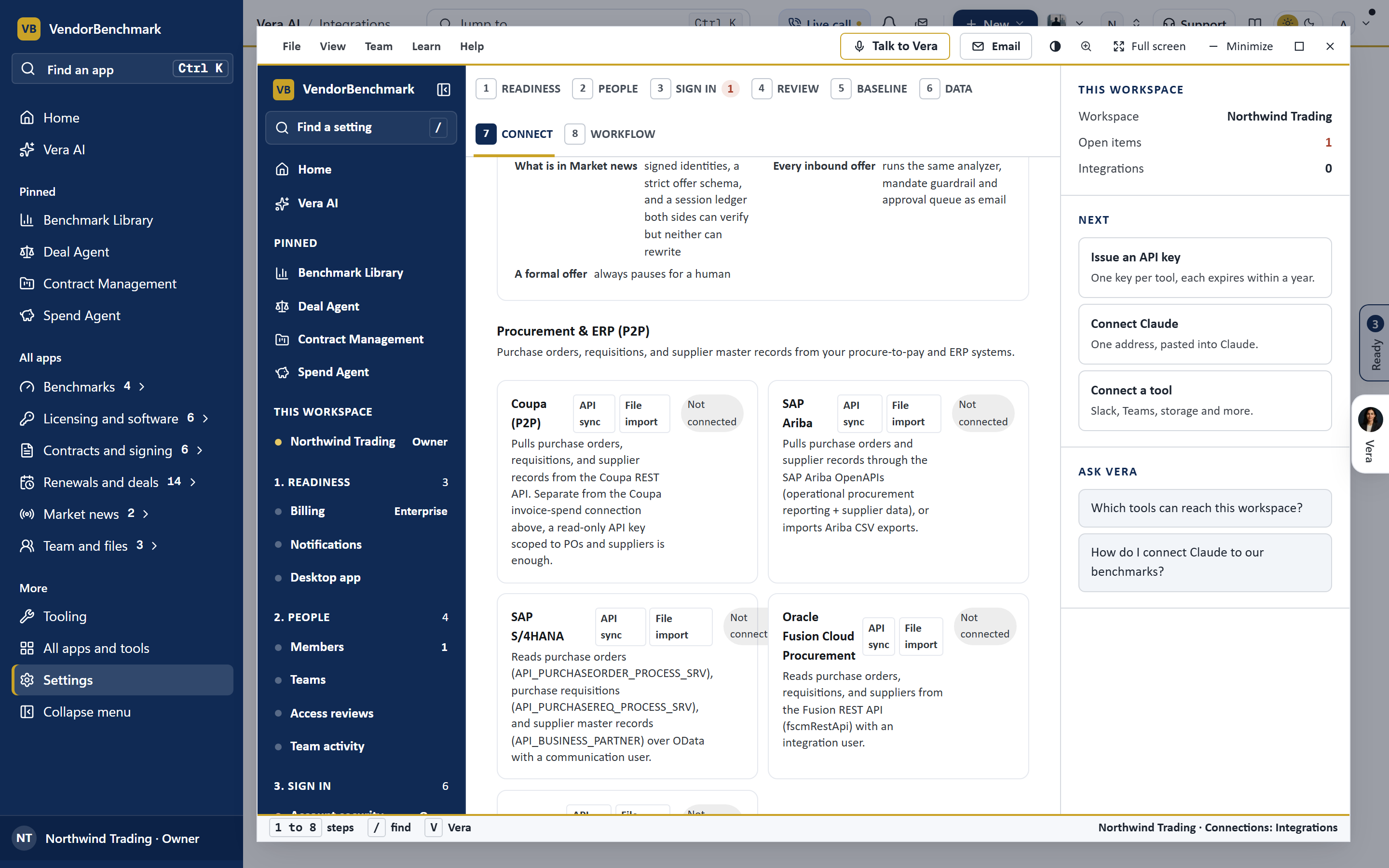
Step by step: workspaces in
What the AI does with an Ariba contract
Once a workspace's documents are in Contracts, they are contracts like any other: the read opens on each with the key terms, what is risky and what to do first; the renewal and notice dates land in Renewals; and AI Managed can take the renewal. On the run, the research step shows the fiscal window, how the vendor behaves at renewal, the alternatives, the purchase orders of the last twelve months from the Ariba data, and the supplier master's contact. Under the value you set, Vera emails the vendor for a better price with the justification you allow; over it a negotiator drafts a mandate for an owner to approve.
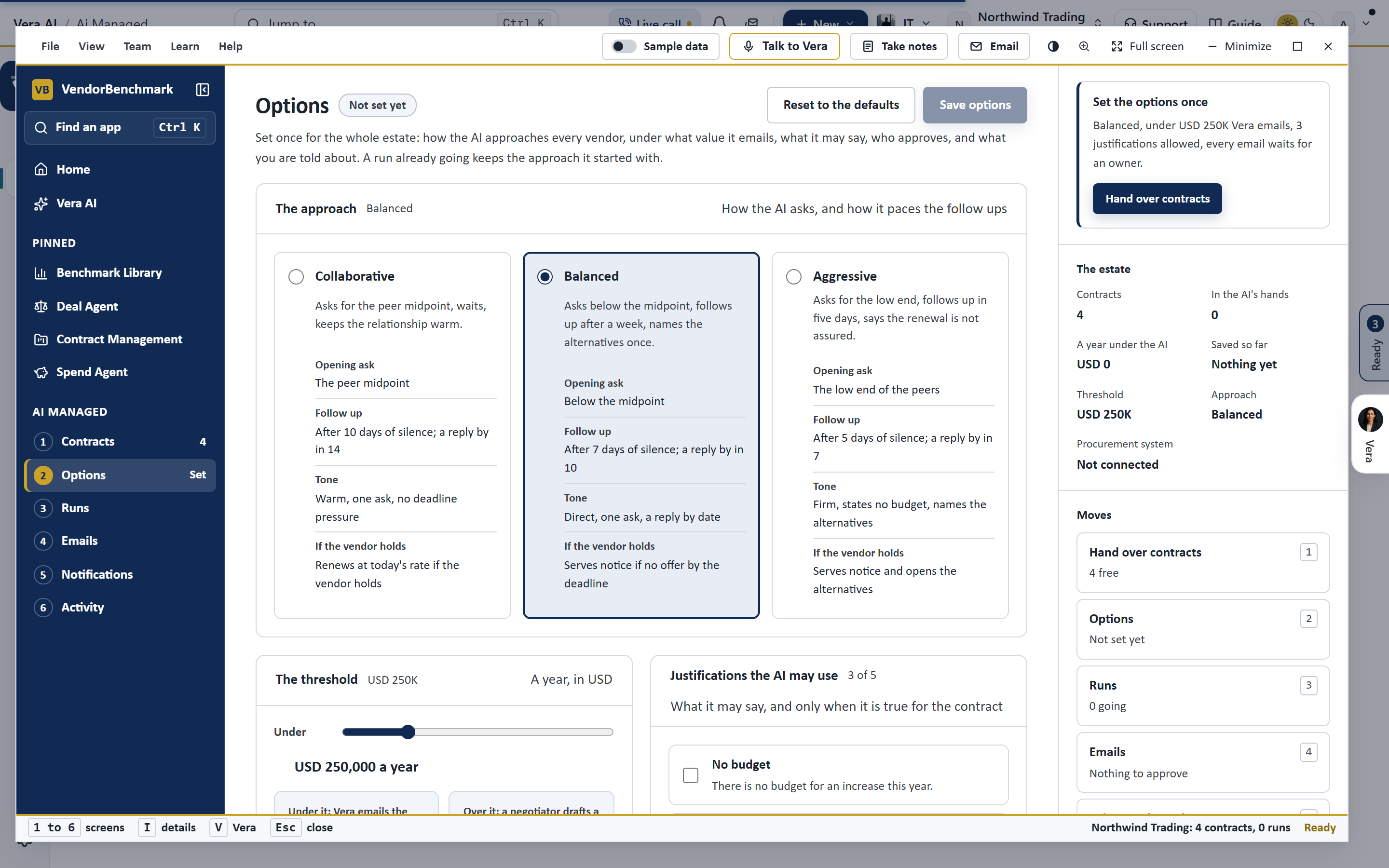
The outcome, back on the workspace
With Write each run's outcome back on under Options, the run attempts a note document on the contract workspace at each step: handed over, the email sent, the offer countered or held, the renewal agreed, each with the benchmark placement and a link back to the run. The public Contract Workspace API is a reading API first; whether it takes a document depends on the realm's entitlements, so the attempt is honest about its result. A refusal is recorded on the run in words (the realm takes no documents, or the application is not allowed to write), the outcome stays on the run and in the digest, and nothing is lost. A workspace imported through the connection already knows its record; a contract uploaded by hand is matched to its workspace by the supplier's name on the first note.
Honest limits
The SAP Ariba APIs vary by realm and by the entitlements granted to the application, and the payloads vary by API version, so the connection reads several spellings of the same field and says what it could not read rather than guessing. The P2P pull is capped per pass and notes when a cap was hit, so a very large realm is read in passes. The write back is an attempt where the realm allows it, never a requirement of the run. And the AI never creates a workspace, never changes a contract's state in Ariba and never publishes one: it reads, researches, drafts, and writes notes where it may.
For Coupa the same connection is built on the Coupa REST API: how to integrate Vera AI with Coupa. For the signature at the end, how to integrate Vera AI with DocuSign, and for the negotiation itself, how AI agents negotiate for you in Vera AI.
Want to be updated when major licensing and pricing changes land? One analyst brief a week: the price rises, metric changes and audit campaigns that move software costs. Work email only.
Morten brings two decades of enterprise and software procurement, with stints across Oracle, IBM, SAP, and Salesforce shaping how he reads a deal. He has led sourcing through hundreds of renewals, from mid market order forms to nine figure global agreements, and learned that the buyers who win are the ones who walk in knowing the market. He built VendorBenchmark to make that pattern recognition repeatable.


