How AI agents negotiate for you, and how you do it in Vera AI
An AI agent can read the renewal date, write the plan, research the vendor, benchmark the price and ask the vendor for a better one. It must never sign, never serve notice and never claim a fact it has not confirmed. Here is how that works in Vera AI, across your whole estate.
The idea of an AI negotiating with your vendors sounds either reckless or magical, and it is neither. A negotiation is a sequence of unglamorous steps: find the renewal date and the notice period, work out what the deal costs and what comparable customers pay, decide what to ask for and why, write a short email, follow up when the vendor goes quiet, and bring every offer back to the person who can decide. Every one of those steps is work a careful analyst does the same way each time, which is exactly what an agent is good at. The judgment stays with you. In Vera AI by VendorBenchmark this is the AI Managed window, and since this week it runs across the whole estate: select many contracts, set the options once, and approve the emails. This post explains what the agent does, what it is forbidden from doing, and the steps to run it yourself.
What an AI negotiation agent actually does
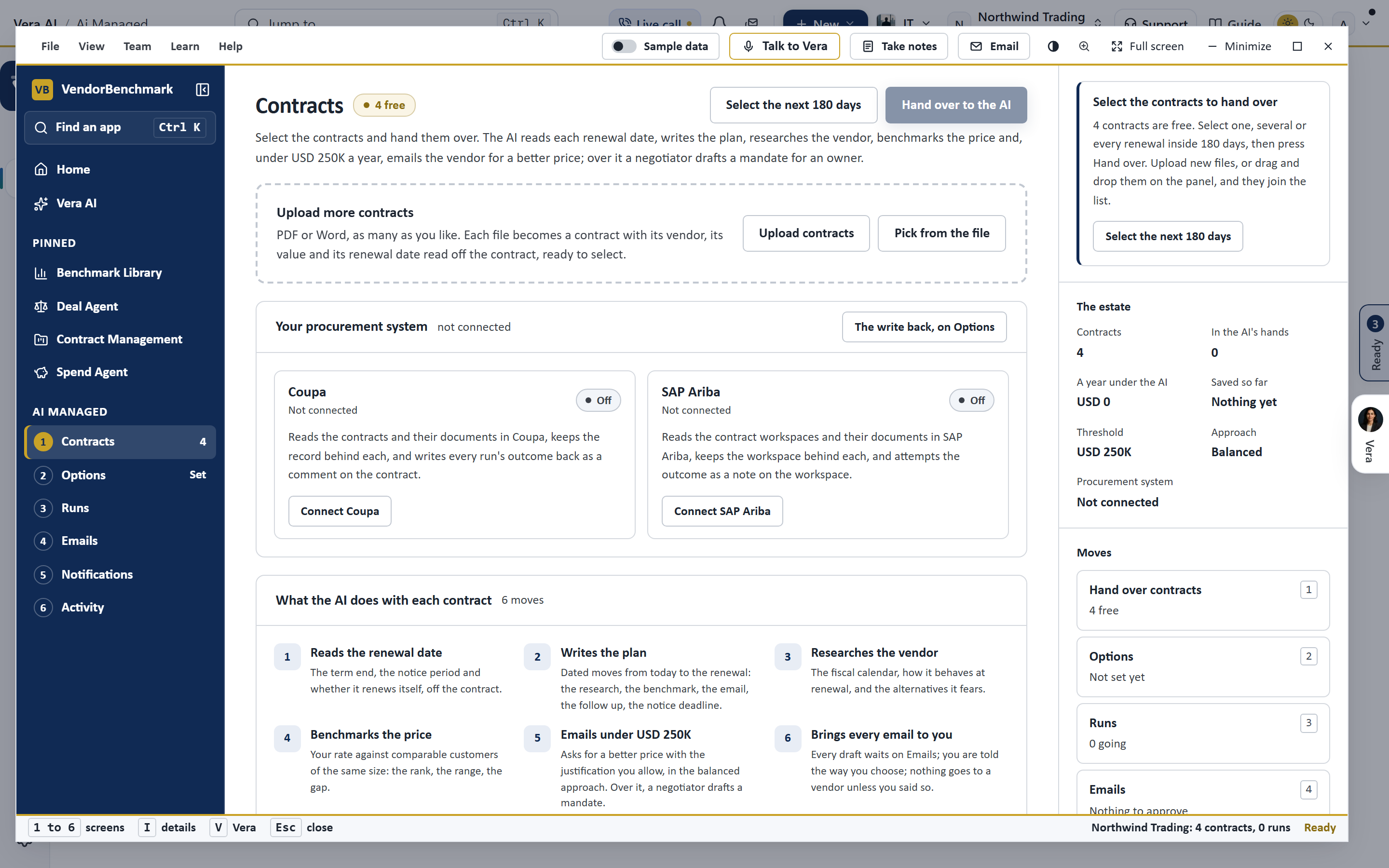
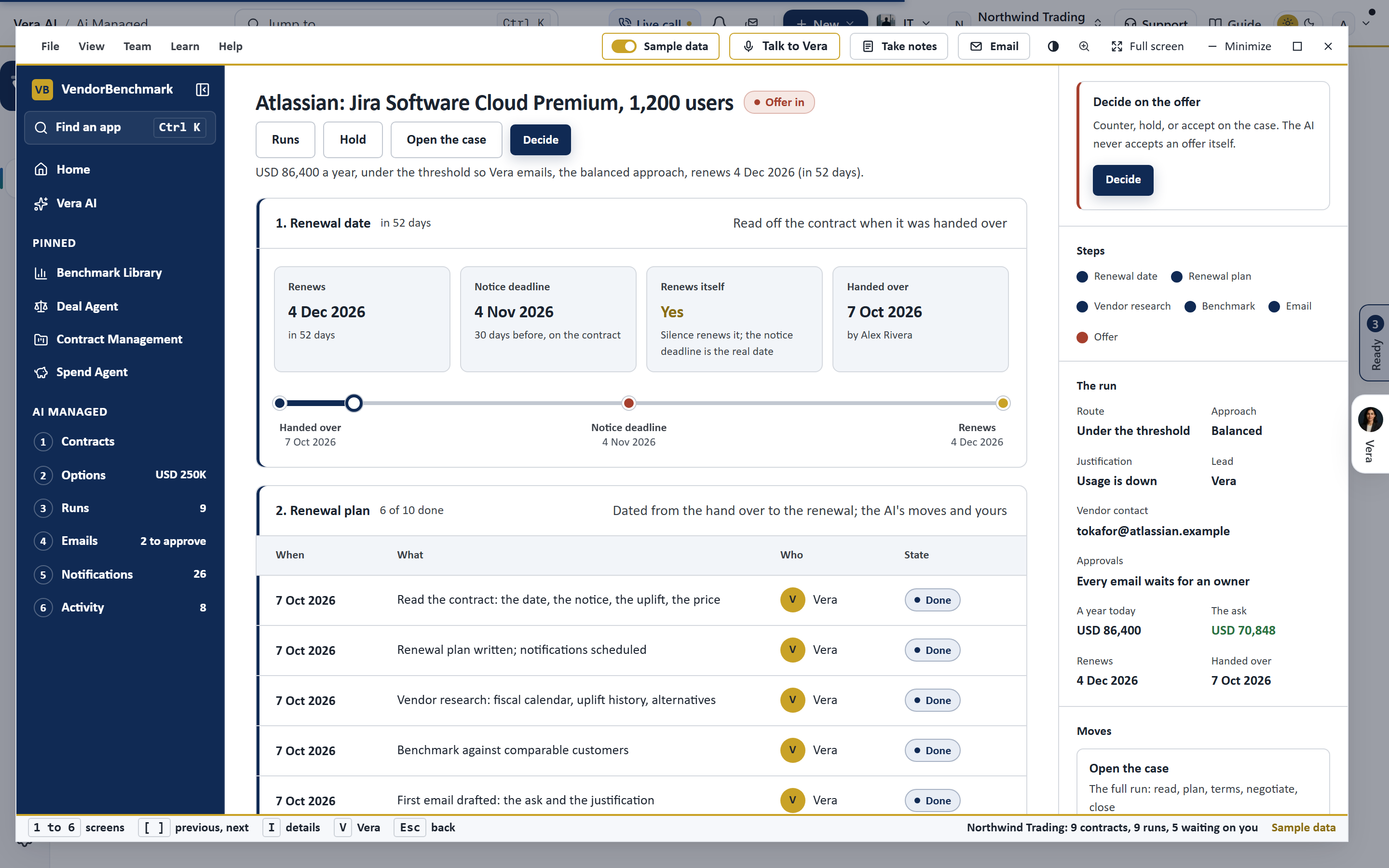
For each contract you hand over, the agent takes six steps and shows each one. It reads the renewal date, the notice period and whether the agreement renews itself, off the contract. It writes the plan: dated moves from today to the renewal, the research, the benchmark, the email, the follow up and the notice deadline, with your decisions marked as yours. It researches the vendor: the fiscal window, how the vendor behaves at renewal, what it concedes, and the alternatives it fears, plus your own orders and supplier contact when a procurement system is connected. It benchmarks the price against comparable customers of the same size: where the deal ranks, the range peers land in, the gap in points and money. Then, under the value you set, it writes the email asking for a better price with a justification you allow; over that value a negotiator drafts a mandate for an owner. And when the offer comes back, it places it against today, the ask and the walk away, and waits for you.
What it must never do
The rules are the product. The agent never signs. It never serves notice of non renewal. It never agrees a price above the walk away in the mandate. It never claims a budget, a quote or an alternative you have not confirmed, which is why the justifications are a list you switch on rather than a prompt it invents from. It never writes to a vendor without naming itself as an AI in the first email, with the buyer copied on everything. And nothing reaches a vendor until an owner approves it, unless an owner has chosen, in writing, to let it send under the threshold without asking. These are not preferences in a settings page; they are the shape of the run, and the window says on every screen what it does alone, what it does with you, and what it never does.
How to run it in Vera AI, step by step
The email, and why it is short
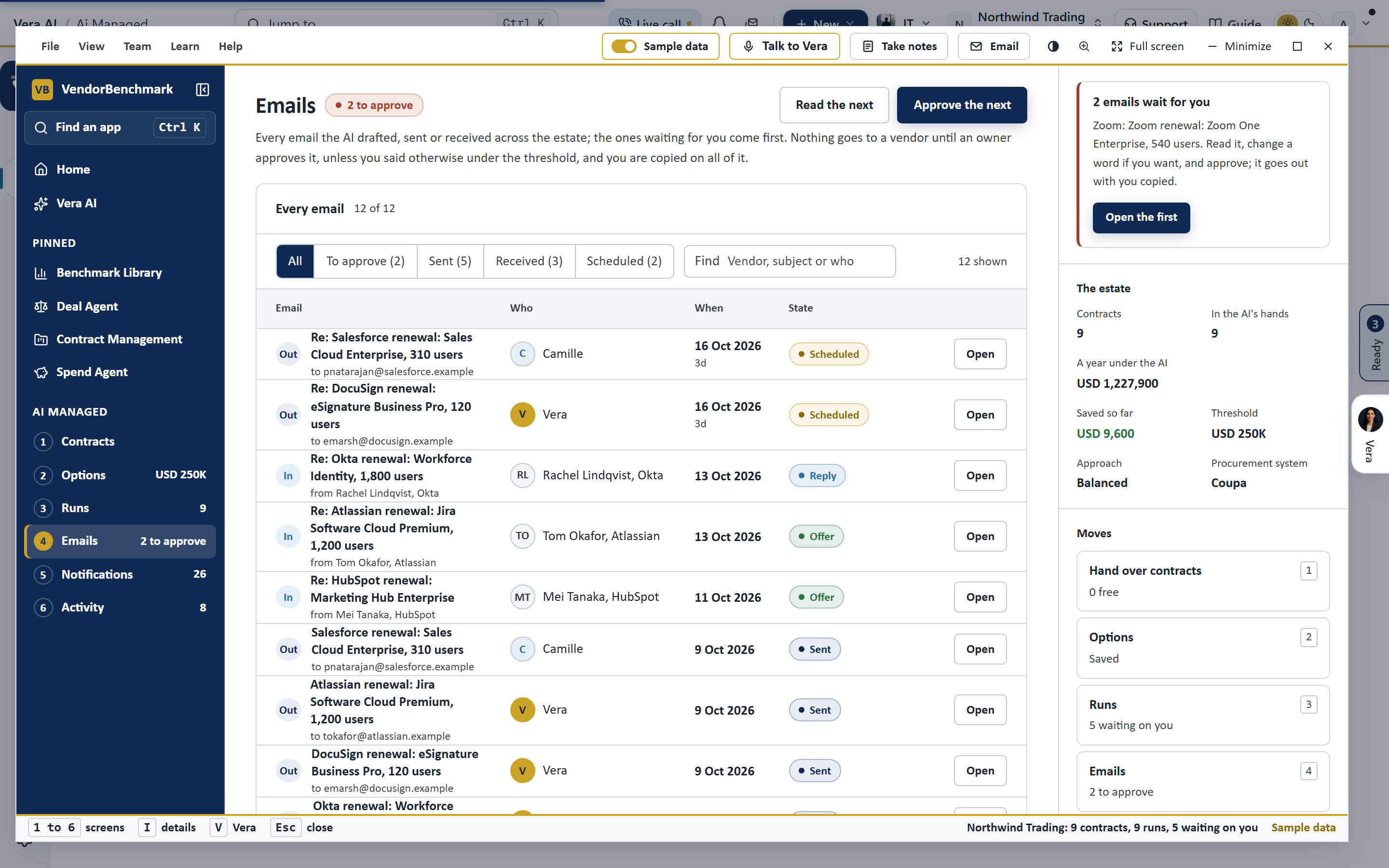
The first email is deliberately plain: under 120 words, one ask, a reply by date, the justification in one sentence, and the AI named in the last line with the buyer copied. There is no branding, no attachment and no deck, because a vendor's account manager answers a short, specific ask faster than a long one, and because every word in it is one you have read. When the vendor replies, the reply lands on the run and on Emails, an offer is recognized and placed against the benchmark, and a counter is drafted for you to approve. The thread is the record; the digest tells you where every run stands.
Where the agent fits with the rest of Vera
AI Managed is one of several places the agent works. The Deal Agent runs one negotiation in depth, from the first read through the plan, the terms, the negotiation and the close, with Vera's desk beside it. Vera on calls joins a Teams call with the vendor, says who she is, negotiates to the mandate and agrees nothing on the call. Vera in the Loop reads every DocuSign envelope before anyone signs it. And when the vendor runs an agent of its own, the two can talk through the open Agent Negotiation Protocol, with signed identities, declared mandates and a ledger neither side can rewrite. If your contracts live in a procurement system, the run reads them from there and writes its outcome back: see Coupa, SAP Ariba and DocuSign.
Honest limits
A benchmark needs a list price on the contract or comparable rates for the same product at the same size; where neither exists the run asks rate against rate, says so, and names what to ask the vendor to confirm. A vendor can ignore an email, and the agent's answer to silence is a follow up inside the approach, not pressure it was not allowed to apply. The agent does not negotiate terms beyond price and term in the first email; the mandate over the threshold carries the tradeoffs a negotiator may offer, and anything larger goes to the Deal Agent with a person in the chair. And an approval is a human act: the window makes it a one press decision with the figures beside it, but it never makes it for you. For the wider picture of agents in procurement, read AI agents in procurement.
Fredrik has spent more than twenty years in enterprise software, with time at Oracle, IBM, SAP, and Salesforce before moving to the buy side. He structured and priced the kind of large agreements most buyers only see once or twice in a career, which taught him where the leverage sits and how far a vendor will actually move. He started VendorBenchmark to hand that knowledge to every sourcing team.


