Vera writes in front of you: the draft on the reading card, and the quick read one press away
You no longer wait for a spinner and hope. The brief appears as it is written, a stalled run says so in plain words, and a shorter read sits one button away.
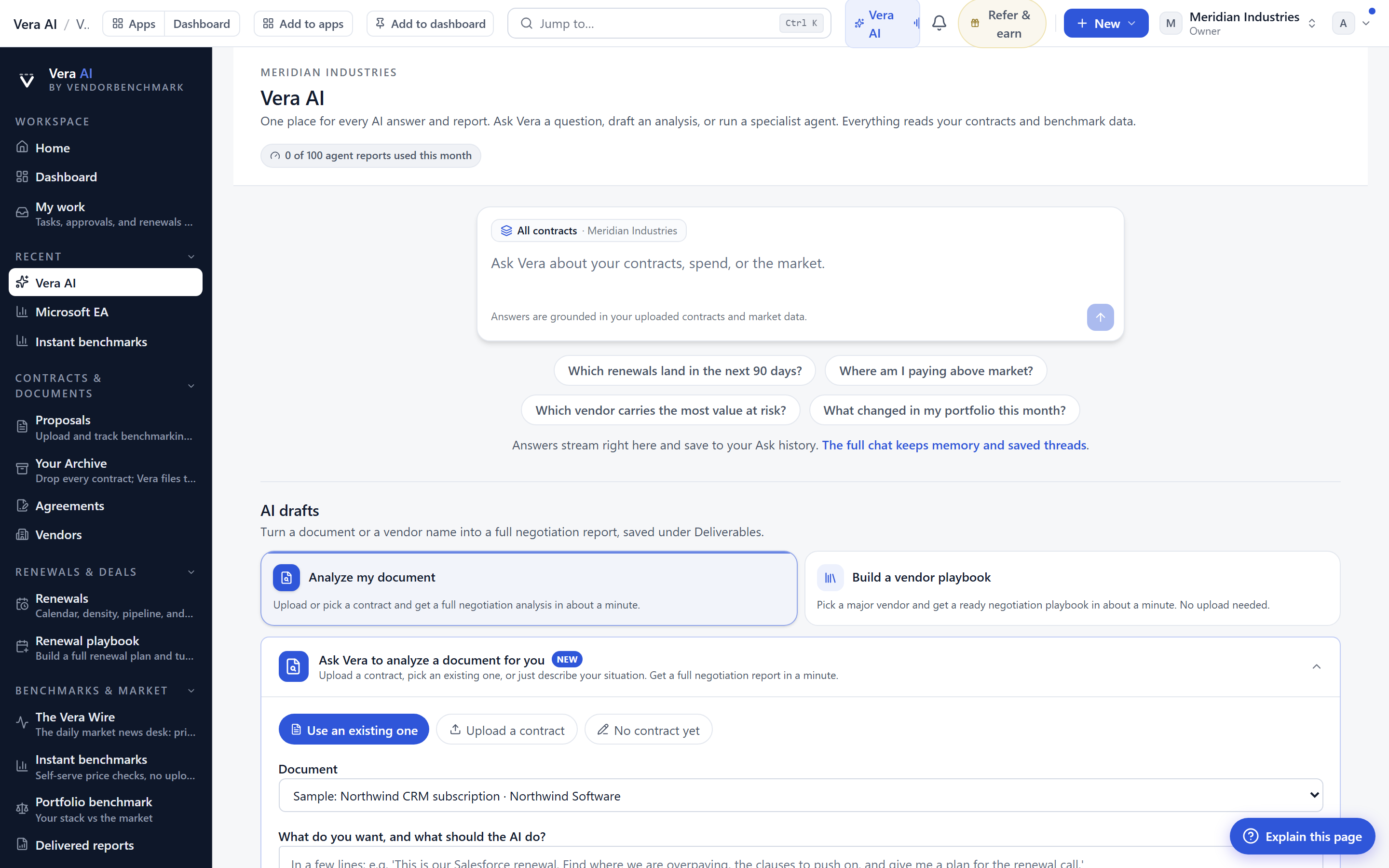
You asked Vera for a brief, and then you stared at a blank card with a spinner turning on it. You did not know whether the run was thirty seconds from a finished document or two minutes from an error. So you switched tabs, forgot, came back, and found either the brief or nothing, with no explanation of which and no way to tell how close you had been. That waiting cost you real minutes, and worse, it cost you trust in the thing that was supposed to save you time. This update removes the guessing. Vera now writes in front of you. The draft lands on the reading card section by section, in the design the finished document wears, and the moment a run stalls or fails, the card tells you in plain words and offers a shorter read you can use right away.
The named problem: the blank card and the silent stall
Every procurement buyer who has run an analyst tool knows this failure shape. You commission a piece of work, a renewal read, a clause comparison, a spend summary, and the interface goes quiet. Quiet is the problem. Quiet could mean progress and it could mean a dead job, and the buyer has no way to tell the two apart. So you do the rational thing under uncertainty: you leave. When you come back, you have lost the thread of why you asked, and if the run failed you start over from cold. We built the reading card on the Vera door to answer exactly this, in the same spirit as when we made research papers read as styled pages rather than embedded files. The document should be visible as it becomes real, not hidden until it is done.

What lands on the card, and why the design matters
The brief now appears in the design the finished document wears. That is not cosmetic. When a section arrives already in its final layout, with its headings and its figure tables in place, you can start reading and reasoning about the top of the document while the bottom is still being written. A renewal read that opens with the market position and the counterparty history is useful the moment those two sections exist, even if the recommendation paragraph is still forming. The card carries a note that the figures can change until the brief is filed, so you know which numbers are settled and which are still moving. This is the same principle we hold to across the platform, that the answers sit on the paper, not in a chat log you have to reconstruct later.
When a run stalls, and the quick read that fits one run
A run that stops before it finishes now says so, in plain words, and it says when it starts again. No more reading a still spinner as either success or failure. Beside that line sits a Switch to the quick read button. The quick read is a genuinely different document, shorter, written to fit inside a single run, so it lands where a full read did not. It arrives on the same paper, in the same design, so you are not reading a lesser thing in a lesser format. For a buyer against a call in ten minutes, that distinction matters. You would rather walk into the room with a tight one-run read than with a half-written full brief or nothing at all. This is the same instinct behind the call room, where the memo is written when you hang up: get the buyer something usable at the moment of need.
After a failed run, and if you have walked away
Failures happen. A long read can exceed a limit, a source can be slow, a job among the 30 background jobs can time out. When a run fails, the same Switch to the quick read button appears on the card, so the failure is never a dead end. And if you have walked away, the button also appears in the corner notice, the small persistent flag that follows you across the desk. You do not have to be looking at the exact card to recover. This ties into the wider shape of the desk we described in a calmer desk, and Main Apps where the work starts: state should follow you, not trap you on one screen.
The honest limits
Three things this update does not do, stated plainly. First, the quick read is shorter by design, so it carries less context and fewer citations than a full brief. It is built to land, not to replace. Treat it as a bridge to a full read, not the final word on a large negotiation. Second, the note that figures can change until the brief is filed is a real caution, not a formality. If you screenshot a mid-write section and take a number into a call, that number may not survive the file step. Read the settled version before you commit it to a position. Third, a stall or a failure still means the full read did not complete on that run. We tell you clearly, and we hand you the quick read, but the underlying work still has to be re-run for the full document. This update makes the failure legible and recoverable. It does not make the failure not happen. If your brief matters and the full read fails twice, treat that as a signal to narrow the scope of the ask rather than to keep re-running the same wide question. You can see the full behaviour on the Vera page.
For the procurement buyer, the change is quiet but material. You reclaim the minutes you used to lose to the spinner, you can start reading sooner, and you are never left with a blank card and no explanation. Six specialist agents and ten inbox agents still do the underlying work. What is new is that you can watch that work become a document, and when it stumbles, you have a shorter document one press away. That is the difference between a tool you trust to finish and a tool you have to babysit.
Want to be updated when major licensing and pricing changes land? One analyst brief a week: the price rises, metric changes and audit campaigns that move software costs. Work email only.
Morten brings two decades of enterprise and software procurement, with stints across Oracle, IBM, SAP, and Salesforce shaping how he reads a deal. He has led sourcing through hundreds of renewals, from mid market order forms to nine figure global agreements, and learned that the buyers who win are the ones who walk in knowing the market. He built VendorBenchmark to make that pattern recognition repeatable.


