Pages become windows, with their own menus
Sourcing finished its polish pass, and the wider conversion has begun. Analyst Benchmark and Obligations are the first two pages to open as proper windows with their own menus.
There is a small tax you pay every time a workspace loses track of where you are. You click into a project record, then a bid selector, then a deal desk, and each screen wears a slightly different chrome, parks its controls in a slightly different place, and forgets to tell you which group of the product you are actually standing in. None of it is fatal. All of it adds friction, and friction is the thing a procurement buyer can least afford when a renewal clock is running. This update is about removing that tax. Sourcing has finished its polish pass, and beyond sourcing, a broader conversion has started: pages now become Fluent windows through one shared wrapper that reads its menu from the navigation itself.
The named problem: screens that forget where you are
Call it navigational drift. You open the bid selector and it is parked hard against one edge of the frame, so your eye has to travel to find it. You open the project record and it does not match the plates its own rooms wear, so for a second you are not sure the two belong together. The deal desk mast reads as a slab of chrome rather than a panel that belongs to the glass. Each of these is a rounding error on its own. Stacked across a working day, they are the reason a buyer loses the thread mid task and has to re orient. We treat that re orientation as a cost, because it is one.
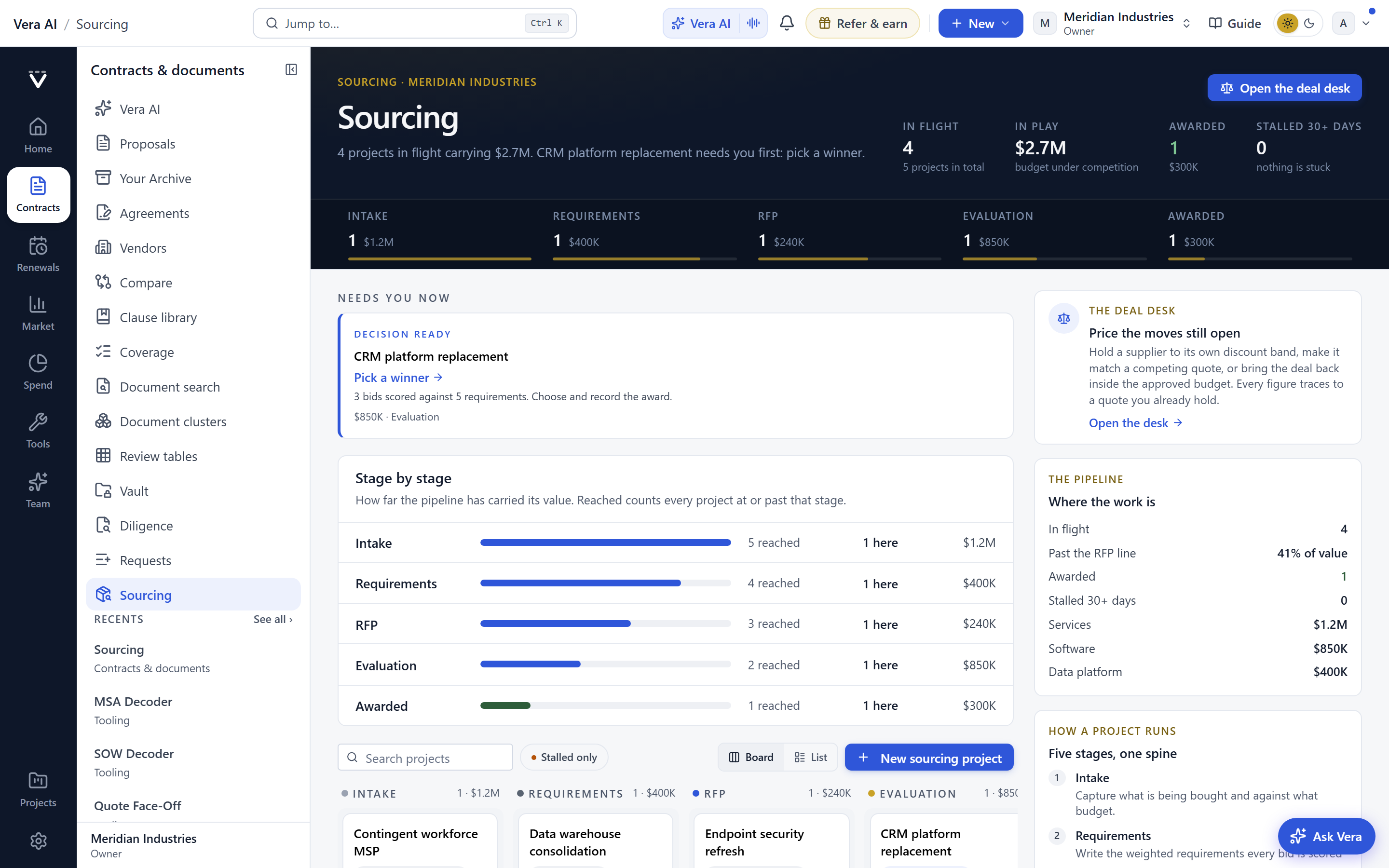
The fix has two parts. First, sourcing got the polish it was owed. The bid selector now centers instead of parking against an edge. The project record wears the same centered plate its rooms wear, so the record and its contents read as one object. The deal desk mast reads as a panel on the glass, not a slab of chrome bolted on top. Second, and more structurally, we began converting pages into windows that carry their own menu.
One wrapper, and the menu reads itself
The mechanical change is worth stating plainly, because it explains why the benefit compounds. Converted pages pass through one shared wrapper. That wrapper does not carry a hardcoded menu. It reads its menu from the navigation itself. So when a page becomes a window, it automatically lists its own group in the rail, and it always shows where you are standing. There is no separate menu to maintain per page and no chance of the rail disagreeing with the content. The page and its context are the same fact, drawn once.
This is the same discipline we applied when the app window was simplified to one titlebar for the whole page. The point then, and the point now, is that a buyer should never spend attention decoding the frame. Attention belongs on the numbers. If you have watched every vendor benchmark open as the verdict reading, you have seen the same instinct: put the answer, and the context for the answer, in front of the person the moment the page loads.
Analyst Benchmark and Obligations go first
Analyst Benchmark and Obligations are the first two pages converted. That ordering is deliberate. Analyst Benchmark is where a buyer reads a deal against the market, so it benefits most from a frame that names the group and holds context steady while you compare. Obligations is where the commitments live, the ones that quietly govern what you can and cannot do later, and losing your place in an obligations register is exactly the kind of error that surfaces at renewal. Both now open as windows, both list their own group in the rail, and both keep telling you where you are the whole time you work.
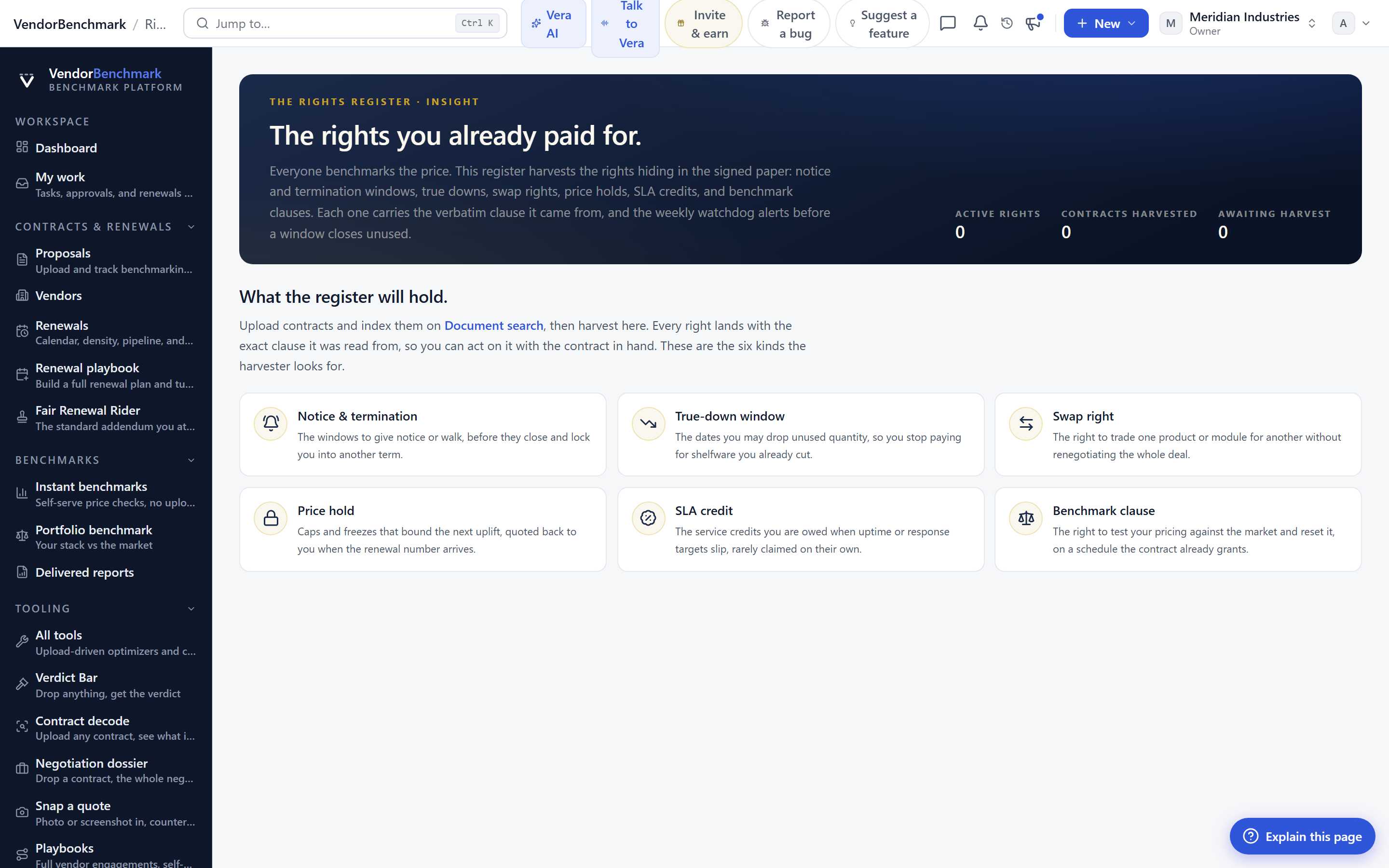
If your work runs through commitments, this pairs naturally with the contract record itself. The obligations you are reading trace back to language you can inspect and reprice, which is the whole reason to decode any contract in a minute before you sit at the table. When the obligations window and the contract record agree on where you are standing, the handoff between reading a commitment and acting on it stops costing you anything.
What changes for the buyer, in order
Here is the practical read on this update, sequenced the way it shows up in a working day.
The honest limits
Be clear about what this update is not. It is a shell and navigation change. It does not add a single new benchmark, does not read a new clause, and does not change any number you rely on to price a deal. If a page opened with the right data yesterday, it opens with the same data today, just inside a frame that behaves consistently and tells you where you are.
The conversion is also partial by design. Analyst Benchmark and Obligations are the first two. The rest follow in waves, which means for a period you will see a mix: some pages open as windows with their own menus, and others open the old way. That is intentional and safe, because the un converted pages behave exactly as before, but it does mean the experience is not uniform across the whole product yet. If you value consistency above all, the honest answer is to wait for the waves that touch the pages you live in. If you spend most of your time in benchmarking or obligations, the benefit is already here. Once the fuller conversion lands, expect the same steadiness to reach the other rooms, in the spirit of how peer intros became a full screen workspace.
None of this replaces judgment. A window that always tells you where you are standing is still only a frame. The work of reading a benchmark honestly, deciding whether an obligation is worth fighting, and walking into a negotiation with a position is yours. What this update does is stop the frame from taxing that work. That is a modest promise, and we would rather state it modestly than dress it up. You can see the same commitments and contract records this touches on your own contracts view.
Want to be updated when major licensing and pricing changes land? One analyst brief a week: the price rises, metric changes and audit campaigns that move software costs. Work email only.
Morten brings two decades of enterprise and software procurement, with stints across Oracle, IBM, SAP, and Salesforce shaping how he reads a deal. He has led sourcing through hundreds of renewals, from mid market order forms to nine figure global agreements, and learned that the buyers who win are the ones who walk in knowing the market. He built VendorBenchmark to make that pattern recognition repeatable.


