The Benchmark Agent gets its team and its settings
The report you sent now tells you who read it and when. The Activity tab keeps the trail, and Settings becomes a room you open with a keystroke.
Here is a problem most procurement teams recognise and few admit to. You send a benchmark report to a stakeholder, and then you do not know what happened to it. Did the CFO open it before the steering meeting? Did the copy you sent match the copy they quoted back at you? Who on your team ran the analysis, and can you prove the numbers were not edited after they left the desk? Until now the honest answer was a folder of sent emails and a memory. This release closes that gap. The Benchmark Agent now carries a receipt, a thread, an audit trail, and eight pages of settings you reach with Ctrl and comma.
The report knows where it went
Send a report and the details pane records the recipient and the moment they opened it. Not a claim, a timestamp. There is a view on the ledger called Sent to me, and it carries a count of what is waiting for you, so a stakeholder opens their app and sees the number rather than hunting an inbox. The copy that leaves your desk is locked. A sent or exported report freezes at the version that went out, so the figure the CFO reads on Tuesday is the figure you sent on Monday, and nobody can argue that the file changed underneath them.
For a buyer running the overpaying question up the chain, that lock is the point. When a number is quoted back to you in a negotiation or a board deck, you want the sent copy and the current copy to be the same object, or to differ on the record. This gives you both.

A thread, then the trail beneath it
The Activity tab now holds two things. On top, a thread where you and colleagues talk with @mentions, so the discussion about a report lives on the report and not in a side channel. Beneath it, the trail: every open, paper view, send, revise, export and delete, each with the person and the hour. You can filter it, page through it, and export the whole trail in one press through a signed link. Signed matters here. When audit or a legal team asks who touched a benchmark and when, you hand them a link that verifies itself rather than a screenshot they have to trust.
This is the same discipline the platform brought to the deal sign off chain, now applied to the benchmark itself. Approvals matter more when every step behind them is on the record.
Settings becomes a room on Ctrl and comma
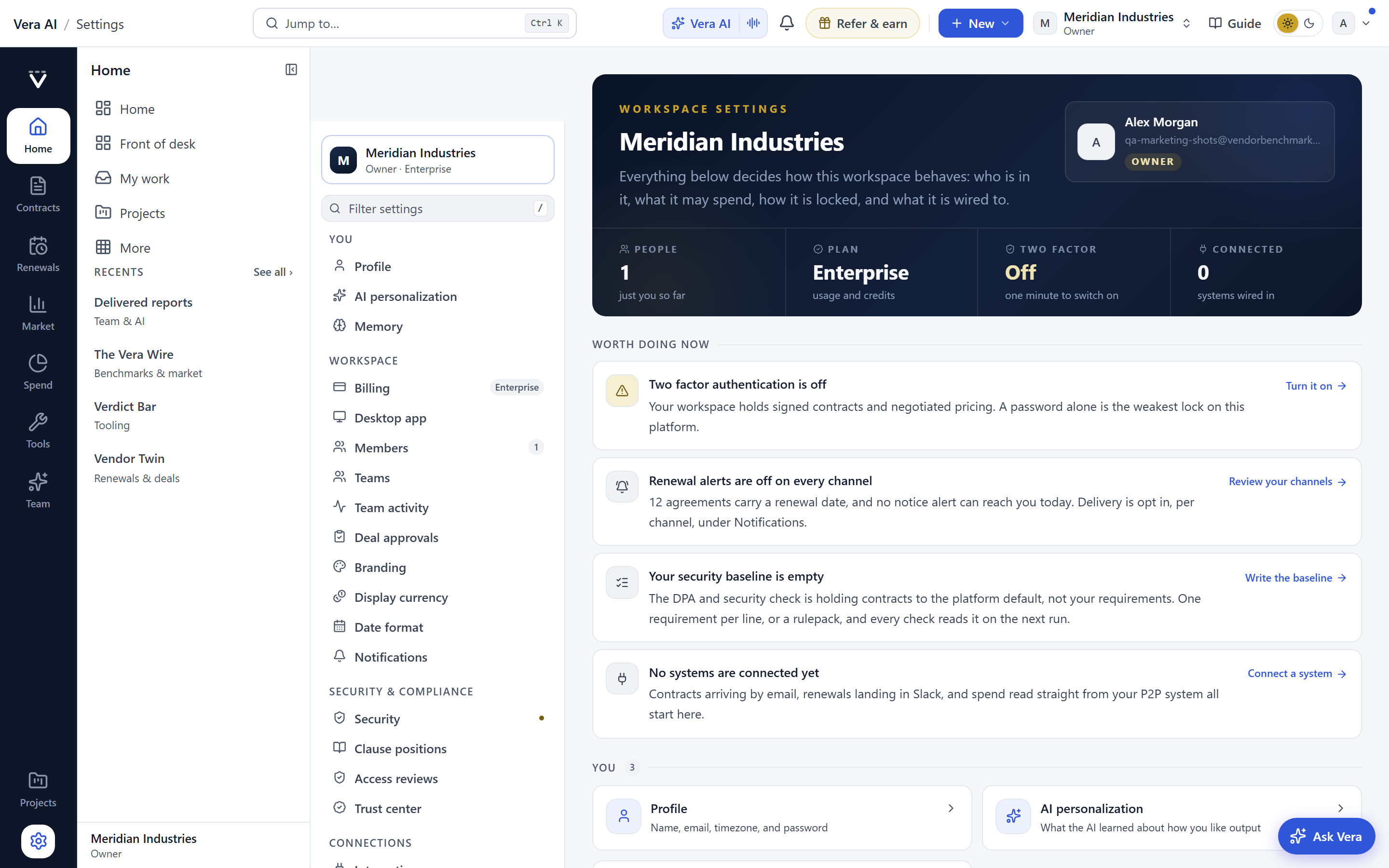
Press Ctrl and comma and Settings opens as a room, not a scattered set of toggles. There are eight pages. Three are yours: Display, Notifications and Keyboard. Five belong to the organization: Defaults, Sharing, Branding, Retention and The team. Every row applies as it changes, so you see the effect immediately rather than saving and reloading. Every owner change lands on the trail with Undo, so a defaults edit is reversible and attributable.
The Defaults page is where the quiet decisions live. The term assumed when a paper states none. The situation presets. A standing context line that rides every fact sheet, so a reader always sees the assumptions the number rests on. Branding puts your own masthead and a foot line on every export, which is more than cosmetic when a report leaves your building. The team page says plainly who ran what, who may run, and who may delete, which is the access question every procurement lead should be able to answer in one screen.
If you have read how the research papers now read as styled pages, the branding and context work here is the same instinct. A deliverable that carries its own frame is a deliverable people trust.
What changes for a procurement buyer
Set against the older way of working, here is the concrete shift.
Honest limits
Be clear about what this does not do. The open receipt records that a report was opened, not that it was read or understood. A stakeholder can open a file and absorb none of it, and the timestamp will still say opened. Treat it as a signal, not a comprehension score.
The lock protects the copy that left your desk. It does not stop someone downloading an export, editing it in another tool, and circulating that. The signed trail proves what the platform did, not what happens to a file after it leaves the platform. The standing context line and assumed term make your assumptions visible, but they cannot make a reader agree with them. And the trail is only as useful as your discipline in using the platform. Work done in email or a spreadsheet outside the app does not appear on it. If your team routes benchmarks around the tool, the trail has a hole you put there.
None of this changes the underlying benchmark work. The library still covers 1,471 vendors, the report types still number more than 25, and the specialist agents behind them are unchanged. This release is about the evidence around the number, not the number itself. If you want to see how the same application discipline reached the Negotiation Agent, that post pairs well with this one. Everything here is live now. Open the tool at /benchmarktool, send a report, and watch the receipt come back.
Fredrik has spent more than twenty years in enterprise software, with time at Oracle, IBM, SAP, and Salesforce before moving to the buy side. He structured and priced the kind of large agreements most buyers only see once or twice in a career, which taught him where the leverage sits and how far a vendor will actually move. He started VendorBenchmark to hand that knowledge to every sourcing team.


