The Negotiation Agent is a Windows application, not a page
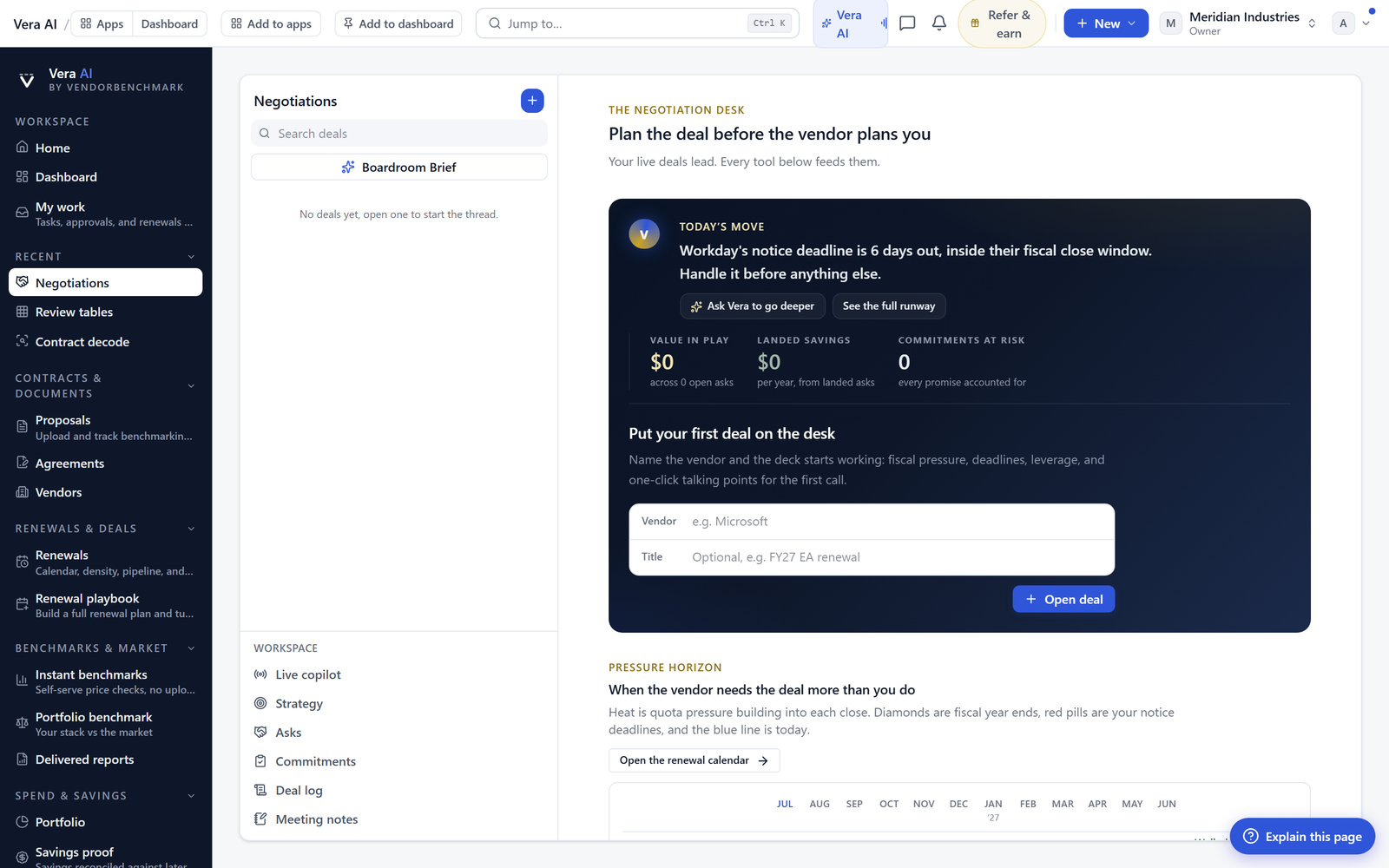
We shipped the Negotiation Agent as a full Windows application. Eight rooms on the number keys, every room a grid, and a scenario tab that prices moves on your own figures.
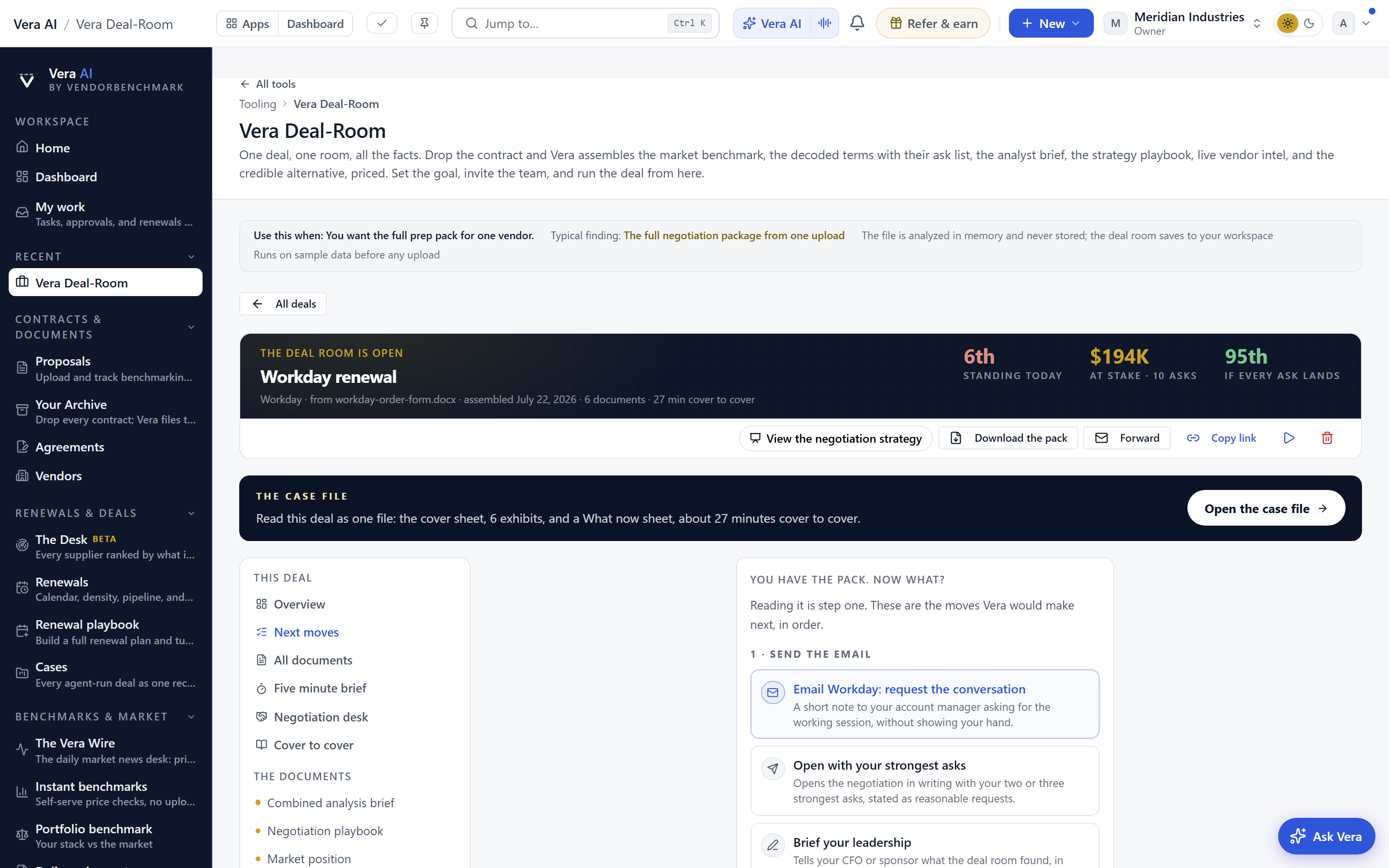
Most negotiation tooling is a page. You open a tab, you read a summary, you copy a number into a spreadsheet, and the tab forgets you the moment you leave. That is the named problem: the work of a negotiation lives in ten places at once, the brief in Word, the playbook in a wiki, the concession math in Excel, the sign off chain in email, and none of them write back to each other. Today we are shipping the Negotiation Agent as a Windows application, not a page. Open it and it behaves like an application: a navigation pane with eight rooms on the number keys, a menubar and a command bar off one command registry, a status bar, and every room rendered as a data grid with one line per cell. It sits alongside the negotiation war room and shares its mandate model, but now it is a place you work rather than a document you read.
Eight rooms, grids, and a details pane
The application opens on a launcher of rooms. Each room maps to a stage of the deal, and each carries a number key so a buyer who runs three renewals at once can move without the mouse. Every room is a data grid. Terms are rows. Clauses are rows. Moves are rows. People are rows. Select any row and it opens in the details pane on the right, with the full record, the source, and the history. Right click the row and you get every door it has: open the clause, price the move, invite the person, jump to the benchmark. Ctrl K searches across the whole application at once, the terms, the clauses, the moves, and the people, so you stop hunting through tabs to find the one uplift cap you argued about last week. If you have used the benchmark windows or sourcing in windows, the grammar is the same, and that is the point.
The Scenario tab prices the outcome on your figures
The Scenario tab is where the application earns its place. Move the uplift cap, set the true-down right, change the notice period, adjust the term, and it prices the outcome on your own figures, not a generic model. Because the same math powers the true-down and swap logic, the numbers are consistent with what you already read in rights you already paid for. This matters because most concession arguments collapse into a disagreement about arithmetic. When the buyer and the approver look at the same priced scenario, the argument moves from whether the number is right to whether the position is worth holding.
Six calls, a team room, and Word that writes the record
Six calls each get their own talking points and a prompter, so the person on the phone is reading from the position, not improvising it. The Team room shows who is on the deal right now, takes invitations by chair rather than by loose email, keeps the comments and the log on the record, and requests sign off in line with your deal sign off chain. Nothing lives in a private inbox. When the deal is ready, Word exports write three things: the brief, the plan, and a tracked-changes redline you can send to the vendor without reformatting. The redline is a genuine tracked-changes document, which means legal reads it the way they read every other redline, and the negotiation history stays attached rather than scattered.
Films, research, and the Benchmark Library inside the window
The application does not throw you out to read. Films, research papers, and the Benchmark Library all run inside the window. There is a reading pane beside the research shelf, so a paper opens as a styled page rather than an embedded file, the same treatment we described in research papers as styled pages. The Benchmark room carries a Library view, so when you need to check whether an uplift is above or below market you open the benchmark next to the term you are arguing, not in a separate tab. That connection is what the Benchmark Library was built for, and here it sits one keystroke from the negotiation itself.
Honest limits
Be clear about what this does not do. The Scenario tab prices the outcome, it does not decide your position for you, and a priced outcome is only as good as the volumes and terms you feed it, so garbage figures still produce garbage math. The tracked-changes redline is a strong draft, not a substitute for legal review, and you should treat it as the starting point your counsel edits. The Team room keeps the record on the deal, but it will not force a slow approver to move faster than they choose to. And while the Benchmark Library sits one keystroke away, a benchmark tells you where market is, not whether your specific leverage lets you reach it. The application removes the assembly work and the tab hunting. The judgement is still yours. If you want to see how the rooms connect end to end, the deal studio is where the negotiation, the sign off, and the record meet.
Want to be updated when major licensing and pricing changes land? One analyst brief a week: the price rises, metric changes and audit campaigns that move software costs. Work email only.
Morten brings two decades of enterprise and software procurement, with stints across Oracle, IBM, SAP, and Salesforce shaping how he reads a deal. He has led sourcing through hundreds of renewals, from mid market order forms to nine figure global agreements, and learned that the buyers who win are the ones who walk in knowing the market. He built VendorBenchmark to make that pattern recognition repeatable.


