Vera shows you around: take her chair and she walks the platform with you
A guided tour that moves at your pace, not the demo's. Vera opens one screen, explains one part, and asks before moving on.
Most enterprise tools are bought by the person who will not use them and configured by the person who will. The buyer who signs the contract sees a scripted demo, nods, and hands the login to a procurement lead who then spends a fortnight guessing where things live. That gap between the demo you were sold and the platform you inherited is where adoption goes to die. This release closes some of it. Take Vera's chair, on her seat card or on Home when she is your chief of staff, and she does not launch a montage. She introduces herself, asks how you are, and asks what you would like to see.
The problem you already recognise
You have sat through the vendor walkthrough where fourteen features fly past in nine minutes and you retain none of them. The tour is built for the person deciding, not the person working. So when the platform lands on your desk, you open it cold, click the wrong tab three times, and quietly go back to the spreadsheet you understand. The tool is not the problem. The absence of a patient first hour is the problem.
Vera now gives you that hour, or however much of it you want. When you take her chair she opens by asking what you would like to see: benchmarking, contracts, document search, research, or contract management. Say one and she opens exactly that screen. No detour, no five other things you did not ask about.

One screen, one part, then a real question
The pace is the point. When you name a screen, Vera opens it and walks it very slowly, one part at a time. After each part she asks whether it makes sense and whether you have a question. This is not a progress bar you click to dismiss. It is a checkpoint. If the percentile bars on a benchmark confuse you, you say so, and she stops and explains before the next part.
After a few parts she asks whether to keep going, look at something else, or ask a question. You are never trapped in a linear tour. You can jump from the renewal calendar to the clause library mid sentence because you remembered a real deadline. The tour bends to your day. If you would rather understand a live document than a demo screen, our note on how to decode any contract in a minute pairs naturally with the contracts leg of the walk.
Two ways to take the tour
There are two front doors. Take Vera's own chair and you get the guided walk described above. Or open Vera Demo, and after her hello she offers the same tour, or she follows you while you click around yourself. The second mode matters for the buyer who learns by doing. You drive, you open the screens you care about, and Vera narrates what you land on and answers as you go. It is the same knowledge, delivered to whichever kind of learner is holding the mouse.
Both modes cover the same ground: the benchmarking library and its verdict stage, contracts, document search, research, and contract management. You are not seeing a stripped down sandbox. You are seeing the platform you would actually work in, with the six specialist agents and the background jobs running behind it.
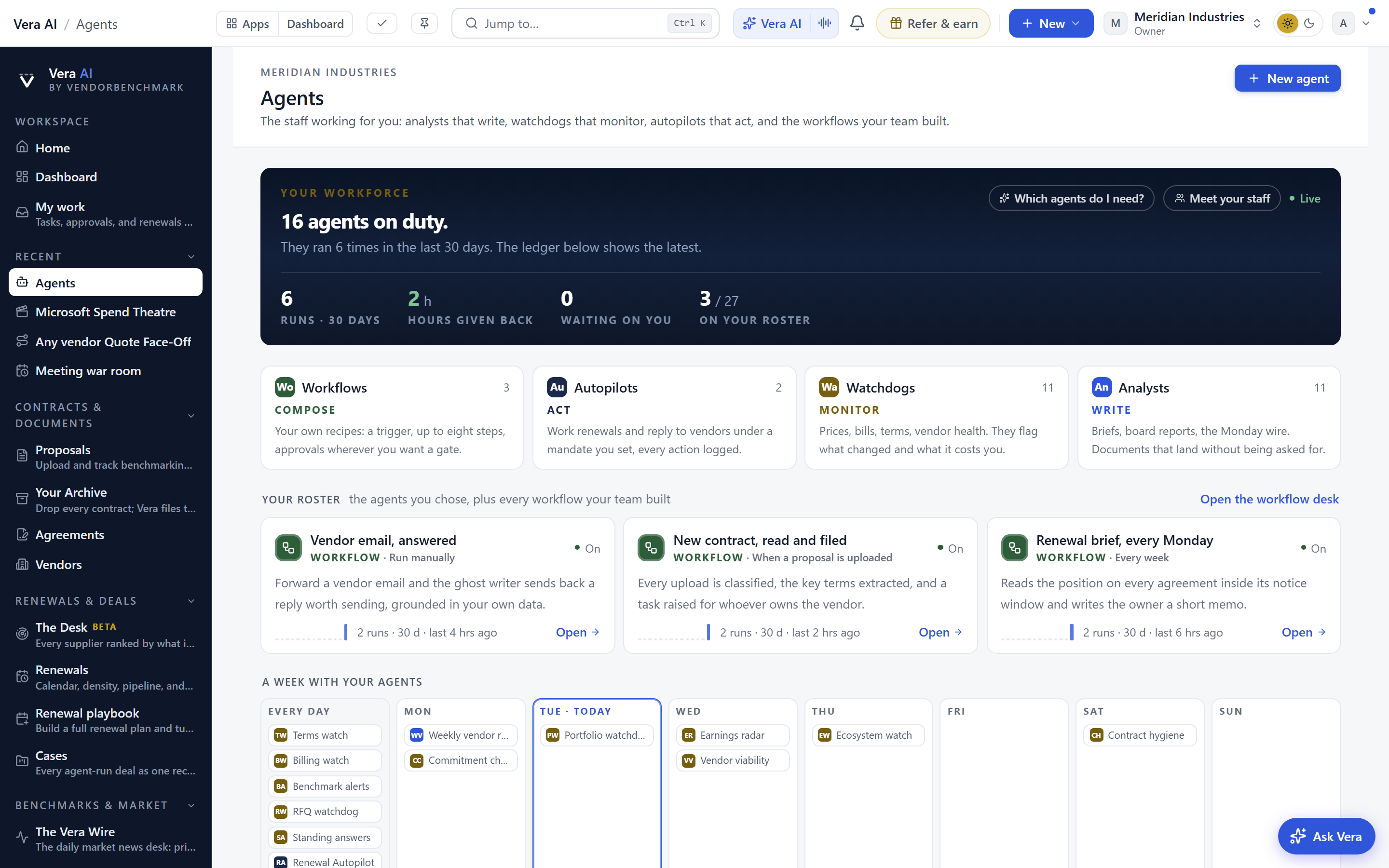
Specialists that start where you start
The tour changes how the specialists behave, and this is the part that carries into daily work long after the walkthrough. Every specialist now opens as a new conversation. No inherited context, no leftover assumptions from the last vendor you looked at. It takes a vendor in general first, giving you the market picture before it touches anything of yours, then asks whether this is about your own agreement.
That order is deliberate and it protects you. You get the outside view, the market position, before the conversation narrows to your specific numbers. When it does need a moment with your contract, it says so plainly, keeps talking rather than stalling on a spinner, and tells you when it has the document in hand. You are never left wondering whether it is thinking or broken. If you want the same clarity across your whole book, the comparison of what a vendor quietly changed since last year shows the specialist working on a real record.
Honest limits
Be clear eyed about what this is. Vera walking a screen teaches you the platform. It does not do your negotiation for you, and the tour is not a substitute for reading your own contracts. A guided walk of the benchmark library will show you how percentile bars and the verdict stage work. It will not, in that walk, tell you the right number for your specific renewal. That comes from loading your agreement into the specialist afterwards.
The pace that makes the tour good also makes it slow if you already know the platform. If you are a returning power user, the guided walk will feel deliberate. Use Vera Demo in follow mode instead, or skip the tour and go straight to the specialist. The slow walk is built for the first hour, not the hundredth.
And the specialist that takes a moment with your contract still takes a moment. It talks while it works, which removes the anxiety of a silent wait, but a large agreement is still a large agreement. What changes is that you are told what is happening, not that the reading is instant. For teams pooling context across many agreements, our piece on buying blocs and pooling leverage without exposing your numbers covers where the specialist stops and the human negotiation begins.
None of this replaces judgement. It removes the first fortnight of friction, gives every seat the same patient introduction, and makes the specialists start from a clean, market first position. That is a real change for the buyer who inherits the tool rather than the one who bought it. The rest is still your call, which is exactly how it should be.
Want to be updated when major licensing and pricing changes land? One analyst brief a week: the price rises, metric changes and audit campaigns that move software costs. Work email only.
Morten brings two decades of enterprise and software procurement, with stints across Oracle, IBM, SAP, and Salesforce shaping how he reads a deal. He has led sourcing through hundreds of renewals, from mid market order forms to nine figure global agreements, and learned that the buyers who win are the ones who walk in knowing the market. He built VendorBenchmark to make that pattern recognition repeatable.


