Reads the contract, the MSA or the SOW and marks every change on the page.
Upload a document and it opens as pages with every suggested change on it: approve a change into the redline, edit its wording or ask a colleague, then send the redline as Word.
- See what to push back on, clause by clause
- Scope, rates and acceptance read before signing
- Liability, audit and termination read against market paper
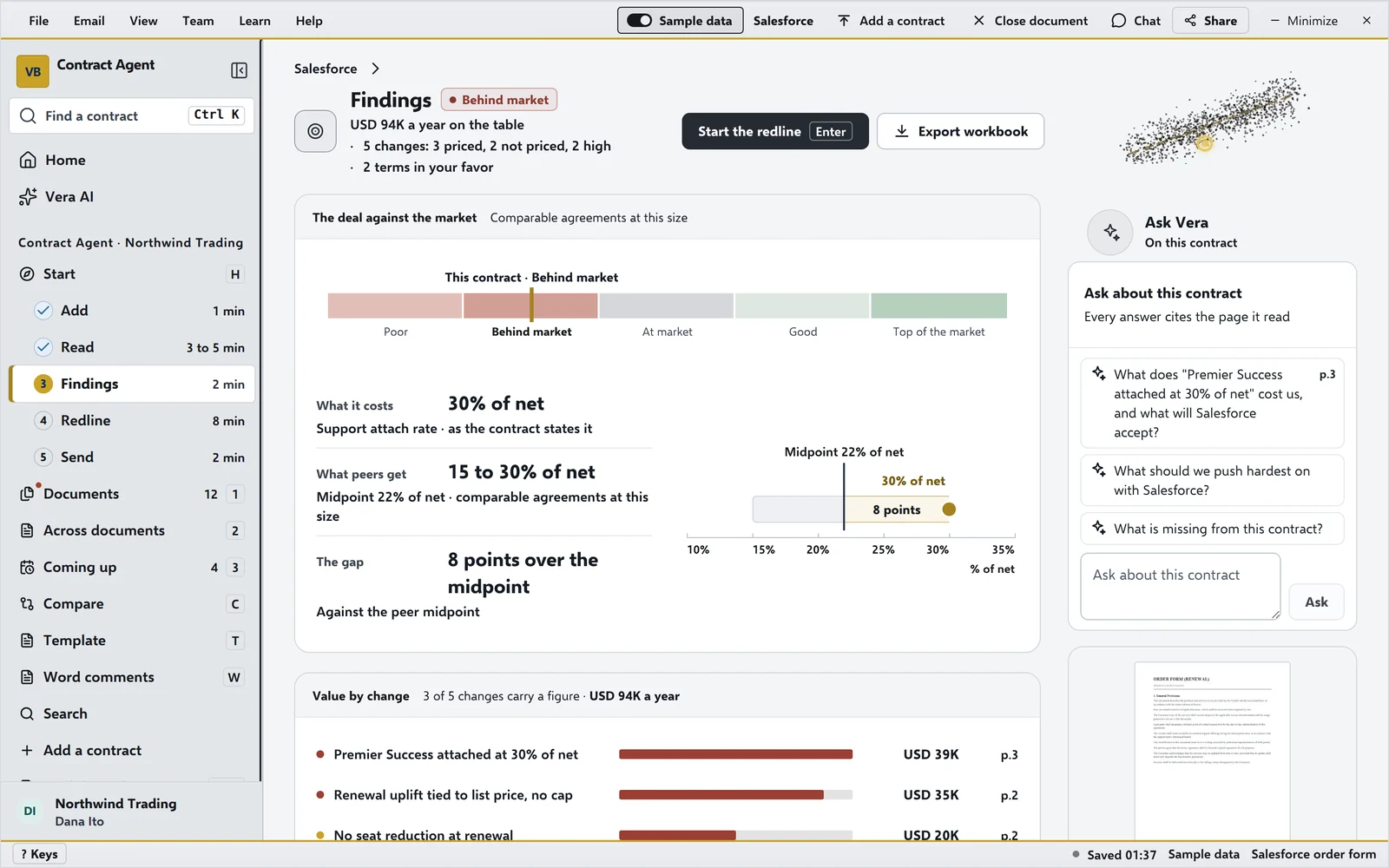
Contract Agent, on sample data.
What it does
The vendor's paper, read clause by clause.
It shows the pages
The document as it looks, not a text dump.
It suggests changes
Every change it would make, placed on the clause it concerns.
It builds the redline
The changes you approve, sent out as Word.
How it works
From the upload to the redline.
- UploadAn order, a statement of work or a master agreement.
- The pagesThe document as it looks, with the changes on it.
- Suggested changesApprove, edit, disregard or ask a colleague.
- The redlineOut as Word, with the changes you approved.
Seven sample documents are ready to try on the sample workspace.
What you get
What comes out of every review.
The marked pages
Every suggested change on the page it belongs to.
The redline in Word
Ready to send back to the vendor.
Your standard, applied
Set the standard, fallback and walk away line per term once, and the redline argues from your terms.
You stay in control
Nothing enters the redline without you.
You approve each change
A suggestion goes into the redline only when you approve it.
You own the wording
Edit any change, or disregard it.
Ask a colleague
Send a change to the person who should decide it.
On the record
Every decision lands in the audit log, and Vera never signs.
Questions
The Contract Agent, answered.
Which documents does it read?
Orders, statements of work and master agreements, including a vendor's own paper.
What does it look for?
What to push back on, clause by clause: scope, rates and acceptance in a statement of work, and liability, audit and termination in a master agreement.
What format is the redline?
Word, with the changes you approved.
Can I try it without my own contracts?
Yes. Seven sample documents are ready to try in the free trial.

Send the vendor's paper back marked.
Try the Contract Agent on seven sample documents in the free trial.
Free trial. Every app opens populated on a sample company. No card required. Or speak to sales