Contracts and signing
Every contract you hold, on four screens.
Your vendors by cost, what needs you, the year ahead, the ledger and the renewals with what next year costs. Press any contract and it opens as a document.
- Overview, Contracts, Renewals and Report
- Any contract opens as a document
- Redlines read against your clause positions
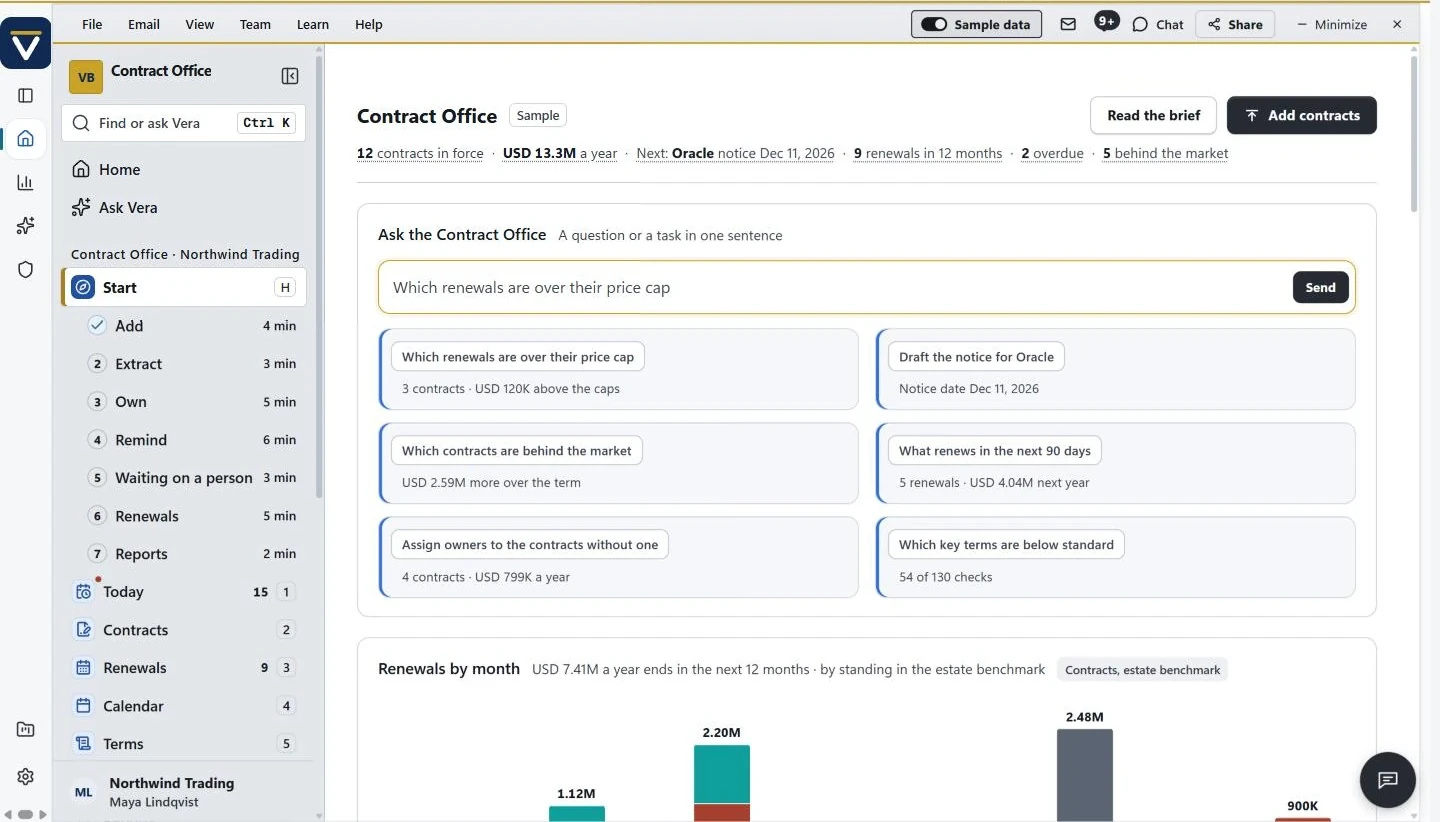
The Contract Office, on sample data.
What it does
Three questions the Contract Office answers.
What the year ahead holds
Every renewal in the year ahead, and what each one will cost.
Where a contract is
The ledger of every contract, by vendor and by value.
What the estate looks like
The whole estate in one written report, ready to share.
How it works
One window, four screens, with Vera beside it.
The Contract Office runs on the same frame as every other app in Vera AI, so you can ask Vera about any contract while you work.
- OverviewYour vendors by cost and what needs you.
- ContractsThe ledger, with the year ahead.
- RenewalsThe dates and what next year costs.
- ReportThe estate, written.
Redline
Their language, read against your positions.
Press Redline on a document and the vendor's version is read against your clause positions, finding by finding, each with its quote beside the document.
- Every finding listed beside the page with the words it came from
- Accepted language becomes Word tracked changes
- Each version filed on the document's version chain

What you get
The estate, laid out the way a buyer reads it.
The ledger
Every contract you hold, by vendor and by value.
The year ahead
Every renewal on one view, with what next year will cost.
What needs you
The contracts waiting on a person, on the first screen.
A contract as a document
Press any contract and it opens as the document itself.
Redlines in your positions
The vendor's wording held against your clause library.
The estate report
The whole estate written up in one report.
You stay in control
The record is yours to change.
You accept the language
Only the language you accept becomes a tracked change on the document.
Your positions decide
Findings are judged against the clause positions your organization set.
Private by design
Contracts are stored encrypted and visible only to your organization.
On the record
Every action lands in the audit log, with who did it and when.
Questions
The Contract Office, answered.
What are the four screens?
Overview shows your vendors by cost and what needs you. Contracts is the ledger with the year ahead, Renewals carries the dates and what next year costs, and Report writes up the estate.
Can I redline a document here?
Yes. Press Redline on a document and the vendor's language is read against your clause positions. Accepted language becomes Word tracked changes, filed on the document's version chain.
Can I see it before I upload my own contracts?
Yes. The Free Trial opens on a sample workspace, or we walk you through it on an estate like yours. Vera AI has Enterprise pricing, scoped with sales.
Related
Works alongside the Contract Office.
Agreement Studio
Every agreement on one board, with its clock, its letter, its rights, its wording and its money.
Contract Agent
Upload a document and it opens as pages with every suggested change on it.
Document Agent
Every contract read for the terms that decide a renewal, and searched for any words you type.

See the Contract Office on your own data.
Start on the sample workspace, or ask for a walk through on an estate like yours.
Free trial. Every app opens populated on a sample company. No card required. Or speak to sales