Finds every Java runtime and shows which ones need a license.
Find every Java runtime with a script, an agentless collector, your asset tool or an export. Java Scanner then builds the license position and the exit plan from the scan.
- Four ways to collect, kept current on a schedule
- Each install classified, with the reason
- An exit plan, machine by machine
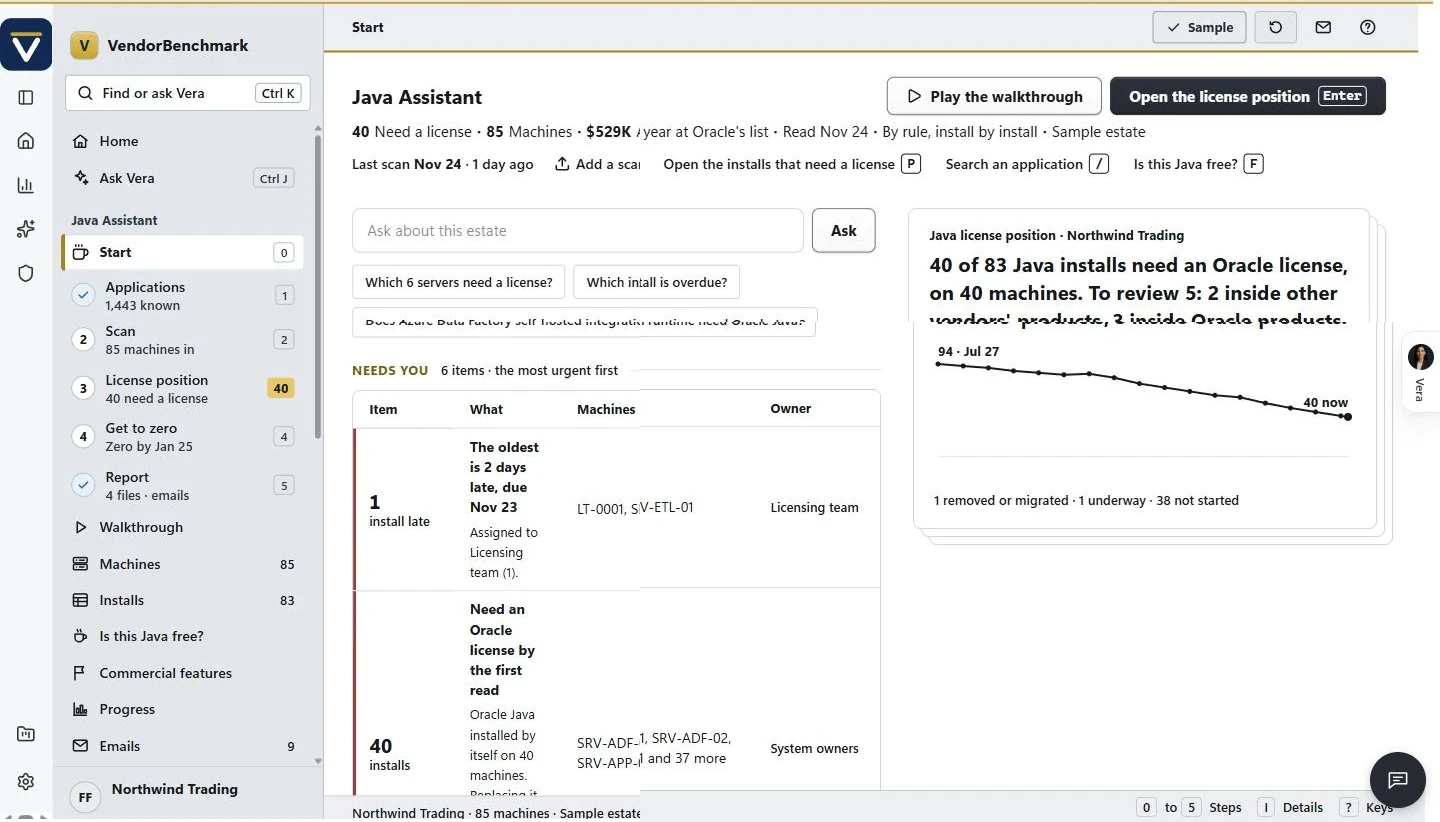
Java Scanner, on sample data.
What it does
From every install to a plan.
It finds the Java
Every runtime on every machine, kept current on a schedule.
It classifies each install
What needs a license and what does not, with the reason.
It plans the exit
What to replace first, in which order and by when.
How it works
From the scan to the license position.
- CollectA script, an agentless collector, your asset tool or an export.
- Keep it currentThe collection runs again on a schedule.
- Classify every installEach one marked as needing a license or not, with the reason.
- Build the ELPThe license position, built from the scan.
- Plan the exitWhat to replace first and by when, machine by machine.
What you get
Your Java position, on paper.
What needs a license
Each install classified, with the reason it does or does not.
The license position
An Effective License Position built from the scan, ready before the call.
The exit plan
The way to zero: what to replace first, and by when.
You stay in control
The scan informs. You decide.
A person approves
Every commitment to a vendor needs a person's approval. Vera never signs.
A reason on every call
Each classification shows why, so your team can check it.
On the record
Every action lands in the audit log, with who did it and when.
Questions
Java Scanner, answered.
How does it find Java on our machines?
Four ways: a script, an agentless collector, your asset tool or an export. The collection is kept current on a schedule.
We have an Oracle audit letter. Can it help?
Yes. It builds your license position from the scan, so you know where you stand before the call.
We are renewing a Java subscription. What does it show?
It counts what really needs a license, so the renewal is sized on the installs that require one.
Can it help us move off Oracle Java?
Yes. The exit plan sets out what to replace first and by when, machine by machine.

Know your Java position before the vendor does.
Run the scan and see what needs a license.
Free trial. Every app opens populated on a sample company. No card required. Or speak to sales