Scans every machine and shows what you own against what you pay for.
Two small read only scanners report what every Windows and Linux machine has installed. Vera AI names each title, maps the estate by vendor and license, and holds it against the lines you pay for.
- Two read only scanners, for Windows and Linux
- No agent to install and maintain
- Machine IDs and serials sent only as hashes
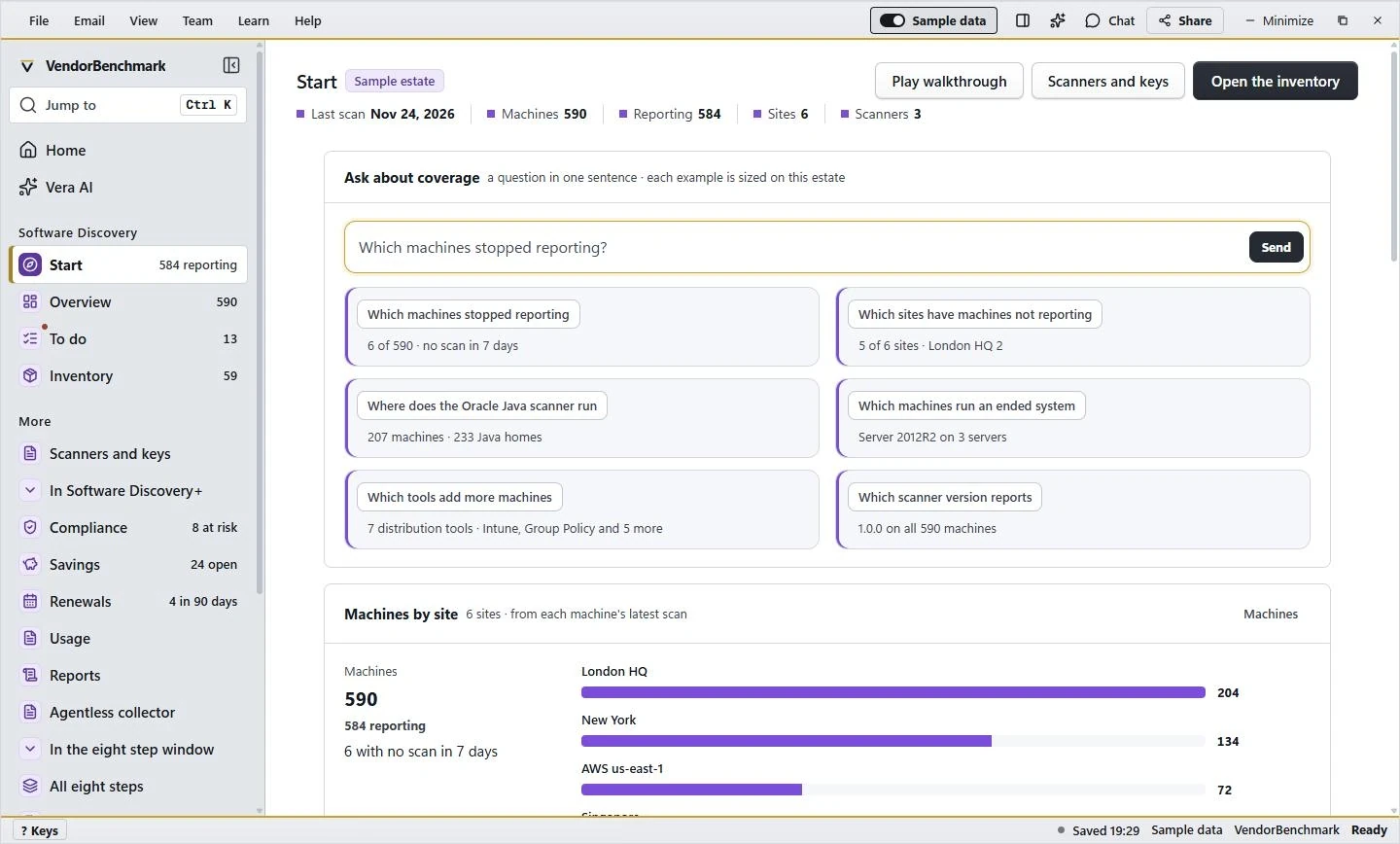
Software Discovery, on sample data.
What it does
AI does the licensing, with no human operator.
It names every title
Installs matched to vendor, product and license, named once and kept named.
It builds the position
Paid against installed for every line, with the money a year.
It flags the fixes
The biggest money and the largest audit risk first.
How it works
Deploy, scan, see.
Roll the scanner out with the tool you already use. Every machine that reports lands on the map.
- Issue a tokenAn owner issues a discovery token. It can only add scans and expires in a year.
- Deploy the scannersOne for Windows, one for Linux, through Intune, Group Policy, Configuration Manager, Ansible, cron or SSH.
- Machines reportEach machine pushes its installed programs every six hours, daily or weekly.
- Every title is namedMatched to vendor, product and license. Anything new is named once and stays named.
- Held against your contractsPaid against installed for every line, with the money a year and the audit risks ranked.
What you get
Where the money and the risk are.
Every finding is tied to the machines it came from.
The map
Every product as a tile, by vendor or category, colored by license position.
Paid and unused
Seats you pay for that no machine runs, and the next renewal with seats to cut.
Paid with no contract
Commercial software installed with nothing on file to cover it.
Audit risk
Oracle Java, Oracle Database on VMware, SQL Server Enterprise cores and more, each with the fix to try.
Rationalize
One tool per job, unused seats and versions past end of support.
Ask about the estate
Where a product runs and the largest risk, answered by Vera from your machines.
You stay in control
Read only, by design.
Changes nothing
The scanners only read, and need no administrator rights.
Never reads your data
No file contents, user names, email or IP addresses. Machine IDs and serials go only as hashes.
Push only tokens
Shown once, stored as a hash, expire in a year, and every push is in the audit log.
You decide what to cut
Vera flags the fixes. A person decides what to cut at renewal.
Questions
Software Discovery, answered.
Do I need to install an agent?
No. Two small read only scanners run through the tools you already use, and nothing installed changes a machine.
How do I roll it out?
Through Intune, Group Policy, Configuration Manager, Ansible, cron or SSH. The line for each scanner is on screen.
What leaves each machine?
The list of installed programs. No file contents, user names, email or IP addresses, and machine IDs and serials only as hashes.
How often do machines report?
On the schedule you set: every six hours, daily or weekly. Daily is typical.

What is installed that nobody bought?
Load the sample estate in minutes, or scan your own laptop first.
Free trial. Every app opens populated on a sample company. No card required. Or speak to sales