Two contracts side by side. Every change marked.
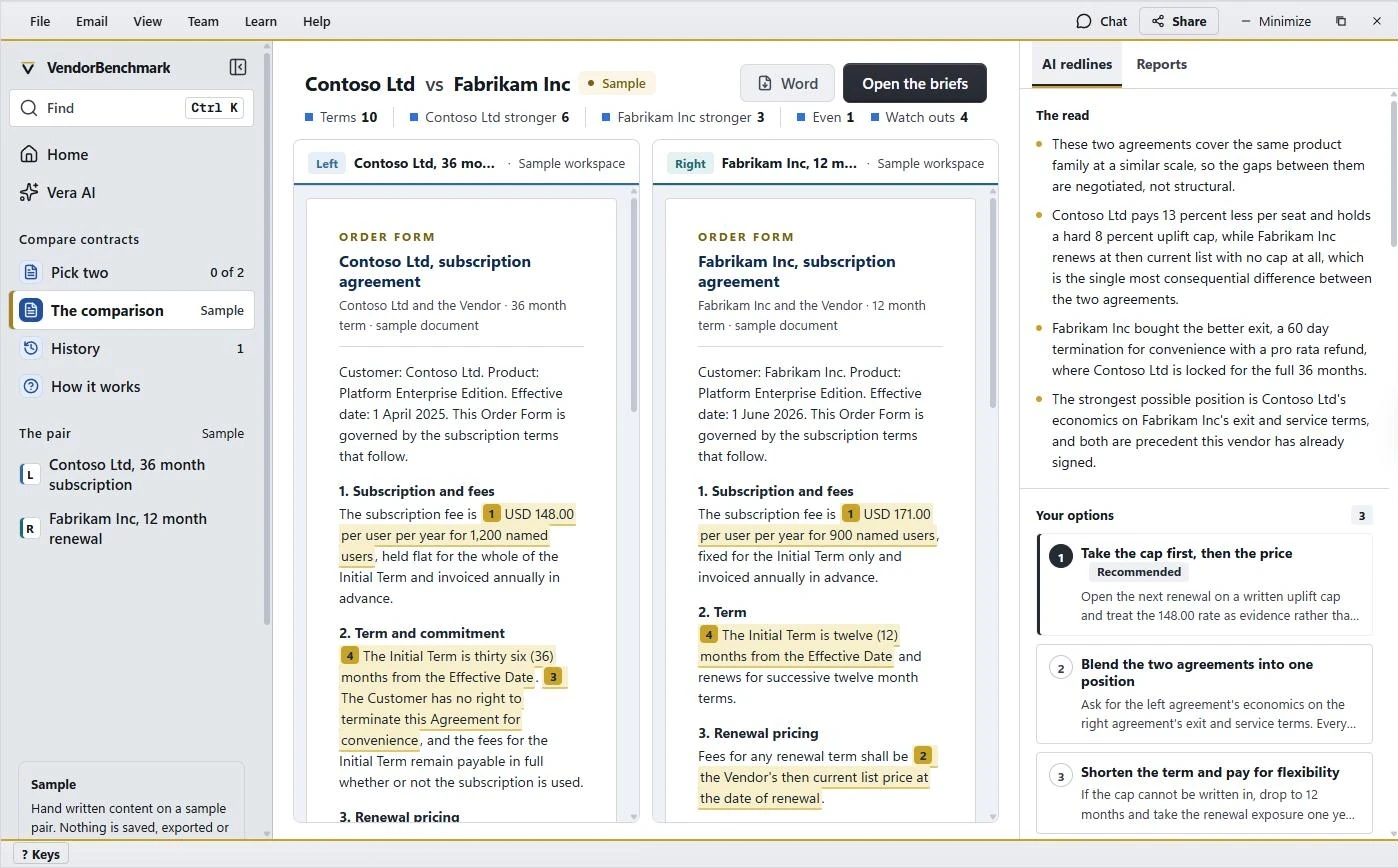
Pick two contracts and read them side by side with every change marked. Then read the summary of what moved and what to ask for, and take both as Word.
- Any two documents on file
- Every change marked
- The summary and the reply as Word
Compare, on sample data.
What it does
Three jobs on any two contracts.
It marks
Both documents on screen side by side, with every change marked on both pages.
It summarizes
What moved between the two papers, and what it means for you.
It drafts
What to ask the vendor for, written and ready to send as Word.
How it works
From two files to a reply.
One window on the frame every app shares, with Vera beside it.
- Pick twoAny two documents on file. With both slots filled, the read takes a few seconds.
- ReadBoth pages side by side, with the changes marked.
- SummaryWhat moved and what it means.
- ReplyWhat to ask for, drafted.
What you get
What teams use it for.
A renewal draft
What changed from last year's paper.
Two vendors
The same terms, side by side.
A reply
What to ask for, drafted and ready as Word.
Questions
Compare, answered.
Which documents can I compare?
Any two documents on file. Pick one for each slot and Compare reads them both.
How long does a comparison take?
With both slots filled, the read takes a few seconds.
What do I take away?
The side by side read with every change marked, the summary of what moved and what to ask for, and both as Word.
Works with
Apps that share the work.
Contract Agent
Opens a document as pages with every suggested change on it, ready to approve into the redline.
Document Agent
Reads every contract for the terms that decide a renewal, and searches for any words you type.
Contract Office
Your vendors by cost, what needs you, the year ahead and the renewals.

What changed in the paper you were sent?
Pick two contracts and see every change marked on both pages.
Free trial. Every app opens populated on a sample company. No card required. Or speak to sales