Instant benchmarks becomes the benchmark library
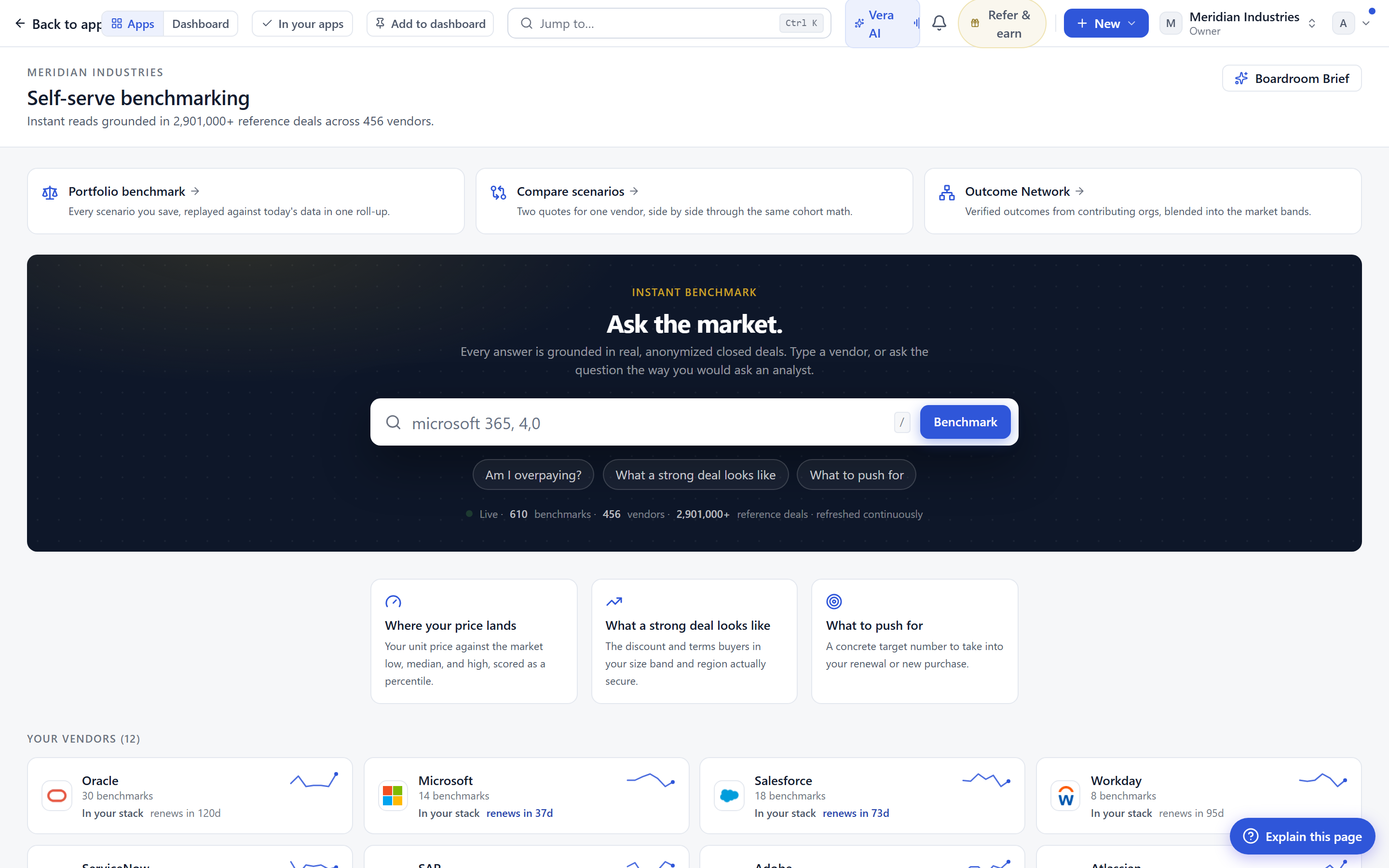
One console for benchmarking. Your own vendors sit next to the full shelf, every tile shows its live depth, and dropping a quote still starts the three minute read.
Most buyers do not lack benchmark data. They lack a place to stand. The percentile you needed last Tuesday lived inside a report you half remember, the vendor you are pricing today has a research page you have never opened, and the quote sitting in your inbox has no obvious front door. So you improvise. You open three tabs, you search a name, you skim a PDF, and you make a call that is roughly right and quietly under evidenced. We built the benchmark library to replace that improvisation with a single console. Instant benchmarks now opens as its own application, from everywhere, and it opens on the library.
The named problem: benchmarking had no home
Call it the scattered shelf. Benchmarking was a thing you invoked, not a place you went. It answered a question and then disappeared, and the next question started you back at zero. For a procurement lead pricing a renewal, that meant the depth of the evidence was invisible until you dug for it. You could not see, at a glance, whether a vendor carried several product benchmarks or one thin line, whether there were research documents behind it, or whether an analyst had briefed the category recently. The evidence existed. It just did not present itself as a surface you could scan.
The library fixes the geography. Open the application and you land on one console. Your own vendors sit on the left, the ones you actually spend with. The full A to Z shelf sits beside them, 1,471 vendors deep. Every tile carries its live depth on its face: the number of benchmarks it holds, the research documents at its /research path, and the analyst briefings behind it. You are no longer asking the system whether evidence exists. You are reading how much of it there is.
Search that filters as you type
The shelf is 1,471 vendors wide, so it lives or dies on how fast you can narrow it. Type a name and the grid filters as you go, not after a submit, not after a spinner. Two or three characters usually takes you from the full shelf to the handful of vendors you meant. The point is not the animation. The point is that scanning stops being a chore, so you actually scan, and scanning is where you notice that the vendor you were about to accept a quote from is one you have never benchmarked, while a comparable one three tiles over carries five product benchmarks and a recent briefing.
When a vendor with several product benchmarks matters to you, it expands in place. You do not lose the shelf. The tile opens where it sits, shows its products and their depth, and closes again when you move on. This keeps you oriented. Context is expensive to rebuild, and the old pattern of clicking into a vendor, reading, hitting back, and losing your place in the grid quietly taxed every session. If you want the fuller story of how each of those tiles gets its numbers, we wrote it up in how the benchmark library is built.
Depth you can see, and depth you can open
Every tile is a doorway to three kinds of evidence, and now it tells you which doors are worth opening before you knock. The benchmark count is the headline. A vendor with one benchmark and a vendor with several are different negotiations, and the tile makes that difference legible from the shelf. Behind that sit the research documents at /research, which now read as proper styled pages rather than embedded files, a change we covered in research papers now read as styled pages. Behind those sit the analyst briefings, the category context that tells you whether a price is drifting.
For the buyer, the practical effect is triage. You can decide, in the time it takes to scan a row of tiles, where the evidence is thick enough to negotiate hard and where it is thin enough that you should hedge. That is a judgement call you were making anyway, usually without the information in front of you. If you want a refresher on what the percentile bars actually mean once you open a benchmark, how to read a percentile is the honest version.
The quote still starts the read
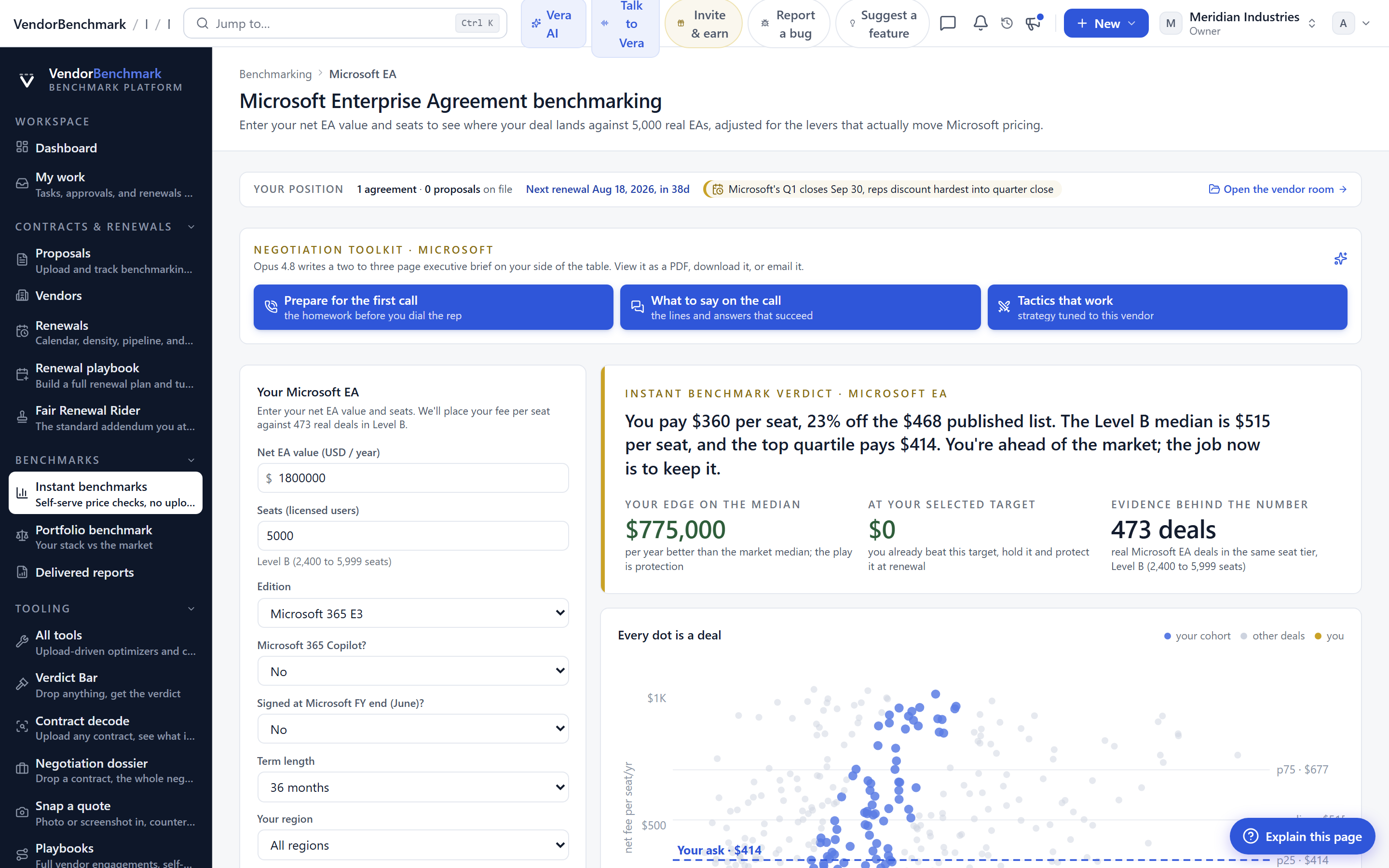
The behaviour we heard most about did not change. Drop a quote anywhere on the page and it still starts the three minute read. You do not have to find the right vendor first, you do not have to prepare the document, you drop it and the read begins against the live depth on the shelf. What is new is where you land afterward. The read finishes and you are already standing in the library, next to the vendor it just priced, with the research and briefings one expand away. The old flow ended in a dead end. This one ends where the next question already is.
That matters most in the hour before a call. The read gives you the position, the tile gives you the evidence depth behind it, and from there the natural next move is into a live document. If the call is imminent, the read feeds cleanly into the Negotiation Dossier, which turns a position into a counter offer you can send.
The honest limits
A library organises what exists. It does not manufacture depth where there is none. A vendor with one thin benchmark still reads as one thin benchmark, and the console will show you that plainly rather than dressing it up. That is the point, but it is worth saying out loud: the tiles are honest about scarcity, which means you will sometimes land on a vendor and find less than you hoped. When that happens, the answer is a scoped request, not a workaround, and the read will still give you a defensible position from comparable deals even when the exact product line is lightly covered.
Two other boundaries. First, the live depth reflects the current state of the shelf, so a category we briefed last quarter may need refreshing before your next cycle, and the briefing date on the tile is there so you can judge that yourself. Second, the library prices and positions. It does not negotiate. It hands you a clean position and then the work moves into the war room, the dossier, or, if you want a human style analyst in the room, the call copilot. The library is the front door to that work, not a substitute for it.
None of this asks you to change how you buy. It removes a step you were doing badly. You will still price the quote, still read the evidence, still decide how hard to push. You will just do it from one console instead of three tabs and a spreadsheet, with the depth of the evidence visible before you commit to trusting it. That is the whole change, and for a buyer running a full renewal book it is the difference between benchmarking as an errand and benchmarking as a place you work.
Fredrik has spent more than twenty years in enterprise software, with time at Oracle, IBM, SAP, and Salesforce before moving to the buy side. He structured and priced the kind of large agreements most buyers only see once or twice in a career, which taught him where the leverage sits and how far a vendor will actually move. He started VendorBenchmark to hand that knowledge to every sourcing team.


