AI contract review
Clause by clause: the changes worth asking for, before you sign.
The Contract Agent reads a contract, a master agreement or a statement of work and marks every change worth asking for on the page, with the wording and what it is worth a year. You approve or skip each one.
- First changes on the page inside a minute
- Legal, Commercial and License compliance views
- Nothing reaches the vendor until you send it
What it does
Three checks before the paper binds.
Marks every change worth asking for
What the clause says, what to ask for instead and what the change is worth a year.
Checks your own standard
Against one of your templates or your contract policy, rule by rule.
Briefs the signer
A two page brief on every envelope sent through DocuSign, before anyone signs.
How it works
From the vendor's paper to your redline.
The first changes land inside a minute and the whole read in three to five, each with its page and its money a year.
- Send in the paperUpload a PDF or Word file up to 200 MB, forward it to your contracts address or open a sample.
- Read the reviewIt opens on the change worth most, sorted into Legal, Commercial and License compliance.
- Decide each changeApprove, skip or change the wording. The next change opens by itself.
- Send under your nameForward the redline to the vendor, take it as Word with tracked changes or email a colleague.
- Read the replyEach change comes back accepted, countered or refused, ready for round 2.

Check before you sign
The last read, inside DocuSign.
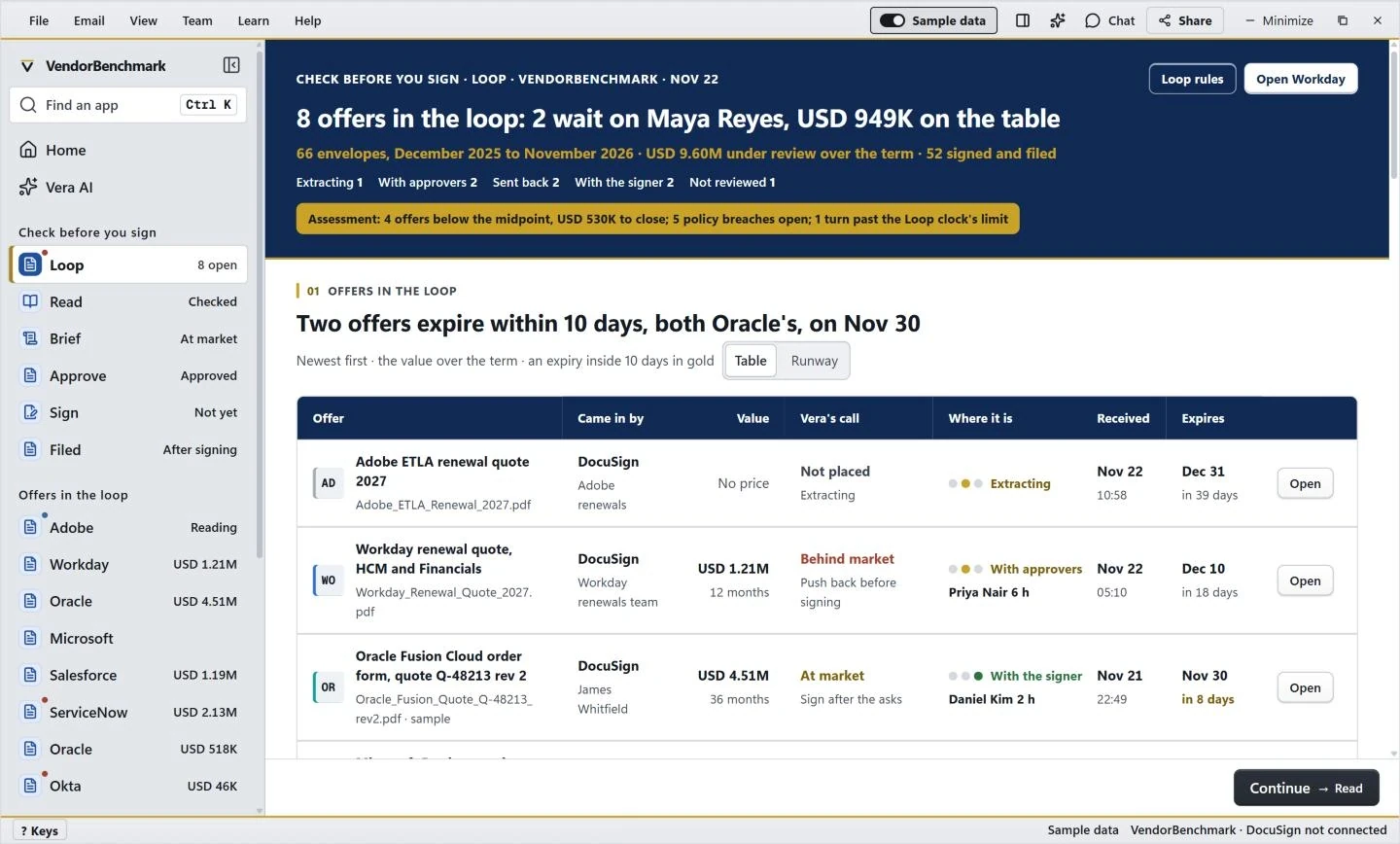
Vera in the Loop reads every envelope your team sends through DocuSign and writes a two page brief for the people who approve. Nothing changes in DocuSign.
- The price: placed against what comparable buyers sign
- The terms: read against the market, your policy and your templates
- The call: the money on the table and the three things to settle first
The redline
Drawn on the page the way Word draws tracked changes.
Suggested
The struck words carry a red line with the replacement above, dashed while the agent only suggests it.
Approved
The same change turns solid once it is in your redline.
Yours
Select any words to strike, replace or comment. Your changes go under your name.
Theirs
A counter the vendor sends back is drawn in blue.
You stay in control
The agent suggests. The redline holds what you approve.
Your press on every change
Nothing goes into the redline until you approve it.
Quotes are real
A quote is kept only when its words are in the document.
Approvers on their turn
Up to eight, each decision with a name and a time in the audit log.
Vera never signs
The signer signs in DocuSign, with Vera's call in hand.
Questions
AI contract review, answered.
Does the Contract Agent send anything to the vendor on its own?
No. It suggests the changes and drafts the message. The redline goes to the vendor when you press Forward to the vendor, under your name.
Can it check a contract against our own standard?
Yes. My template checks the document against one of your templates or your contract policy. Each rule comes back Falls short, Silent, Unclear or Meets it.
What happens when the vendor sends its markup back?
The reply is read against every change you sent. You take their wording or hold yours for round 2, and a one page memo gives the approver every decision.
Does the vendor see the signing brief?
No. It goes to the sender when they are an active member of your workspace, to the approvers and to the addresses an owner lists.

Every change priced. Every decision yours.
Open a sample contract, or put one vendor's paper through the review this week.
Free trial. Every app opens populated on a sample company. No card required. Or speak to sales