Workflow agents is now a workforce desk
One long scroll became an application with four views, a rail that keeps the pulse and the sign offs beside you, and a payoff instrument that states the hours a steady pace gives back a quarter.
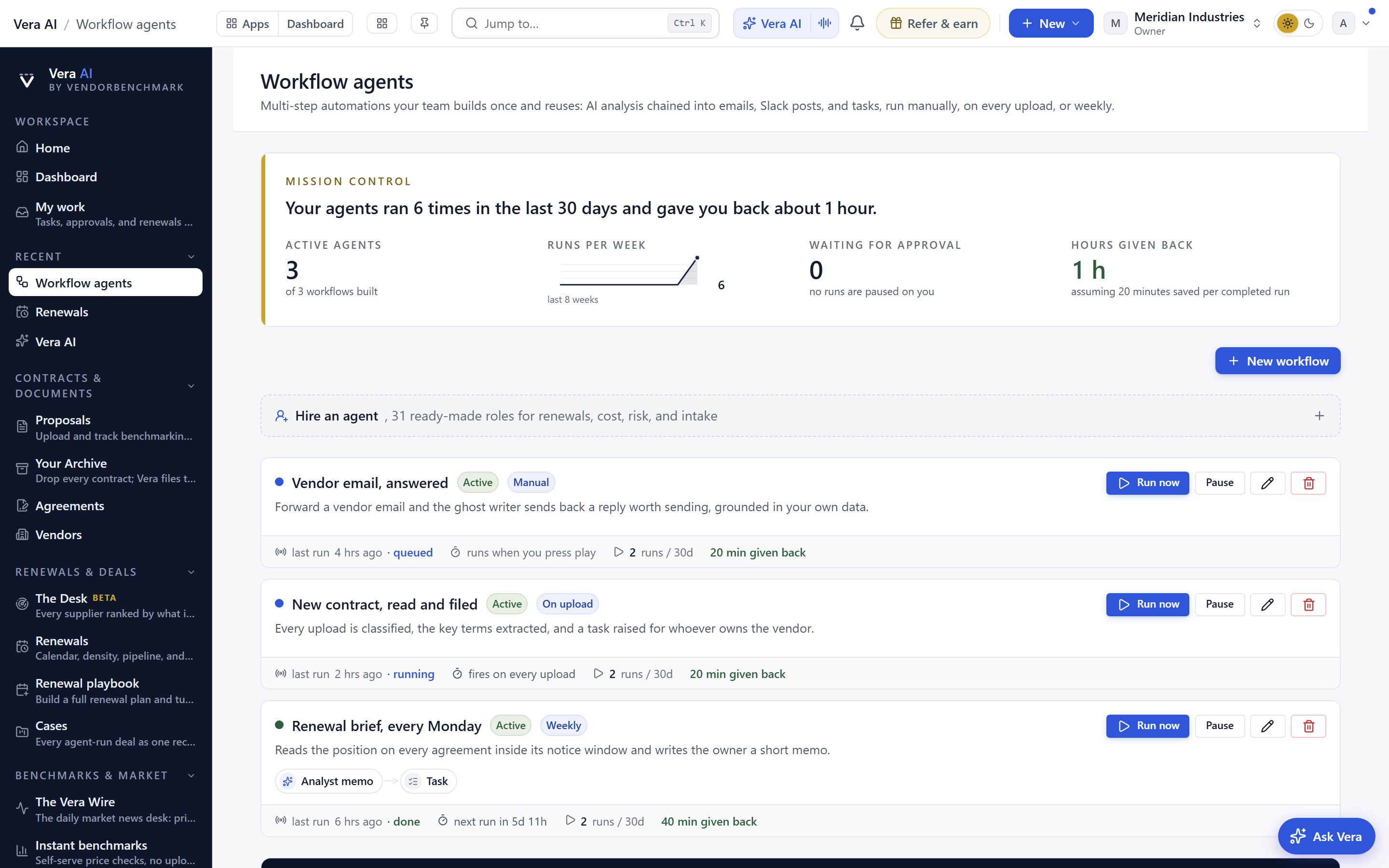
PRODUCT UPDATE · FROM THE ANALYST DESK. Here is a problem most procurement teams recognise about six weeks after they turn on automation. The automation works, and you stop looking at it. Agents run overnight, a report lands, an inbox reply goes out, and nobody on the desk can say with confidence which of those things fired this week, which one quietly stopped firing in March, and which one is sitting frozen because it needs a human to pick between two options. Our own workflow page was part of the problem. It was one long scroll that stacked every agent, every run log, every builder control, and every trigger reference into a single column. It contained the truth. It did not present it. We have rebuilt it as a workforce desk, and this post explains what moved, what it changes for a buyer, and what it still does not solve.
The staff view, and a heartbeat you can read in five seconds
The page now opens on a masthead band with four views. The first is the staff, and it is exactly what the name says. Every agent you have running appears as a card, and every card carries three things: its heartbeat, its chain, and its controls. The heartbeat tells you when the agent last did work. The chain tells you what it hands to next, because almost nothing on a procurement desk is a single step. A benchmark refresh feeds a variance flag, which feeds a renewal brief, which feeds an approver. The controls let you pause, resume, or rescope without leaving the view.
This matters more than it sounds. A procurement desk running six specialist agents plus thirteen inbox agents plus a set of background jobs has a genuine staffing problem, and it is the same problem you have with people. You need to know who is working, who is blocked, and who is idle. We wrote about the shape of that team in Six agents and a ghost writer: staffing a procurement desk with AI. The staff view is the org chart that argument was missing. Press 1 to get to it. Press H to hire another agent.
Runs, and the badge that admits a machine got stuck
The second view holds the console. Runs is where you watch work in flight, read what an agent decided, and see the inputs it used. The change we care about most is small and behavioural: the moment a run pauses for a decision, a badge appears on the masthead. Not in an email. Not in a digest that arrives tomorrow. On the band, wherever you are in the application.
The reason is that paused runs are the expensive failure mode in agentic procurement. An agent that errors out is annoying but visible. An agent that politely waits for a human to choose between two counter positions is invisible, and it waits as long as you let it. If that pause sits for nine days across a renewal window, the automation has cost you time rather than saved it. Sign off chains have the same property, which is why the approval brief matters as much as the approval itself, a point we made in The deal sign-off chain: approvals before signature, with a brief for every approver. The badge is the smallest honest thing we can do about it. It says: a machine got stuck, and the thing it is stuck on is yours.
Builder as a standing bench, not a separate room
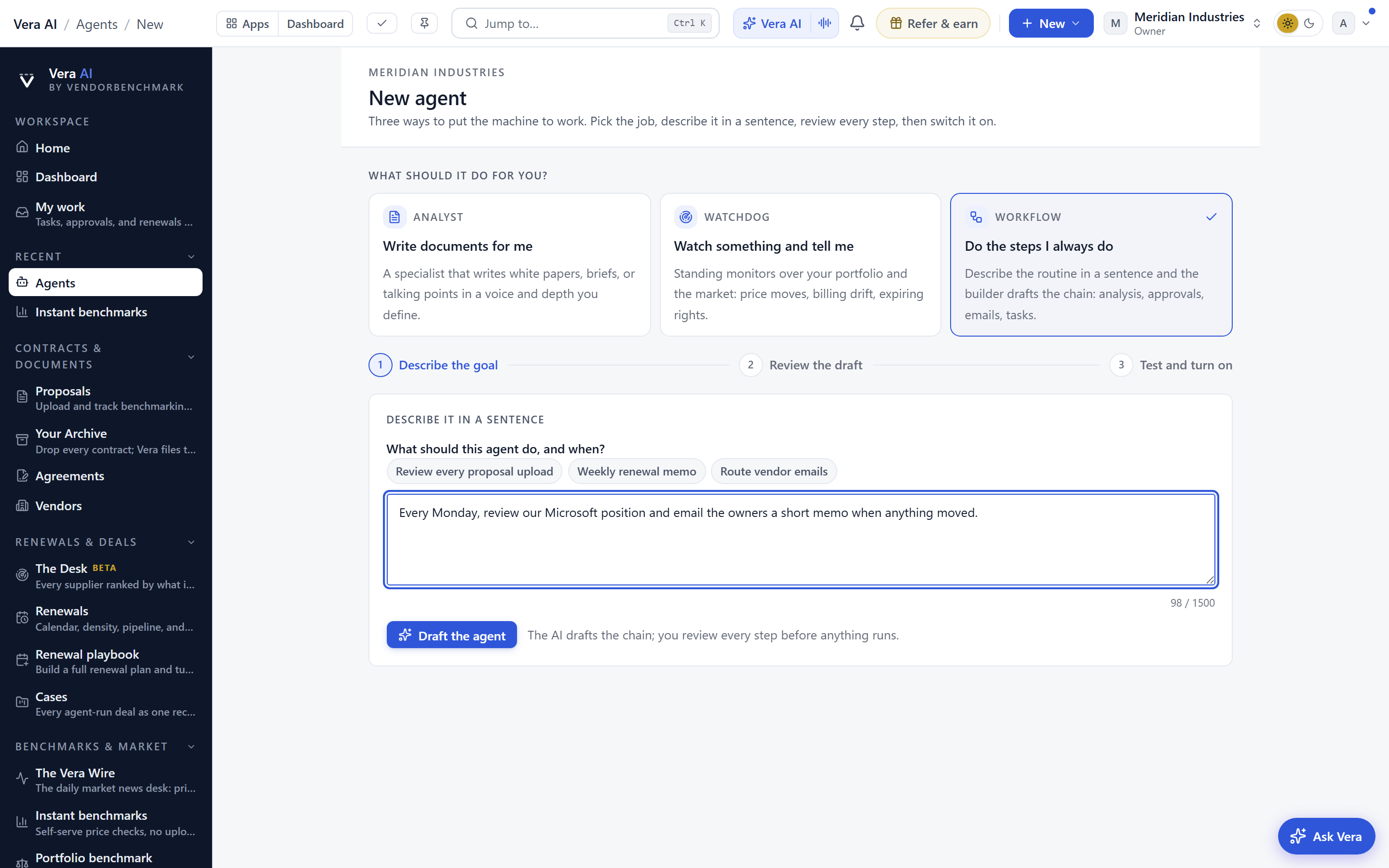
Builder used to be somewhere you went. Now it is a bench that is always there. Press 3 and it is open. More usefully, editing any card in the staff view opens that agent's draft directly on the bench, so the path from noticing that an agent is scoped wrong to fixing the scope is one action rather than a navigation exercise. The draft is a draft. It does not go live until you promote it, and the previous version keeps running while you work.
The practical effect is that workflow editing stops being a project. Most changes buyers actually make are tiny: widen a threshold from ten percent to eight, add a second approver above a spend line, stop an agent from touching a vendor that is mid dispute. Those are two minute edits that used to feel like they needed an hour set aside. If you want the underlying mechanics of how these are assembled, the builder tour on the workflows page covers the trigger and action model in full.
Wiring, where the addresses and the triggers stop being folklore
The fourth view is the least glamorous and the one that will save the most support time. Wiring carries three things. First, the agent inbox address your workforce answers on, so anyone on the team can forward a vendor thread to it without asking who knows the address. Second, the ghost writer guide, which sets out how to phrase a forward so the reply comes back in your voice rather than a generic one, the behaviour described in The ghost writer: forward the vendor email, get the counter in your voice. Third, a plain reference of every trigger available, written as a list rather than as documentation, so you can see what is possible before you go to the bench and try to build it.
Across all four views, a rail stays fixed. It carries the runs-per-week pulse, so you can see whether the desk is speeding up or quietly stalling, and it carries anything waiting on a sign off. Below that sits the payoff instrument, which states the hours a steady pace gives back over a quarter. That figure is computed from your own recorded runs and the time estimate you set per task type. It is a model of your desk, not an industry claim, and you should treat it as an estimate you can audit rather than a number to quote in a board pack without checking.
What changes for a procurement buyer
Honest limits
Four views on a masthead is still four places. We reduced the scroll, we did not reduce the concept count. A buyer who has never staffed an agent desk will still need someone to explain why runs and staff are different things. The keyboard shortcuts are a power user affordance and nothing more. If you never press 1 to 4 or H, the desk works exactly as it did with a mouse, just slower.
The heartbeat tells you an agent ran. It does not tell you the agent ran correctly. An agent pulling from a stale contract record will show a healthy heartbeat while producing a wrong answer, and no indicator on this page will catch that. Output quality still needs spot checking, particularly in the first month after you change a source. The decision badge has the same honest weakness: it is visible, but it still requires a human to look at the screen. If nobody opens the desk for a week, the badge sits there being correct and being ignored. Notification routing beyond the application is on the roadmap and is not shipped.
The payoff instrument is a projection built on your recorded pace and your own per task time estimates. If your estimates are generous, the number will be generous. It is best read as a directional trend across quarters rather than a precise saving. And the rail shows what is waiting on a sign off inside this system. It does not know about the approval sitting in someone's personal inbox or the one that was agreed verbally in a meeting. The renewal calendar problem we described in 300 vendors, 52 weeks, one team is a workload problem, and a better console reduces the friction of managing that workload without reducing the workload itself.
Finally, mobile. The masthead band and the fixed rail are designed for a desktop working session. On a phone the views stack and the rail collapses, which is usable for checking a badge and approving one item, and poor for anything involving the builder. We would rather say that plainly than pretend otherwise.
The change shipped this week and is live for all workspaces with workflow agents enabled. Existing agents, chains, and triggers carry over unchanged. Nothing needs rebuilding. If your desk has drifted into the state where automation runs and nobody watches it, spend ten minutes on the staff view and count the heartbeats that have gone flat. In most workspaces we have looked at, at least one has, and that is the cheapest saving available to you this quarter.
Fredrik has spent more than twenty years in enterprise software, with time at Oracle, IBM, SAP, and Salesforce before moving to the buy side. He structured and priced the kind of large agreements most buyers only see once or twice in a career, which taught him where the leverage sits and how far a vendor will actually move. He started VendorBenchmark to hand that knowledge to every sourcing team.


