Most renewals are not lost at the negotiating table. They are lost in a quiet week in August, when the notice date passes and nobody was looking. An AI agent does not have quiet weeks.
The overnight drive is the part of Vera AI by VendorBenchmark that works while your team is offline. Each night it takes every renewal inside the window you chose, reads it against the benchmark library and leaves the answer on your home page before you sit down. Here is what it does, what it will not do, and how to start.
The work is done when you sit down
You switch it on once, under Settings, Vera and you, and pick a window of 60, 90 or 120 days. From that night on, your specialist runs every renewal inside the window through the same library reads the Benchmark Library uses on screen. It reads the vendor's peer band for the product and your size, places your figures against it, and works worst first, up to 20 renewals a night in each workspace you belong to.
There is no batch to start and no report to request. The schedule is the instruction.
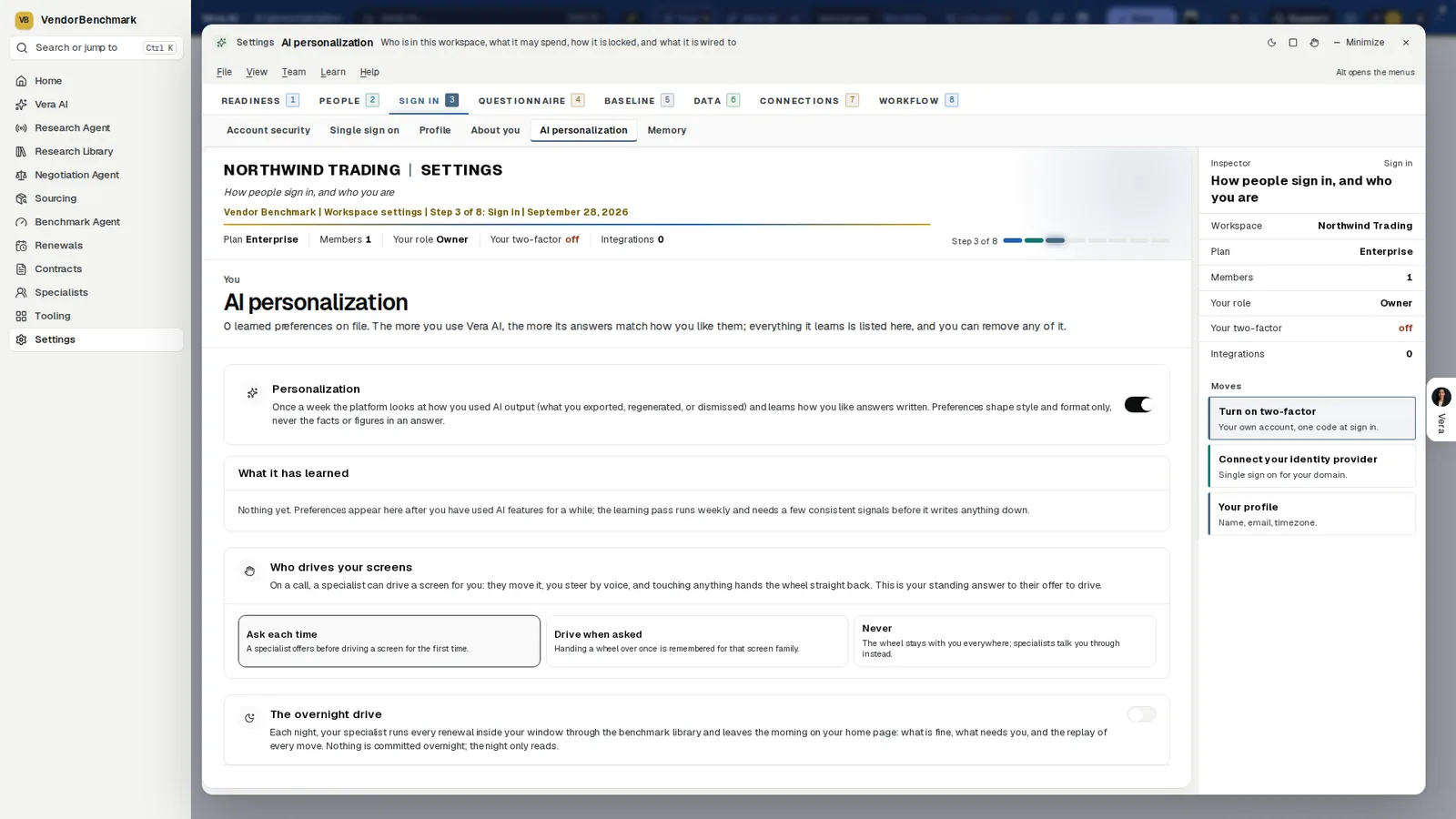
One switch. The overnight drive sits under Settings, beside who drives your screens. The note under it is the whole promise: nothing is committed overnight; the night only reads.
What the morning looks like
The morning waits on Home, between the greeting and your apps, on the days the night has something to say. Each renewal in the window is listed worst first with its verdict and one plain sentence that says why. It reads in the time it takes to finish a coffee.
- Fine. The price sits where comparable customers land and the dates leave room. Nothing to do today.
- Needs you. The price is above the peer range, a notice date is close, or nobody owns the renewal. The sentence names which.
- Replay. Every move the night made, in the same trail the live agent draws on screen: what it opened, what it read, what it settled.
- Pick it up. One press opens Vera with that renewal as your first word, so the conversation starts where the night stopped.
The night only reads. Committing a change is always a person's press.
What the night will not do
Autonomy nobody can audit is not something a CFO signs off. So the overnight drive inherits every limit the live agent has, and adds one of its own: it does not write.
- No email leaves. The drive reads and places. Negotiating by email is a separate step you hand over in AI Managed, inside a mandate you set.
- The workspace ceiling holds. Where an owner has set agent drive to off, the night drives nothing in that workspace.
- Every move is on the record. Driven actions land in the workspace audit log with the outcome of their verification.
There is one earned exception. Where an owner has raised the ceiling to Queued commits, the night may queue up to three proposals, one per renewal, of three declared kinds: a renewal inside 35 days still marked Upcoming, proposed to In negotiation; a renewal that needs you with nobody's name on it, proposed to you; and an auto renewal whose notice window has closed, proposed quiet until the day after it renews. Each waits for the same one press confirmation every staged change uses.
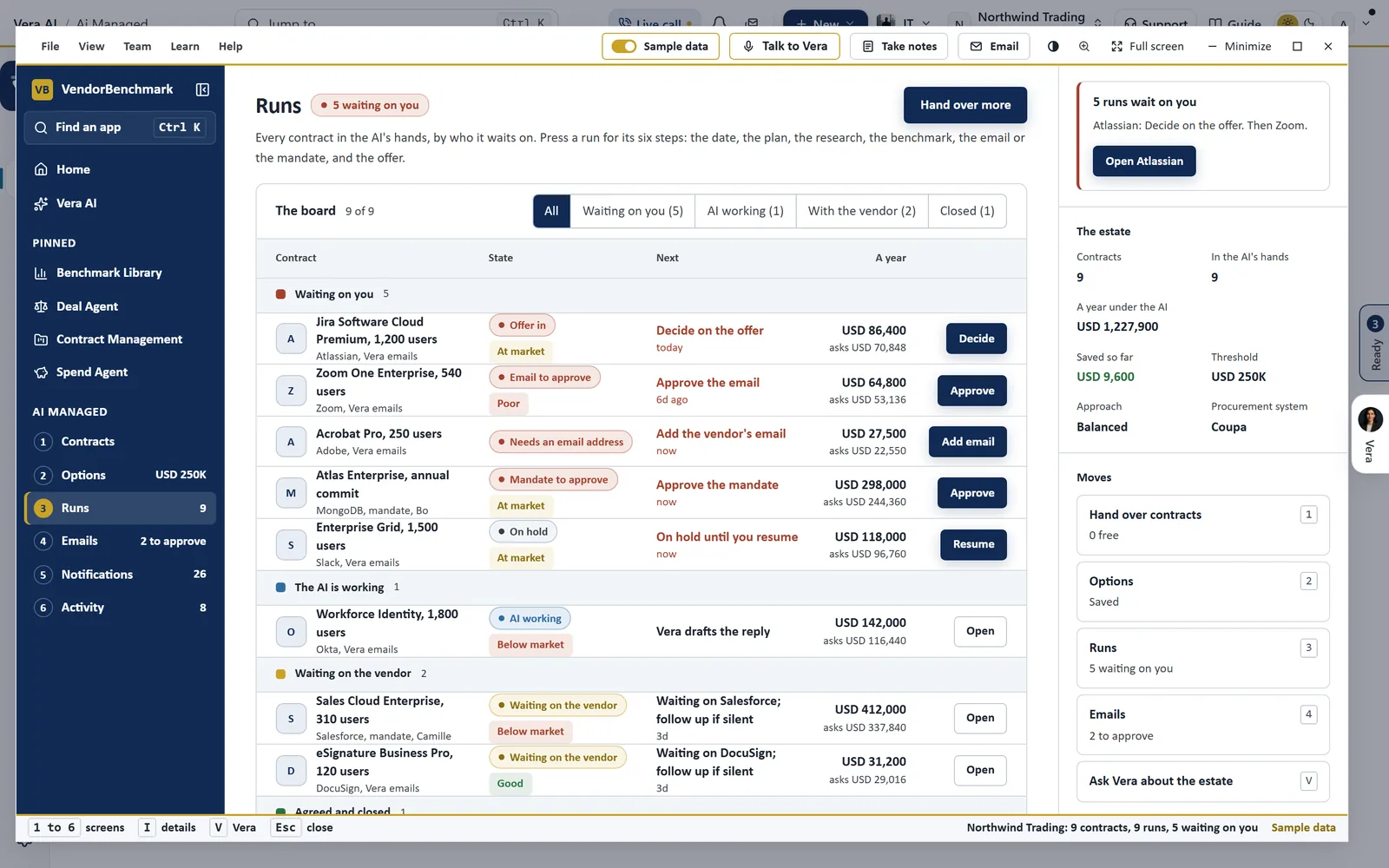
When you hand renewals over. AI Managed's runs board lists every renewal in the AI's hands, what it is doing, and what waits on you. The overnight drive points at the work; it never answers for you.
Why the night is where renewals are won
A renewal runs on two clocks. The vendor's clock runs to the end of its quarter, when discounts move. Yours runs to the notice date, after which the contract renews itself, often with an uplift written into paper you signed three years ago. Most teams watch neither clock every day, because there are too many contracts and too few people.
The overnight drive watches both, every night, for every renewal inside your window. Its value is not cleverness. It is consistency: the renewal that would have slipped through in a busy week sits at the top of the list on Monday morning, with the reason it needs you and the benchmark already read.
Where it sits among the renewal agents
The overnight drive is the watch. The rest of the cluster does the work it points to.
- AI Managed negotiates by email once you hand a renewal over, inside the mandate you set.
- The Deal Agent runs one renewal from the notice date to the signature.
- Vendor Radar tells you when a vendor changes its terms, against the agreements you hold.
What to do first
- Turn it on. Settings, Vera and you, The overnight drive. Start with the 120 day window, so the first morning shows the quarter ahead.
- Check the ceiling. Ask your workspace owner what the agent may do under Settings, Security, Sign in policy. The default lets it move and stage changes; commits stay with people.
- Read the first morning. Open Home tomorrow and press Replay on the worst renewal, so you see exactly what the night did.
- Pick it up. Open Vera on that renewal and ask for the plan. Hand it to AI Managed when you want the agent to negotiate by email.
Questions buyers ask
Does the overnight drive email vendors?
No. The night only reads. Emails to vendors are drafted in AI Managed, inside the mandate you set for each vendor tier.
Which renewals does it cover?
Every renewal inside the window you choose, 60, 90 or 120 days, up to 20 a night per workspace, worst first, in every workspace you belong to.
Can it change a renewal's status?
Only where a workspace owner has earned and raised the ceiling to Queued commits. Then it may queue up to three proposals a night, and each one waits for a person's press.
Where do I see what it did?
On Home, in the morning, with a Replay of every move. Owners also see every driven action in the workspace audit log.
Who can turn it on?
Each person, for themselves, under Settings. The workspace owner's ceiling still applies.