Procurement runs on chores that repeat. The Monday status note. The proposal that lands on Thursday and needs a first read before anyone replies. The vendor email that needs an answer grounded in what you actually pay. None of them is hard. All of them come back every week.
Workflow agents are the part of Vera AI by VendorBenchmark that takes them off the list. A workflow is a trigger plus up to eight steps: AI analysis, classification, extraction, an if then gate, a wait for approval, then an email, a Slack post, a reply to the sender or a task. You describe it once, read the rehearsal, and turn it on.
A workflow is a trigger and a few steps
Triggers are the moments buying work starts: every Monday, when a contract is uploaded, when an email reaches your agent address, when a renewal enters its notice window, when a purchase request comes in, when a file reaches the approval gate, or when you press Run.
There are three ways to build one. Describe it in your own words and the chain builds as you type, with the trigger read off your sentence and the steps added in order. Pick a role from 43 prebuilt ones, grouped by the moment they start. Or build from scratch: pick a trigger and stack the steps, and details from whatever set the run off, the vendor, the agreement, the deadline, fill in by themselves.
Each workflow then shows its chain as nodes in three colours: Think, Decide and Deliver.
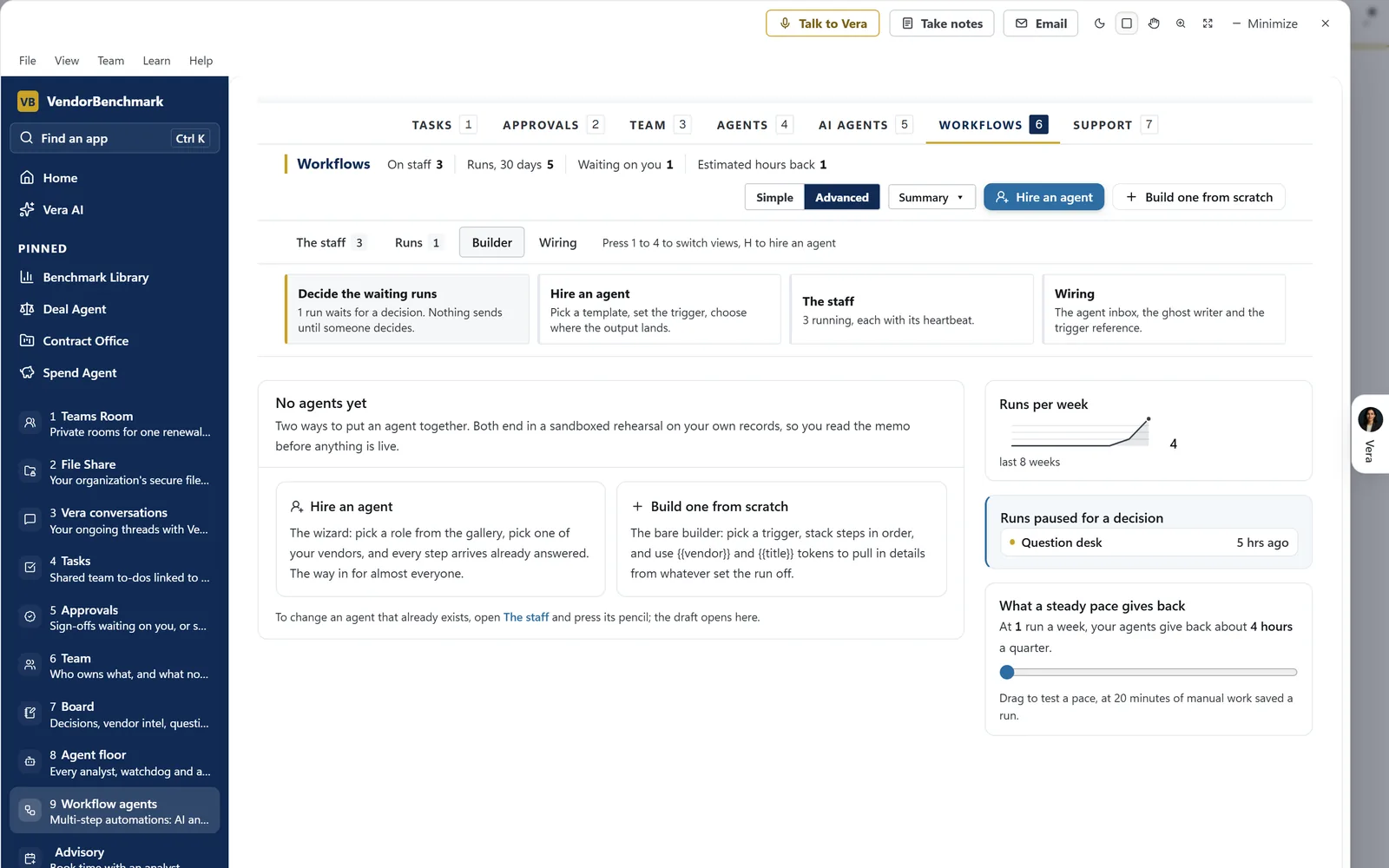
Two ways to put an agent together. Hire an agent starts from a role with every step already answered; Build one from scratch picks a trigger and stacks the steps. Both end in a sandboxed rehearsal on your own records, so you read the memo before anything is live.
Three jobs worth handing over first
The agent wizard offers three templates above its box, each a goal you can edit: the weekly renewal memo, a review of every proposal upload, and routing vendor emails.
| Job | What the agent does | What stays with you |
|---|---|---|
| The Monday memo | Every Monday, reviews your position on a vendor and emails the owners a short memo when anything moved | The decisions it raises |
| The upload scan | When a contract or proposal is uploaded, reads it and mails the review to the deal owner | Whether to sign, fix first or walk |
| The vendor reply | When an email reaches your agent address, drafts the reply; a forwarded quote comes back checked line by line, with a draft counter | Sending it, from your own mail |
The memo drafts best when the goal names the vendor, the cadence and the audience: every Monday, review our Microsoft position and email the owners a short memo when anything moved.
On upload, one prebuilt role reads a draft before anyone signs: a clause by clause risk read against the protections a buyer should never sign without, the redline list ranked by money at stake, and a sign, fix first or walk verdict mailed to the deal owner.
For the reply, forward a vendor's quote to your agent address. The answer opens with the finding, how many lines are above what you pay today and what that adds up to a year, then a table of every line against today's rate, and a draft counter with one numbered ask per line above it.
Nothing leaves without a gate you chose
Drafts are conservative on purpose. When the AI drafts a chain from your sentence, anything that emails a person outside a pure internal note gets a Wait for approval step. The run pauses until a named person decides, and a rejection ends it. You remove the step only when you trust the chain.
The email steps go further. Draft an email writes to the vendor's sales rep, a colleague or your management from what you tell it and the facts on the run, and puts the email in your Mail drafts to read, change and send. Nothing is sent by that step. Wait pauses the run for a set number of days. Wait for the reply pauses until you record the vendor's answer on the run page.
The workflow drafts the notice and opens the task. A person serves it.
A run that stopped for a person shows in Needs you with one button: a sign off to give, a reply to record, a failed run to retry or a paused workflow to resume.
One vendor, one agent, one project
For deeper work on a single vendor, Run an agent on a vendor writes a whole project. Pick the vendor and one of six roles, Vendor Watchdog, AI Research, Negotiation Prep, AI Negotiation Assistant, Vendor Deep Research or Renewal Negotiation, or build your own from the documents you want.
You say what the negotiation is and what you want in one box, and every document is written toward it. Each figure comes from your stored records or is named as our analysts' market read. The first page, your position, is built from your stored agreements with no AI writing, and anything the data cannot answer is named as missing, never invented.
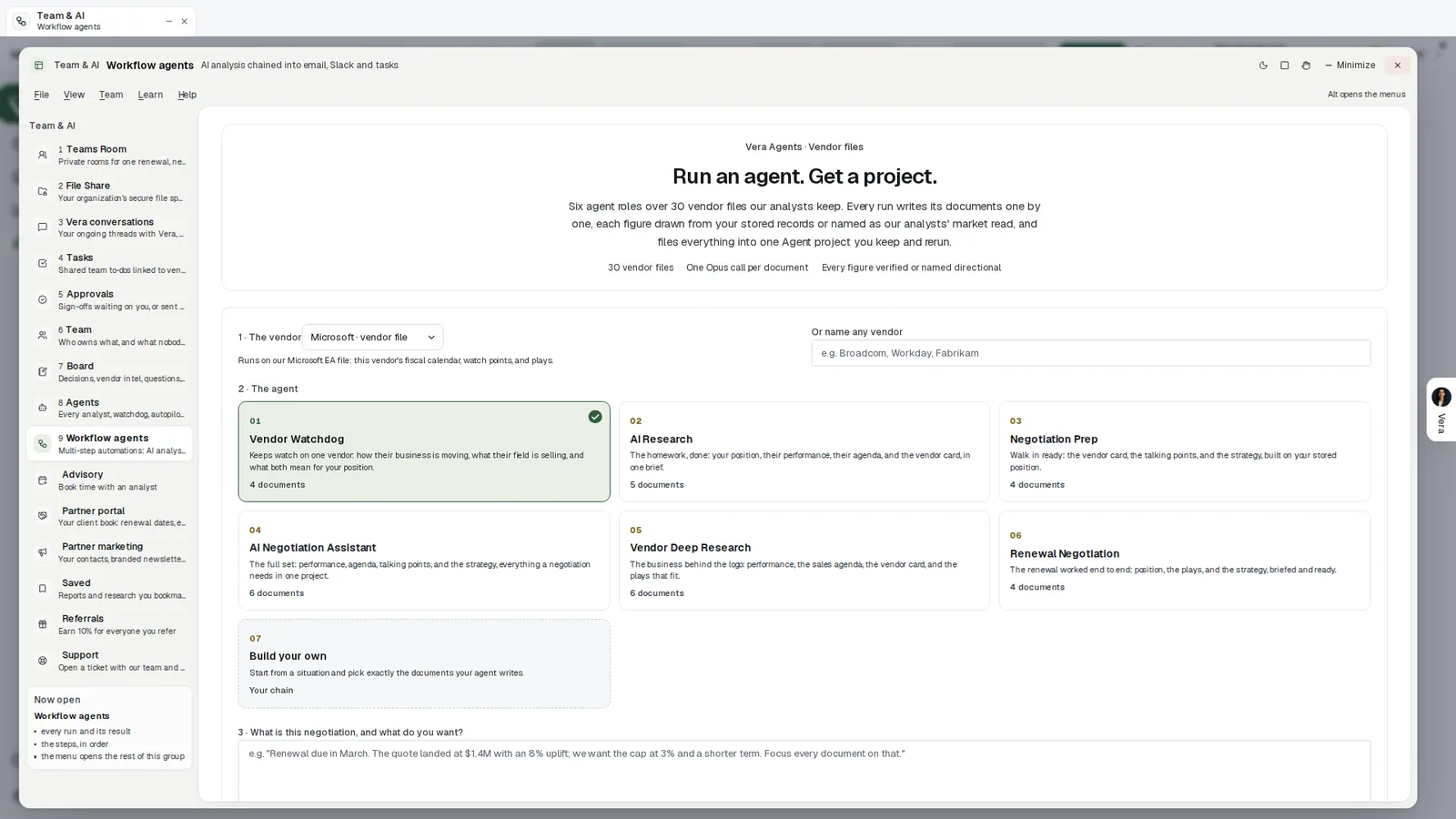
Run an agent, get a project. Pick the vendor, pick one of six agent roles or build your own, and say what the negotiation is and what you want. Each role card says how many documents it writes.
Where it sits among the renewal agents
Workflow agents carry the routine. The full renewals guide shows the agents they feed.
- The overnight drive reads every renewal in your window against the market each night.
- AI Managed negotiates renewals by email inside limits an owner approves.
- Vendor Radar holds each vendor change against the agreements you have on file.
The workflows page shows the app on one screen, and two older posts cover nearby ground: the background jobs the platform runs while your team is offline, and the inbox agents that answer a question sent by email with a written paper.
What to do first
- Describe the memo. Open Workflow agents, press Start and write the Monday memo in one sentence: the vendor, the cadence and the audience.
- Rehearse it. Read what the rehearsal wrote. Every send in it goes only to you.
- Keep the gate. Leave the Wait for approval step in place until the chain has earned your trust.
- Add the next one. Turn the memo on, then set a workflow to fire on every proposal upload.
Questions buyers ask
What can a workflow do?
A trigger plus up to eight steps: AI analysis, classification, extraction, an if then gate, a wait for approval, then an email, a Slack post, a reply to the sender or a task.
Does a workflow email vendors on its own?
Not by default. A drafted chain puts a Wait for approval step before anything that emails a person outside a pure internal note, and Draft an email only puts the email in your Mail drafts. Nothing is sent by that step.
How do we know it works before it is live?
Every new workflow rehearses first, and every send in a rehearsal goes only to you. Every run keeps a record of each step that you can open.
What starts a workflow?
Every Monday, an upload, an email to your agent address, a renewal entering its notice window, a purchase request, a file reaching the approval gate, or a press of Run.
Do runs count against our plan?
Yes. AI steps need a plan that includes AI, and runs count against your plan allowance.