Mothership is the main agent in Vera AI, the platform from VendorBenchmark: a buyer gives it one goal for every software contract, it directs the other agents, and each decision that touches a vendor or money comes back to a person. This illustrative case study follows one buyer through a first week with Mothership. What Mothership is, and which agents it directs, is covered in What is Mothership? and is not repeated here.
This is an illustrative case study, not a customer story. It is built on Northwind Trading, the sample company every Vera AI free trial opens with, and on the steps the product actually runs. The hours are illustrative.
PART ONE
The situation: one buyer and about 100 contracts
Picture a company where one person is procurement for software. There are about 100 contracts in force. Each has a renewal date, a notice window and an uplift clause. Finance has asked for a lower run rate next year, and nobody has asked how one person is meant to find it.
The usual answer is triage. The ten largest vendors get real work. The other ninety renew as they are, because reading them would take the quarter. We wrote about that desk in the one person procurement desk. This example starts from the same place and changes one thing: the buyer states the outcome once, for all of it.
PART TWO
The time it saves for one buyer
The hours that go are coordination hours: building the list, choosing what to look at, asking for each piece of work and chasing it. The decisions stay, and they are the part worth a person's time.
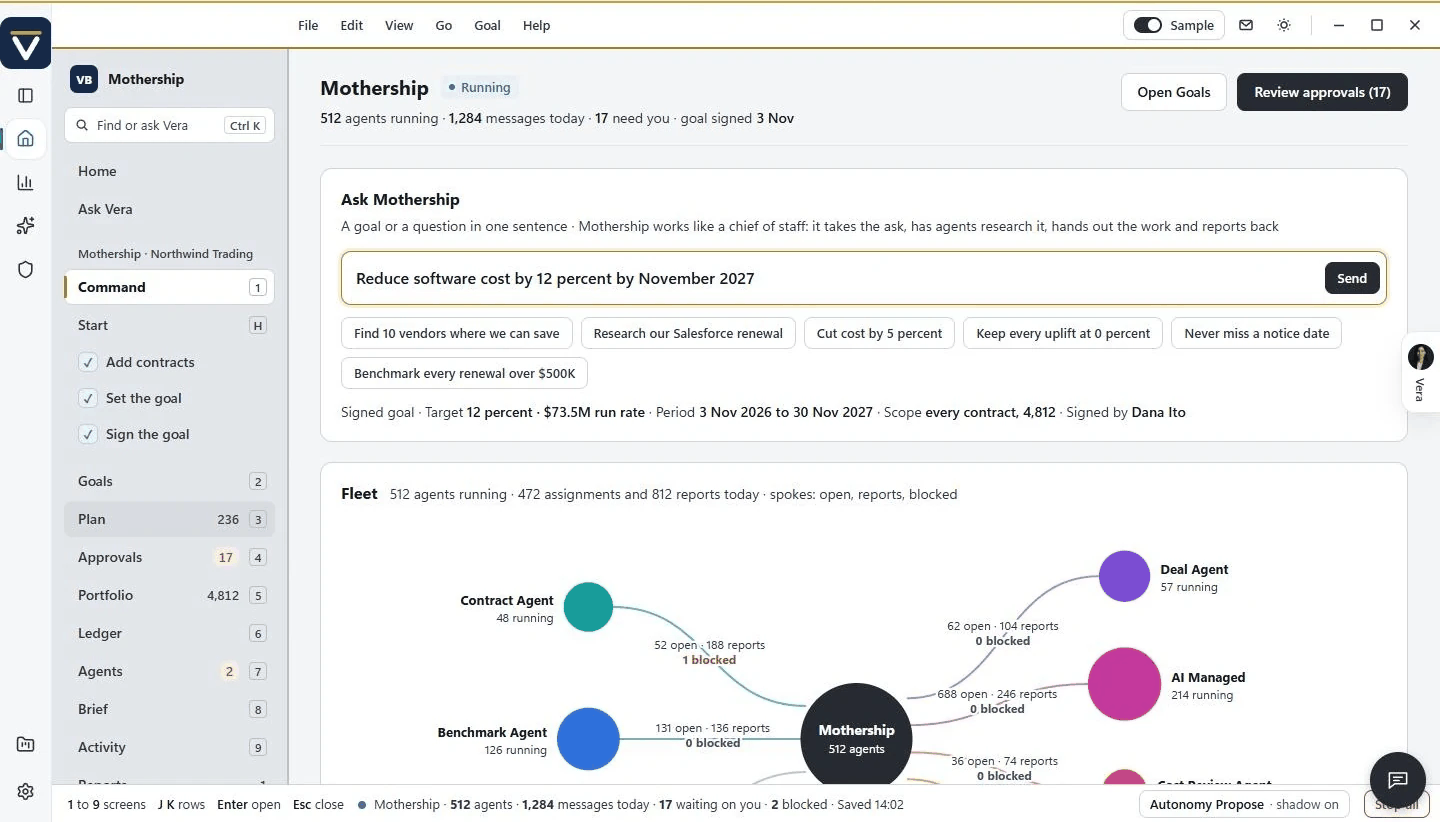
Mothership's Command screen on sample data: the box holding the goal, the signed goal and a map of the agents working under Mothership.
THE SAME JOB, TWICE
TODAY, BY HAND
- Build the renewal list by hand: every contract, its date, its notice window and its price
- Pick the ten or so contracts there is time for, and let the rest renew as they are
- Request a benchmark, a contract read and a renewal plan for each chosen vendor, one at a time
- Chase each result, then rewrite the quarter's plan every time an answer changes it
Roughly 3 weeks of one buyer's time for about 100 contracts, repeated every quarter
WITH VERA
- On Start, add the contracts or connect a source, and let the Contract Agent read each file
- Write one goal for the whole estate, for example cut cost by 12 percent
- Sign the goal as owner and have finance countersign the baseline
- Press Send, then decide each item in Approvals with its evidence beside it
About 30 minutes to set and sign the goal, then about 5 minutes on each approval
What changes: roughly 3 weeks (about 120 working hours) of coordination becomes about 30 minutes of setup plus the approvals. For example, 12 approvals at about 5 minutes each is 60 minutes, so roughly 120 hours becomes about 90 minutes of deciding.
What the time depends on: how many contracts are in force, how many have a readable file, and how many items reach Approvals. A scanned contract with missing pages takes longer to settle than a clean order form. An estate with many notice dates in the same month sends more decisions in the same week.
PART THREE
How one buyer sets the goal, step by step
Mothership opens on Start every time, with three steps in the left menu. Day one looks like this.
- Add contracts. Upload the estate or connect a source. The Contract Agent reads each file, and Start counts how many contracts on file have been read.
- Set the goal. One sentence for the whole estate. The Ask Mothership box offers example goals, each with the figure that sizes it on your own contracts. The buyer in this example writes: cut cost by 12 percent.
- Sign the goal. The owner signs, then finance countersigns the baseline, so the starting figures are agreed before any work begins. Mothership never signs.
- Press Send. On the Command screen the fleet becomes the run. Assignments travel out to the agents and reports come back. You can pause it, skip to the end or replay it.
- Open Approvals. Each vendor send, notice letter, offer and signature waits there with its evidence, and like items can be decided as a batch.
- Read the plan. Plan shows the work by vendor, with its versions, so you can see what changed as the reports arrived.
Three protections need no step at all. Notice protection, the uplift cap and benchmark coverage are always on, for every live contract.
PART FOUR
The rest of the week: what comes back to you
By midweek the buyer has a question the goal does not answer directly: where are the ten vendors with the most to save? Asked on Command, it is researched by the agents and returned as a deep dive report. For each vendor it gives where the deal ranks, the saving a year, the lever and the date to act by, then a SWOT and a plan.
Every report ends on a choice. I will handle it leaves the report with the buyer, who downloads it as Word or as the analyst's workbook in Excel. Mothership, do it sends one assignment per vendor to the agents. In this example the buyer keeps the two largest vendors and hands back the other eight.
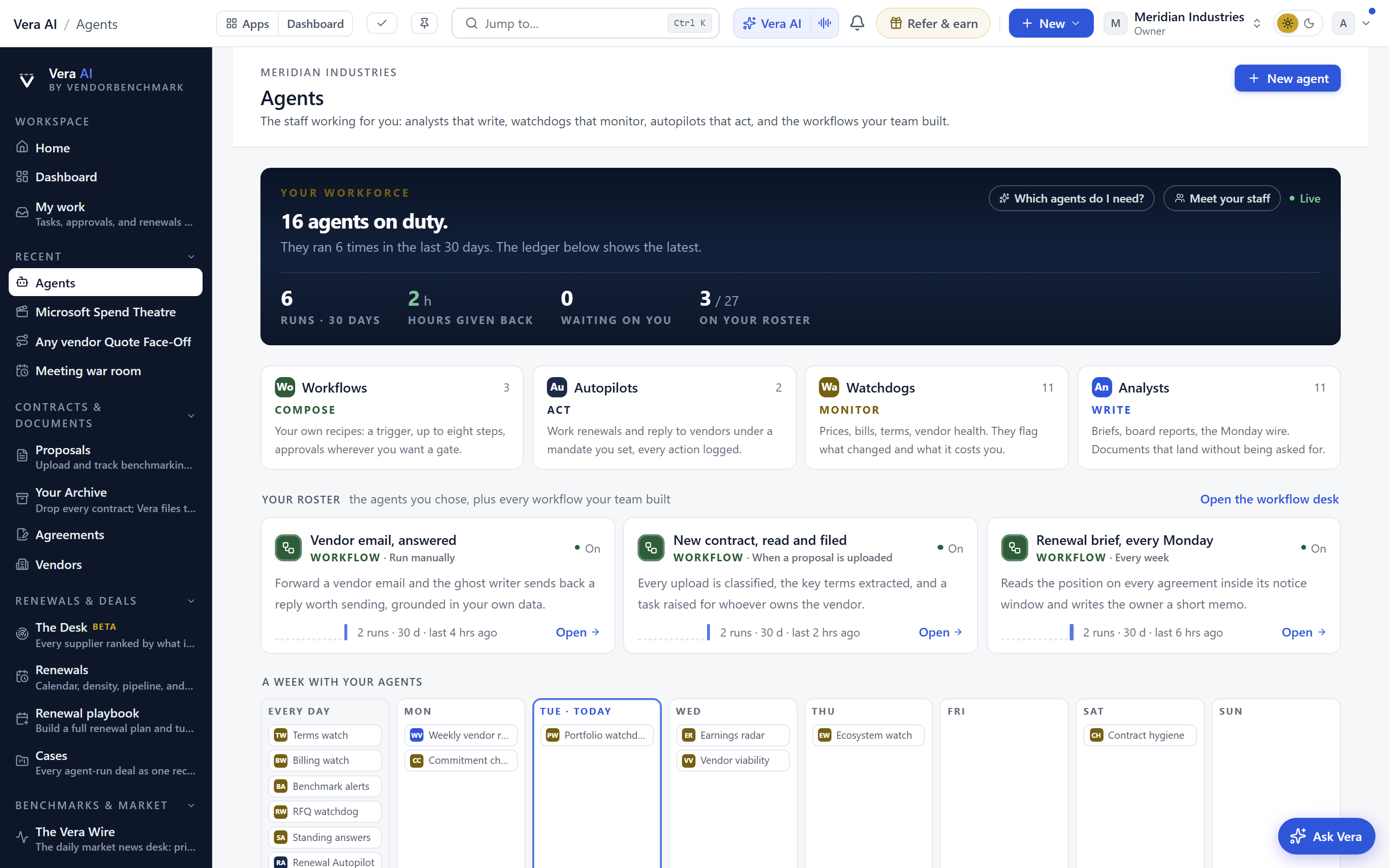
The agent floor in Vera AI on sample data: what each agent reads, what it is doing and where its work lands.
The week closes on three screens. Brief is the week on one page. Ledger shows the money by stage, from identified to realized, so you can tell a saving that is identified from one that is realized. Activity lists every assignment, report and decision as it happened.
One buyer cannot read a hundred contracts a quarter. One buyer can decide a dozen approvals.
PART FIVE
What the AI does, and what stays with the buyer
The AI does the reading, the sizing and the drafting. Mothership sizes the goal on the contracts, splits it into assignments, hundreds at once, reads every report the agents send back and revises the plan, keeping the earlier versions. The agents under it read the contracts, price them against comparable customers and draft the sends, notice letters and offers.
The evidence travels with the work. Each item in Approvals arrives with what it rests on. Pressing a figure opens the rows it is made of, and a contract's row opens its clause at its page. So a person can check why before saying yes.
What stays with the buyer is anything that commits the company. The owner signs the goal. Finance countersigns the baseline. A person approves each vendor send, notice letter, offer and signature. And one press on Stop all, in the status bar, stops every agent at once. The firm's wider rules are in what we will not let the AI do on your deals.
PART SIX
What this example does not show
- A result. The 12 percent is the buyer's goal, not an outcome. Whether a goal is met depends on the contracts, the vendors and the decisions taken.
- Contracts that are not loaded. Mothership works from the contracts on file. A goal sized on a third of the estate is a goal for a third of the estate.
- Contracts that are not in force. Command and Portfolio count contracts in force today, and a line under the screens names what is left out and why.
- The negotiations themselves. Each renewal runs in its own agent, such as the Deal Agent or AI Managed. This example stays at the level of the goal.
PART SEVEN
Common questions
- Can one person run Mothership alone? One person can set the goal and decide the approvals. The goal still takes two signatures: the owner signs it and finance countersigns the baseline.
- How long does it take to set a goal in Mothership? Three steps on Start: add contracts, set the goal and sign the goal. In this illustrative example that is about 30 minutes once the contracts are on file.
- What reaches a person once the agents are running? Only what touches a vendor or money: vendor sends, notice letters, offers and signatures, each with its evidence in Approvals.
- Can I stop the agents? Yes. Stop all, one press in the status bar, stops every agent at once, and the run on Command can be paused.
- Does Mothership sign or send anything on its own? No. Each vendor send, notice letter, offer and signature comes to a person, and Mothership never signs.
To follow the same week yourself, start a free trial, no card required. Open Mothership and leave the Sample switch on. It shows the sample estate, Northwind Trading, with a goal already set, so you can press Send, watch the run on Command and open Approvals before you load a contract of your own.
