Mothership is the main agent in Vera AI, the platform from VendorBenchmark. You give it one goal for every software contract you hold, written as a single sentence. It splits that goal into assignments for the other agents, reads every report they send back and revises its plan. The decisions that touch a vendor or money come to a person.
This post explains what that means in practice: what a goal is, which agents do the work, what a person still decides, and where the limits are. If you want the product page first, it is at Mothership.
PART ONE
The problem Mothership is built for
A software estate is not one negotiation. It is dozens or hundreds of contracts, each with its own renewal date, notice window, uplift clause and price. Most teams can give real attention to the largest five or ten. The rest renew on the vendor's terms because nobody had the week to read them.
Single purpose AI agents help, one contract at a time. But somebody still has to decide which contract each agent looks at, in what order, and what to do with forty separate reports. That coordination is the job that never gets staffed. We described the small team version of it in the one person procurement desk.
Mothership takes that coordination. You do not set up an agent for each contract. You state the outcome you want for the whole estate, and Mothership works out how each contract contributes to it.
PART TWO
The time it saves
The saving is not in any single task. It is in the coordination between tasks: deciding what to look at, asking for it, chasing it and rewriting the plan. Here is the same quarter run both ways. The hours are illustrative, and they depend on how many contracts you hold and how clean the paper is.
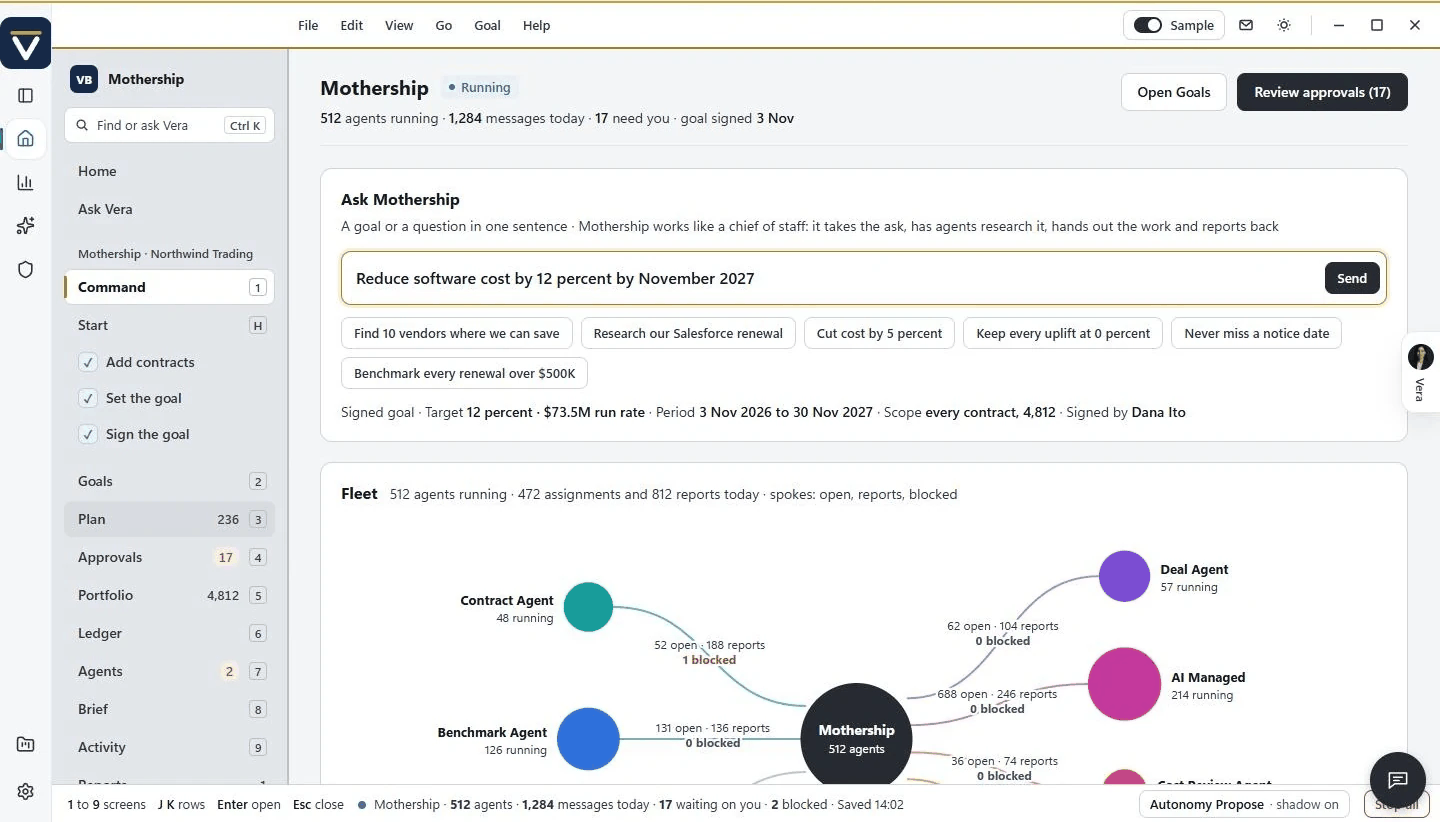
Mothership's Command screen, on sample data: the goal, the signed goal and the agents working under it.
THE SAME JOB, TWICE
TODAY, BY HAND
- List every contract with its renewal date, notice window and uplift clause in a spreadsheet
- Decide which vendors are worth the effort this quarter, mostly from memory
- Ask for a benchmark, a contract read and a renewal plan for each one, in separate requests
- Read each result, chase what is late and rewrite the plan by hand as answers arrive
Roughly 3 weeks of a procurement lead's time for an estate of about 100 contracts, and it starts again next quarter
WITH VERA
- Upload the contracts or connect the source they live in
- Write the goal as one sentence and let Mothership size it on your contracts
- The owner signs the goal and finance countersigns the baseline
- Open Approvals and decide each vendor send, notice letter, offer and signature as it arrives
About 30 minutes to set the goal, then a few minutes on each decision that comes to you
What changes: roughly 3 weeks of coordination becomes about 30 minutes of setup plus the decisions themselves. For example, on 100 contracts a person stops reading 100 status updates and reads only the handful of approvals that need a judgment.
PART THREE
How Mothership works, step by step
- You add contracts. Upload the estate or connect a source. The Contract Agent reads each file.
- You set the goal. One sentence for the whole estate, such as cutting cost by 12 percent or keeping every uplift at 0 percent. The scope is every live contract, and Mothership sizes the goal on your own paper.
- The goal is signed. The owner signs it and finance countersigns the baseline, so the starting figures are agreed before any work begins. Mothership never signs.
- The agents do the work. Mothership splits the goal into assignments, hundreds at once, and sends them to the agents. Each agent reports back, and every hand off passes through Mothership.
- The plan is revised. As reports come in, Mothership rewrites the plan by vendor and keeps the earlier versions, so you can see what changed and why.
- The decisions come to you. Each vendor send, notice letter, offer and signature waits in Approvals with its evidence. Nothing that touches a vendor moves without a person.
Three protections are always on and are not settings: notice protection, the uplift cap and benchmark coverage. You do not have to remember to switch them on for a new contract.
PART FOUR
Which agents does Mothership direct?
Each agent in the fleet is an agent you can also use on its own. Mothership is the layer that tells them what to work on and reads what they find.
- Spend Agent. Benchmarks the whole estate at once and ranks where you can save. See the Spend Agent.
- AI benchmark. Prices a quote against what comparable customers pay. See AI benchmark.
- Contract Agent. Reads each contract and marks the changes worth asking for.
- Deal Agent. Runs each renewal and negotiation, from the notice date to the signature. See the Deal Agent.
- AI Managed renewals. Negotiates renewals by email, inside the limits you set. See AI Managed.
- Vendor Radar. Watches vendor price and terms changes and prices them on your contracts. See Vendor Radar.
The full list of agents, each with its own page, is at AI agents. How the negotiating agents work a single deal is covered in how AI agents negotiate for you.
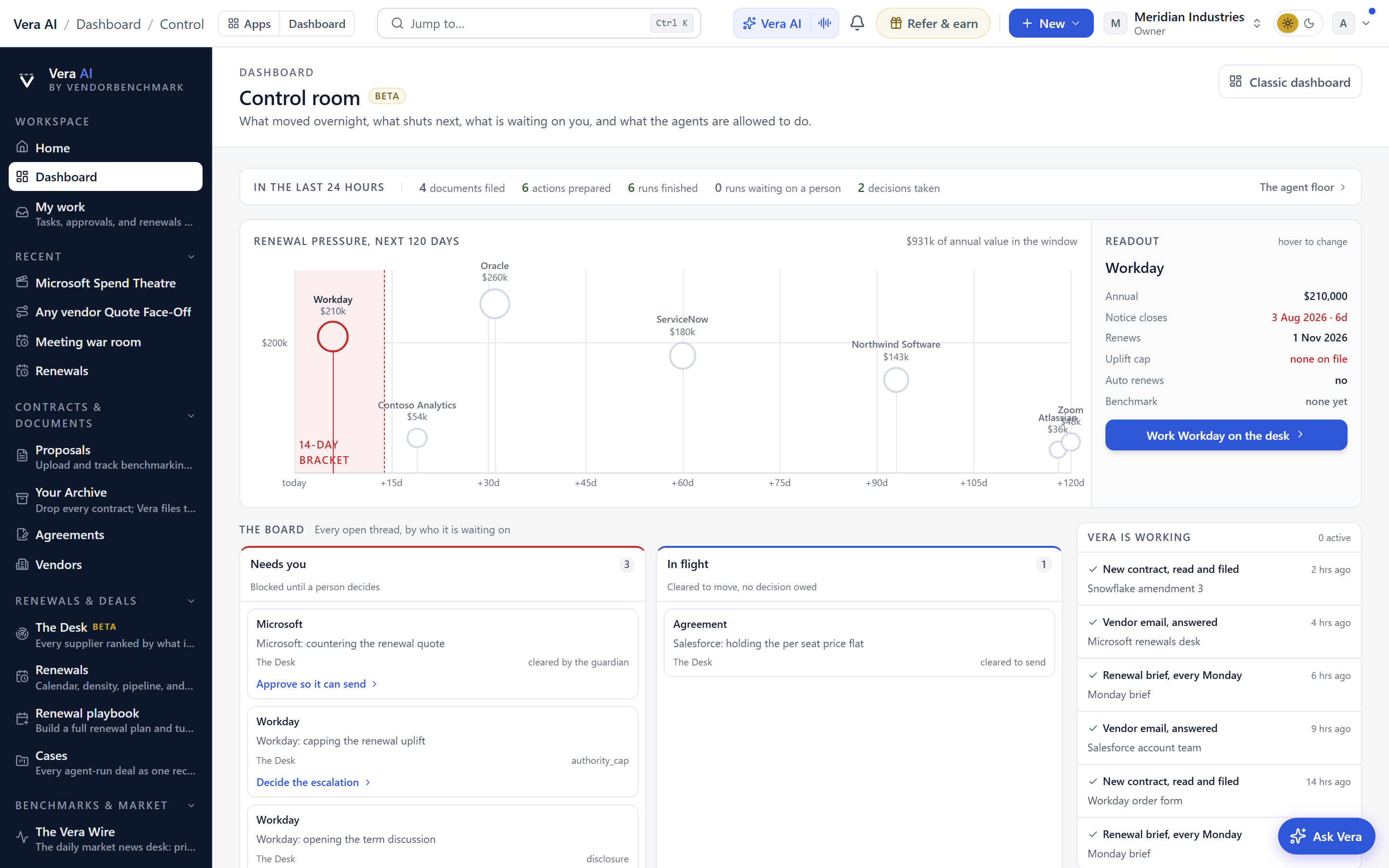
The control screen on sample data: what moved overnight, what is waiting on a person and what the agents are allowed to do.
PART FIVE
What you can ask it
You can ask Mothership a question the way you would ask a chief of staff. Ask for the ten vendors where you can save, and the agents research it. The answer comes back as a deep dive report rather than a chat reply.
That report opens with the short version, then the ten vendors and where each one ranks. For each it gives the saving a year, the lever and the date to act by, followed by a SWOT and a plan. You can download it as Word, or as the analyst's workbook in Excel.
Every report then offers a choice. I will handle it leaves the report with you, to work yourself with the figures in hand. Mothership, do it sends one assignment per vendor to the agents. The reports come back, and the decisions still come to you.
The agents do the work. People make the calls.
PART SIX
How Mothership uses AI, and what it will not do
Mothership uses AI for the parts of the job that are reading, comparing and drafting. It reads the goal and sizes it on your contracts. It decides which agent should look at which contract and in what order. It reads every report the agents send back, rewrites the plan and writes the deep dive reports your questions return.
Judgment that commits the company stays with people. An agent that directs hundreds of assignments needs hard edges, so here they are plainly.
- It does not sign. Not the goal, not a contract. The owner signs the goal and finance countersigns the baseline.
- It does not write to a vendor on its own. Vendor sends, notice letters and offers wait in Approvals for a person, each with the evidence behind it.
- It can be stopped at once. Stop all, one press in the status bar, stops every agent.
- It keeps the record. Activity lists every assignment, report and decision as it happened, so audit, legal and finance can see what was done and on whose approval.
There is also an honest limit on the output. Mothership works from the contracts you load and the benchmark library behind them. A goal sized on thirty contracts out of three hundred is a goal for thirty contracts. The more of the estate it can read, the better the plan.
PART SEVEN
Common questions
- Do I set a goal for each contract? No. You set one goal for the whole estate, and Mothership works out how each contract contributes.
- What can a goal be? A target for the estate in one sentence, such as cutting cost by a percentage or keeping every uplift at 0 percent.
- Where do I watch the work? On the Command screen. Assignments travel out to the agents, reports come back, and you can pause the run, skip to the end or replay it.
- Can I see it before I load my own contracts? Yes. In a trial, the Sample switch shows a sample estate, Northwind Trading, so every screen is populated before you upload anything.
The short version: Mothership is how one buyer gives the same attention to contract one hundred as to contract one. You state the outcome, the agents do the reading and the drafting, and the calls stay with people.
