When an agent acts in your workspace, three people will eventually ask what it did: the buyer who handed it the wheel, the owner who set its limits, and the auditor who arrives a year later. All three need the same thing, a record nobody can talk around.
Vera AI by VendorBenchmark writes that record while the agent works. This article covers what lands on the audit log, how a driven session replays, what the monthly autonomy report counts, and how an agent is stopped.
The audit log records the agent like a person
The audit log, under Settings, Security, Audit log, records who did what, and when, including every view and download of a contract file. A file view is a document opened in the viewer; a file download is a copy saved to the reader's machine. The log records both, and it is never trimmed.
Agents write to the same log. Every driven action, handover, halt, rewind and refusal lands there with the outcome of its verification: the agent acting for a buyer, the specialist, the screen, the action, and whether the screen confirmed it. An owner reads the agent's moves beside the people's, in one place.
- Every event. When, who, what, and the device and IP it came from, charted over 7, 30 or 90 days by day and by family.
- Filters. Sign ins, files or changes; a kind such as file downloads, deletions, member changes or API calls; and a person. Search runs 25 rows a page.
- Saved views. Save this view keeps a filter as a named link for the slice you audit every month.
- Out of the platform. Export CSV downloads the full log, and Stream to your SIEM opens Webhooks, where the audit event stream is set up.
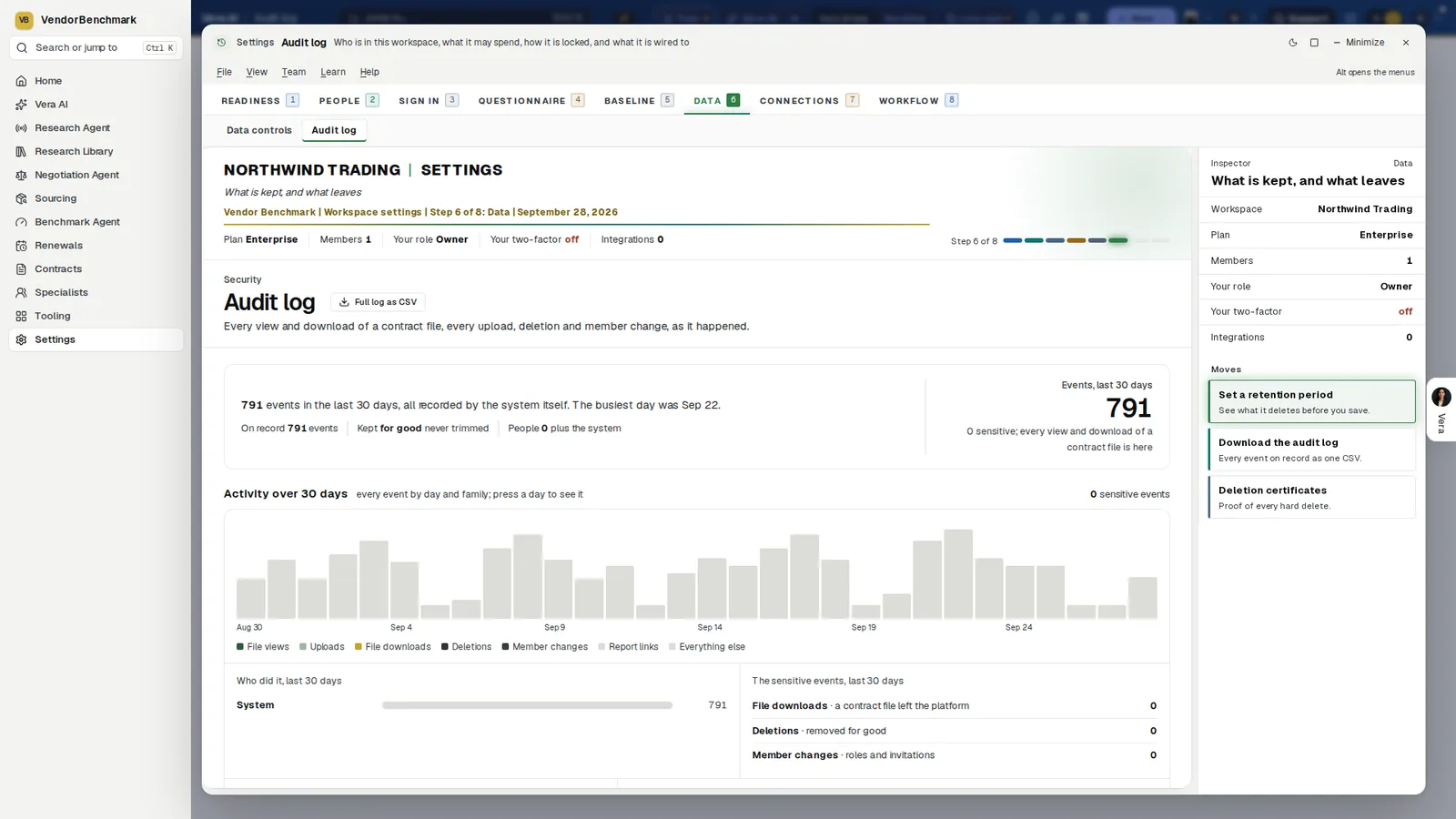
The audit log. Every view and download of a contract file, every upload, deletion and member change, as it happened, kept for good and never trimmed, with the sensitive events counted on their own.
A replay shows what the screen settled
While a specialist drives, every landed move becomes a line in the conversation, and the drive trail under it draws one dot per move. Each step keeps what the screen settled after the move: the values it confirmed, never pixels. That timeline is what a replay reads.
- Show this step. Returns the screen to what that step settled, through the same moves and the same checks, recorded as a replay.
- Play the trip. Runs the steps one beat apart, and Back to now returns to the newest state.
- Earlier sessions. The last ten trails of the workspace, kept with the same autosave consent as every workroom, so a replay survives the tab.
A step with nothing settled says so. The overnight drive leaves the same kind of record: each morning carries a Replay of every move the night made, in the trail the live wheel draws.
A replay shows what the screen confirmed, not what the agent said it did.
The autonomy report puts numbers on trust
An owner can switch on the monthly autonomy report under Sign in policy, beneath the drive ceiling. It emails what Vera did on its own every Monday, and a silent week sends nothing. Under the switch sit the last 30 days: driven actions, misses, refusals held, the times a person took the wheel back, trips run, and staged changes kept and discarded. Staged figures are workspace totals; nobody's drafts are read.
Practice stays out of the numbers. A rehearsal drill drives real screens but stages nothing real, and its moves are marked as practice, so the report never mistakes a drill for work.
Misses carry a consequence. When more than one in a hundred of a screen's driven moves in a day did not land, on twenty moves or more, that screen goes read only for the specialist until it is fixed, and owners see the flag on the divergence table. The same record decides the top of the ladder: Queued commits takes zero misses across at least 20 verified moves in 30 days.
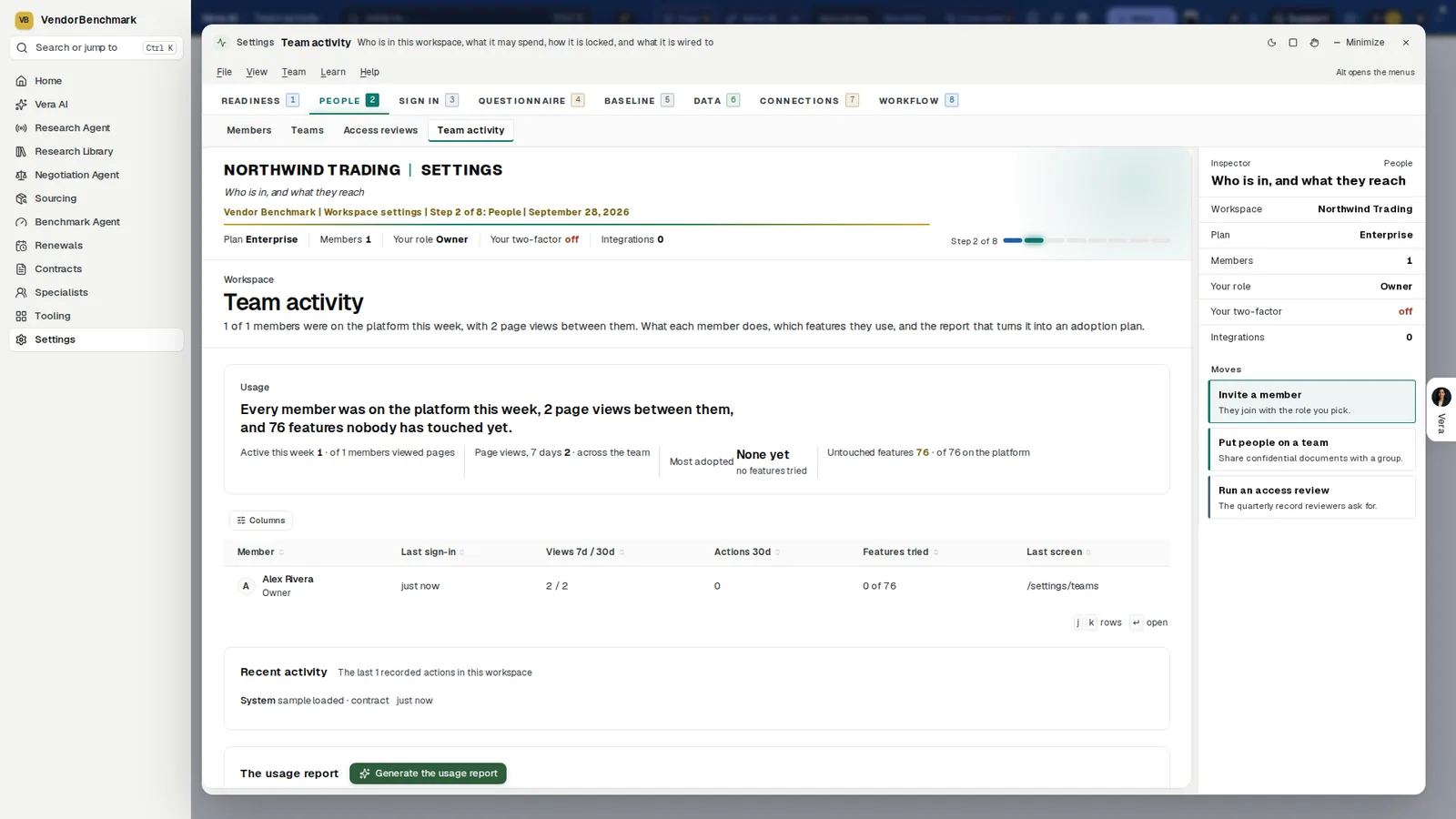
Team activity. Beside the agent's record sits the people's: what each member does, which features they use, the last recorded actions in the workspace, and a usage report that turns it into an adoption plan.
Stopping an agent needs no server
Press Escape twice, anywhere, and agent drive stops immediately, with no server in the path. Nothing about stopping depends on a server being well, and the stop itself lands on the record. A touch works as well: any click, key or lever on a driven screen hands the wheel back before anything asks a server.
AI Managed keeps its own brakes and its own record for email. Stop all sending holds every live negotiation, and pausing the AI on a vendor puts every run on it on hold at once. The Email log holds every email between the AI and each vendor in full, and each negotiation keeps a record of every press on it.
Where it sits
The record is one of six controls in our guide to governed autonomy.
- The autonomy ladder sets what an agent may do before anything reaches the log.
- Who is driving covers the wheel, the trail and the touch that hands it back.
- Our security page sets the audit log beside tenant isolation, sign in, file handling and encryption.
What to do first
- Open the audit log. Settings, Security, Audit log. Filter to the slice you care about and save the view.
- Stream it. Stream to your SIEM opens Webhooks, so every event also lands where your security team already looks.
- Switch on the autonomy report. The first Monday shows what the agents did on their own, and what people kept.
- Replay one session. After your next drive, press Replay beside the trail and step through what the screen settled.
Questions buyers ask
Is every agent action logged?
Yes. Every driven action, handover, halt, rewind and refusal lands in the workspace audit log with the outcome of its verification, visible to owners under Settings, Security, Audit log.
Can the audit log be trimmed?
No. The audit log is never trimmed. Owners can export it as CSV or stream every event to a SIEM through Webhooks.
How do I stop an agent mid session?
Press Escape twice, anywhere. Agent drive stops at once, with no server in the path, and the stop is recorded. Touching the screen also hands the wheel back.
What does the monthly autonomy report count?
Over the last 30 days: driven actions, misses, refusals held, the times a person took the wheel back, trips run, and staged changes kept and discarded.
How far back can a session be replayed?
Earlier sessions lists the last ten trails of the workspace, kept with the same autosave consent as every workroom, so a replay survives the tab.