AI agent governance comes down to the question a CFO asks before signing anything: what will it do without us? The answer should be a setting someone in your company owns, not a promise in a slide.
This guide covers how Vera AI by VendorBenchmark keeps its agents inside limits you set: the ceiling an owner dials, the wheel each person holds, the record every action leaves, the grounding behind every figure, the analyst you call when a person should answer, and what the agents read and never send. Each section links to a full article.
Six controls, one article each
Three of them set limits, one keeps the record, and two decide what an answer may rest on.
The autonomy ladder: five settings for how far an AI agent may go
Off to Queued commits, per workspace and per screen, with every commit left to a person.
Read it → 6.2 · Audit logEvery action an agent takes, on the record
Driven actions on the audit log, the replay, the monthly autonomy report and the local stop.
Read it → 6.3 · Document AgentGrounded or it does not ship
Clauses shown as crops of the page, every figure traced to a source, and a note when data is thin.
Read it → 6.4 · Ask a humanWhen a human beats the AI
A VendorBenchmark analyst's answer, written by hand within 24 hours, and when to ask for one.
Read it → 6.5 · The wheelWho is driving? Taking the wheel from an agent
You drive, the agent drives, or it points and you press. Any touch hands the wheel back.
Read it → 6.6 · Data controlsWhat agents read, and what they never send
Read only connections, files read in your browser, and the retention an owner sets.
Read it →How a driven action moves
Every action an agent takes on your screens passes the same five points. A person holds the first two and the last.
You set the ceiling
An owner picks the most Vera may do, for the workspace and each kind of screen.
You hand over the wheel
Window by window: you drive, Vera drives, or Vera points and you press.
Vera moves, checked
Each move is read back off the screen before Vera says it is done.
It lands on the record
Every driven action, halt and refusal goes to the audit log.
A person commits
Staged and queued changes wait for one press.
What the agent may do, and what stays yours
The ceiling has five settings. Each adds to what the agent may do; none of them hands over the commit.
| Setting | The agent may | Stays with a person |
|---|---|---|
| Off | Drive nothing; the overnight drive skips the workspace | Everything |
| Show and explain | Show where and explain why | Every move |
| Moves | Move levers on the screens it can drive, each checked against the screen and undoable | Every change to a record |
| Moves and staged changes, the default | Stage changes for you to keep or discard | Keeping each one |
| Queued commits, earned | Queue commits, overnight up to three a night, one per renewal | The press that commits each one |
Each kind of screen, from the benchmark library to the Deal Agent, follows the workspace ceiling or takes its own. Each person keeps a standing answer of their own, Ask each time, Drive when asked or Never, and the tightest answer wins. Some screens are never driven at all: billing, members, data deletion and the signing screen.
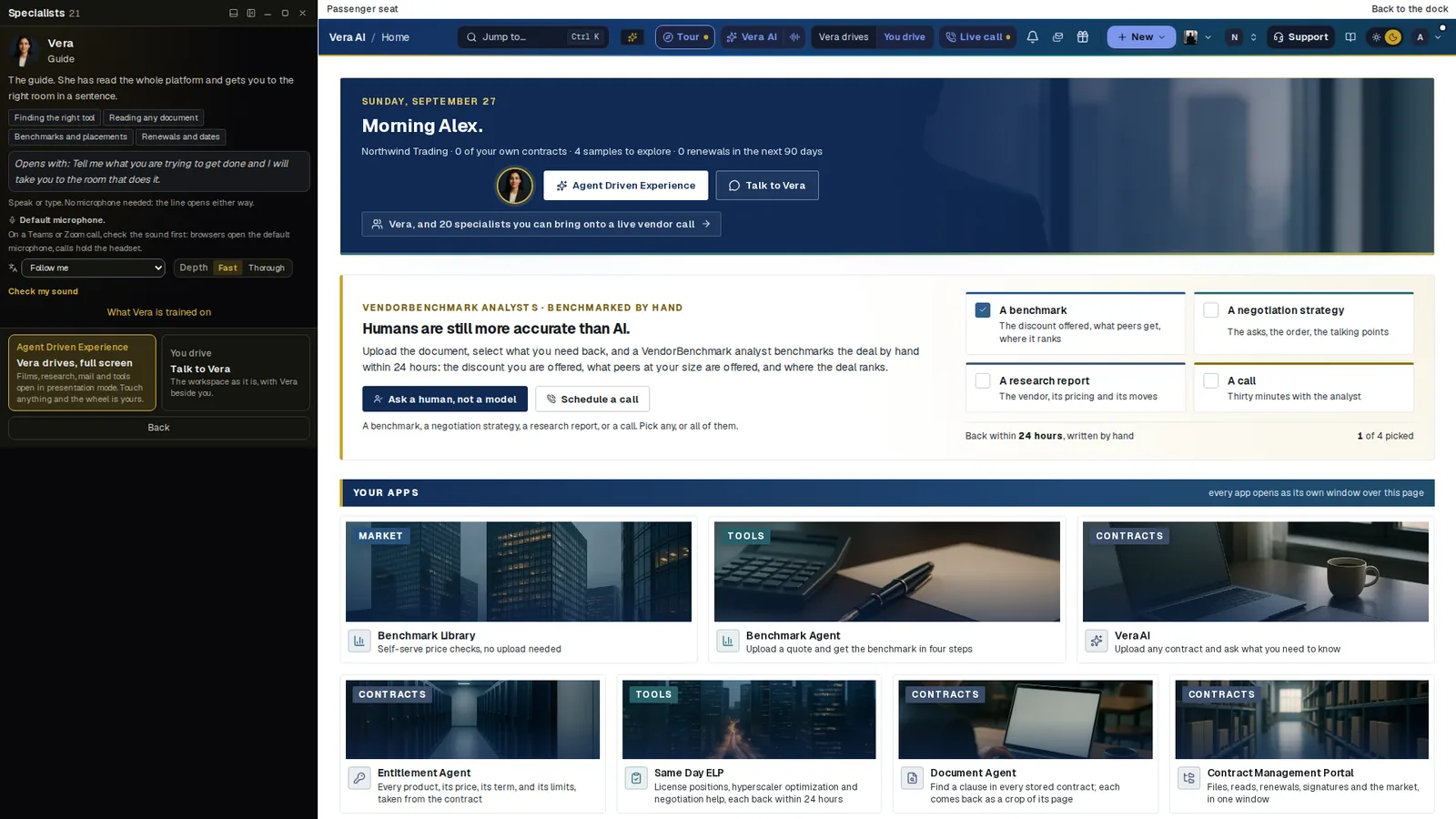
Who drives, in plain sight. In the passenger seat the conversation runs down the left. Agent Driven Experience hands Vera the wheel, and touching anything takes it back; You drive keeps the workspace as it is, with Vera beside you.
Why autonomy is dialled, not trusted
An agent that can act is worth more than one that can only answer. It is also the first thing a security reviewer will question, and they are right to.
Trust that rests on a promise cannot be audited. Trust that rests on a setting can.
So the limits live in code and on the server, not in a prompt. The ceiling is enforced on the server and the screen refuses locally too, and every refusal names the policy. A move counts only when the screen confirms it. Two limits are constants: more than 12 landed moves inside a minute pauses a trip, and staged changes cap at 20 per call session.
The top setting is earned on the workspace's own record, zero misses across at least 20 verified moves in 30 days, and a screen whose moves start to miss goes read only for the agent until it is fixed. Stopping needs nothing from a server: press Escape twice, anywhere, and agent drive stops on the spot.
The same thinking runs through answers. A clause is shown as a crop of its page, a figure traces to its source and its date, and thin data gets a plain note rather than an estimate. Where a question needs judgment more than speed, a VendorBenchmark analyst answers by hand within 24 hours.
The same rules hold when nobody is watching
Autonomy is easiest to govern while a person sits at the screen. The harder cases are the night, the inbox and the vendor call, and the rules do not loosen for any of them.
- The overnight drive. Each night a specialist reads every renewal inside the window you choose, 60, 90 or 120 days, against the benchmark library, up to 20 a night per workspace, worst first. The night only reads. Where an owner has set agent drive to Off, it drives nothing; where an owner has earned and raised the ceiling to Queued commits, it may queue up to three proposals, each waiting for a person's press.
- Email to vendors. AI Managed negotiates renewals by email inside a mandate an owner approves. Only owners approve an email or a mandate, anyone who edits can pause the AI on a vendor, and Stop all sending holds every live negotiation at once. The AI never signs, never serves notice of non renewal, never agrees a price above your walk away and names itself as an AI. By default every offer waits for your answer; at the highest mandate setting it may accept an offer inside your floor, cap and approval threshold, and a person still signs.
- Calls with the vendor. Press Vendor on the line and everything a specialist opens lands in a private tray only you see. Nothing heard on the call can steer the wheel.
The renewals guide covers the overnight drive and AI Managed in full.
The proof sits in your own settings
Every claim in this guide can be checked in the product, by your own security team.
- Security posture. The questions a security review asks first, answered from your live settings: two factor, single sign on, access reviews, the audit stream, retention, expiring API keys and whether every view and download of a file is logged.
- The audit log. Who did what, and when, every agent action included with its outcome. It is never trimmed, and it streams to your SIEM.
- The autonomy report. What Vera did on its own over the last 30 days: driven actions, misses, refusals held and the times a person took the wheel back.
- The Trust center. The controls applied to your data, read live, with a printable security summary.
Outside the product, our security page sets out tenant isolation, sign in, audit logging, file handling and encryption, and the security review package collects what a security team asks for: the security overview, the 60 question security team FAQ, the data processing agreement, the subprocessor list and resilience evidence with dates.
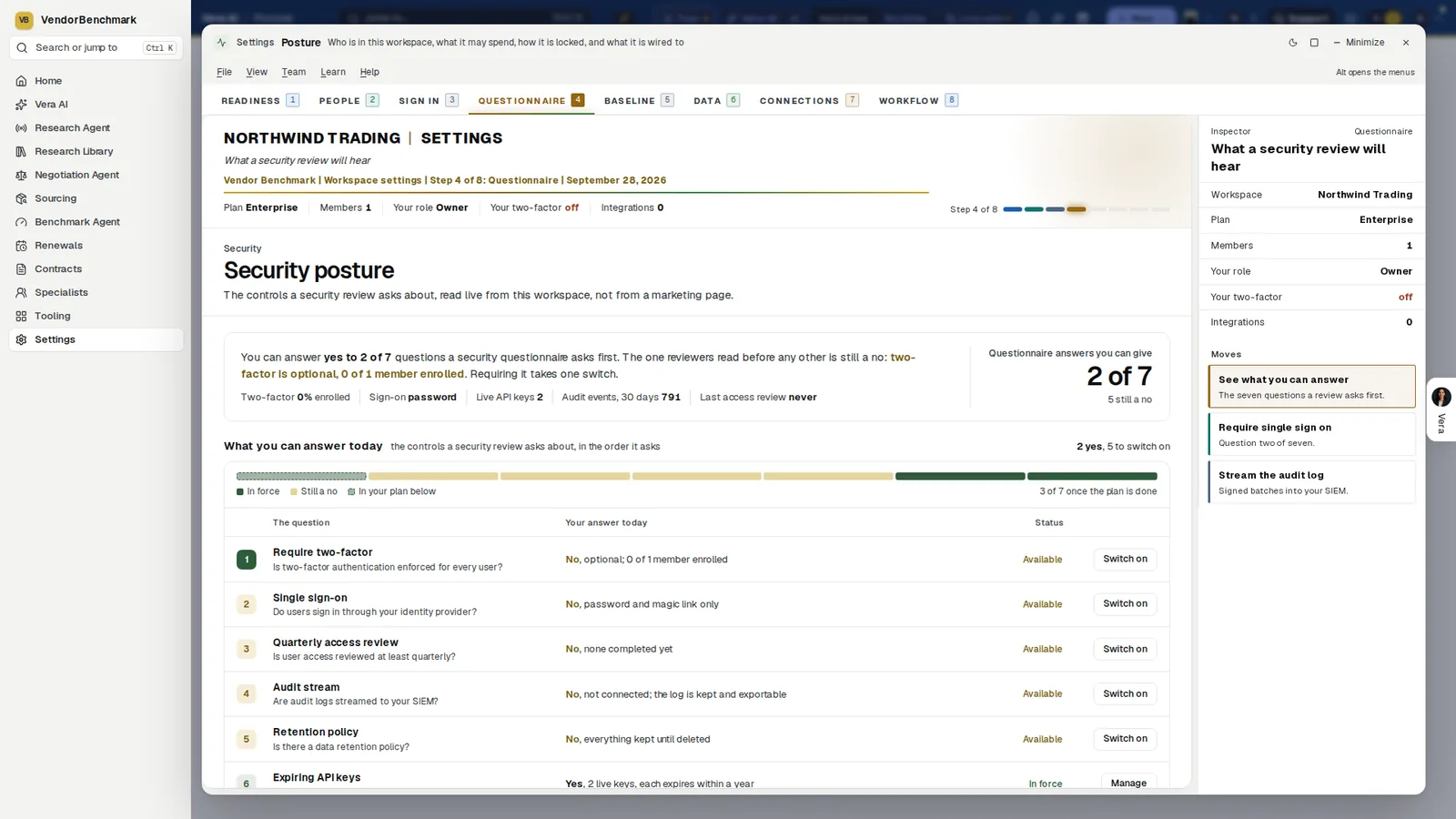
Security posture. The questions a security review asks first, answered from the workspace's live settings rather than a marketing page, each with the switch that changes the answer.
What to do first
- Read the ceiling. Settings, Security, Sign in policy, Vera driving screens. Note the setting, the screens that take their own, and who saved it last.
- Set your own answer. Settings, Vera and you, Who drives your screens. Ask each time is a good start.
- Hand over one screen, then take it back. Say take the wheel on the Benchmark Library, then move a lever yourself.
- Switch on the autonomy report. The first Monday shows what the agents did on their own, and what people kept.
Questions buyers ask
Can an AI agent commit a change on its own?
No. Committing a change is always a person's press. At the top setting, Queued commits, an agent may queue a commit, and each one waits for that press.
Who decides how far the agents go?
Workspace owners, under Settings, Security, Sign in policy. Each kind of screen follows the workspace ceiling or takes its own, and each person can keep the wheel with them under Settings, Vera and you.
How do we stop an agent mid task?
Press Escape twice, anywhere. Agent drive stops at once, with no server in the path, and the stop is recorded. Touching the screen also hands the wheel back.
Is every agent action audited?
Yes. Every driven action, handover, halt, rewind and refusal lands in the workspace audit log with its verification outcome, and the log is never trimmed.