A wrong number in a chat window is an annoyance. The same number in a counter offer is a concession nobody meant to make. That is why grounding matters more to a buyer than fluency.
In Vera AI by VendorBenchmark grounding means three things. The clause is shown, not paraphrased. The figure is traced, not asserted. And thin data produces a note, not an estimate. Here is how each works on screen, and how you can check it yourself.
The clause is shown on its page
The Document Agent reads every contract you hold for the ten terms that decide a renewal, and searches the stored text of every document for any words you type. Every clause that matches comes back as a crop of its page, with the page number. Nothing is written for you: every clause on screen is the document's own stored text.
Open a result and the details column shows the page itself: the stored PDF drawn as a picture with the passage lit, then the page as text with the answer pinned to its words. Copy with citation takes the clause with its source, and when you ask about the documents in scope, every answer lists the documents with their page.
- Silent. The document says nothing on the term, and the reading says exactly that.
- Not read yet. The background read has not reached the document, and the screen shows it as unread.
- Corrected. When a reading is wrong, Correct the reading saves what the document really states. The correction is yours, and the background read never overwrites it.
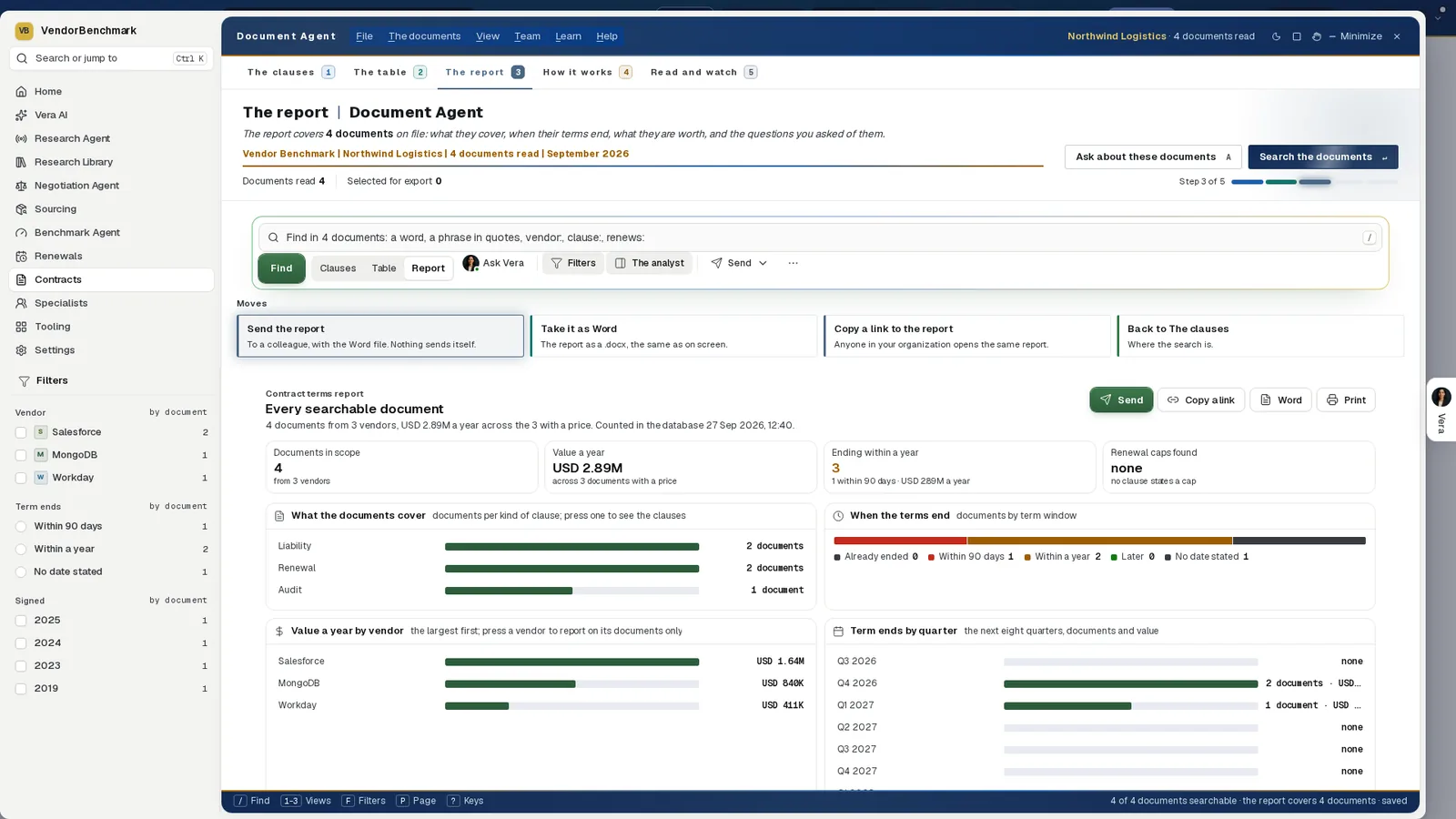
The Document Agent's report. Each figure is counted from the database with the time it was counted, each panel opens the clauses behind it, and where no clause states a renewal cap the report says none.
Every figure traces to a source and a date
In the Contract Reader, press a figure or its chip and the page goes straight to its words and lights them. Where the document does not carry the line word for word, the nearest run of its words is lit; where nothing can be marked, the page it was read from opens and says so. A figure the read did not find says so too.
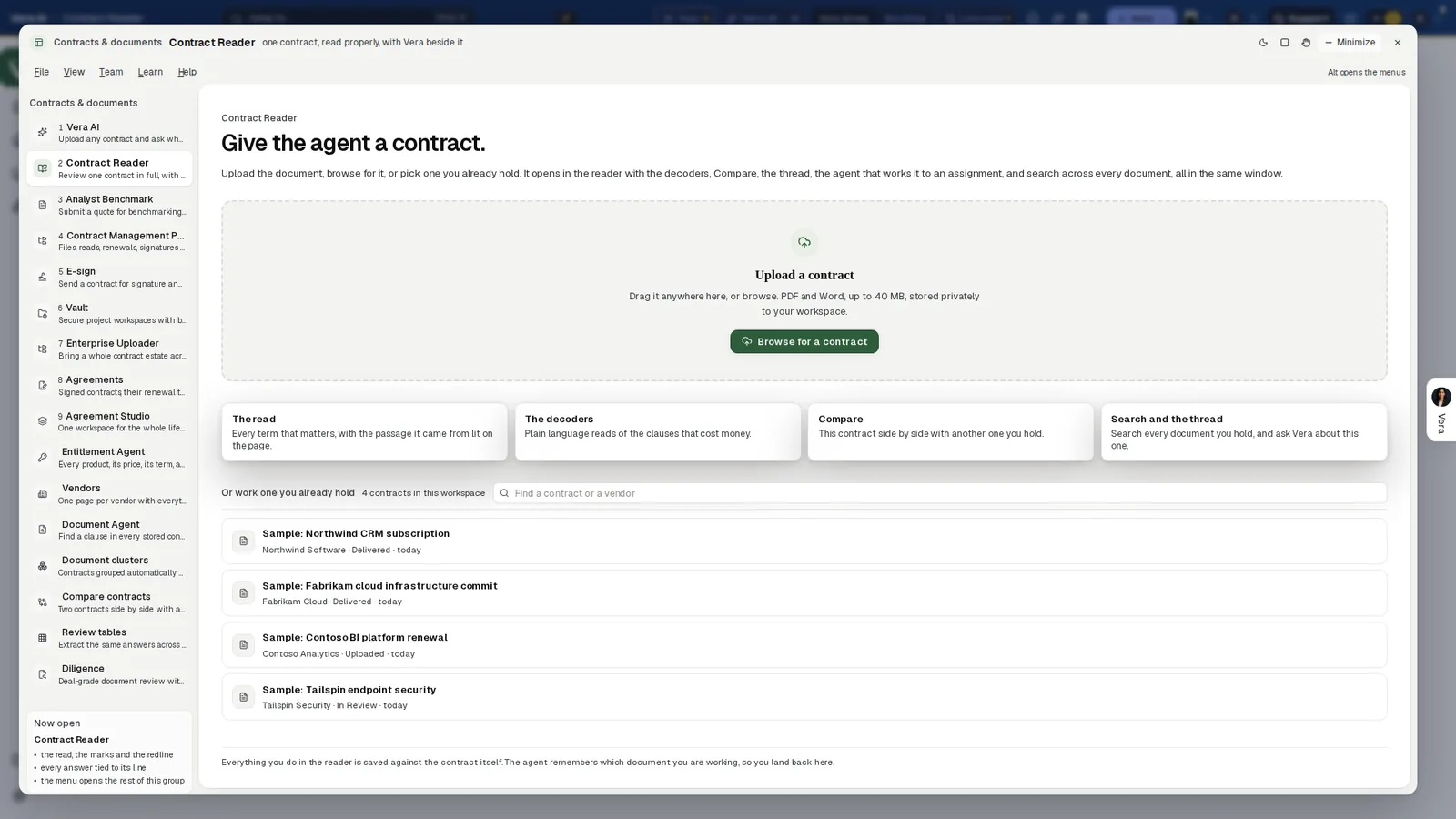
The Contract Reader. The read lists every term that matters with the passage it came from lit on the page; the decoders, Compare and search across every document sit in the same window.
Written answers carry the same discipline.
- A check on every figure. An answer that states figures is checked after it finishes, by the same groundedness check that guards reports. A line under it counts the figures straight from your data or your document, those worked out and those that are market context, and opens into a row per figure. A figure the check could not place is marked, and the answer says so.
- The arithmetic, shown. A discount, a total over a term or a compounded uplift runs through the same calculator the reports use, and the trail reads Worked the numbers.
- Reports state their grounding. Every AI generated report opens with its grounding state, Figures verified against your data or a review notice, with the source count and the date.
- One ledger. Where figures come from, under Settings, Data and AI, lists every figure the platform has cited for you, with the source fact it traces to, the document it was cited in and the date the fact was current.
Thin data gets a note, not an estimate
We never estimate a market position without data to defend it. When a vendor lacks reference coverage, the report says so plainly and names the one step that closes the gap, usually adding a list price or a seat count in that vendor's benchmark tool. The same rule runs across the platform.
- The overnight drive. Where no band can be drawn, the renewal is marked needs you with the reason: the reference set is too thin to call a market, or it is outside the workspace's plan.
- Renewals. With no benchmark delivered for any agreement, the above market figure reads no benchmark rather than a guess.
- No list price. A deal with no list price on file comes back without a discount line. Nothing is invented to fill the gap.
- Vera's answers. Where a lookup comes back empty she says so, and where time runs short she writes from what she has and names what she could not check.
A plain note that the data is thin is worth more than a confident number nobody can defend.
Where it sits
Grounding is one of six controls in our guide to governed autonomy.
- When a human beats the AI covers the questions worth sending to an analyst instead.
- The audit trail keeps the record of every move the agents made.
- The Document Agent finds a clause in every stored contract, each one shown on its page.
We wrote earlier about what grounding has to mean once a figure goes into a negotiation.
What to do first
- Ask your contracts one question. Type a term such as price increase in the Document Agent and open a result to its page.
- Press a figure. Open a contract in the Contract Reader, press a figure and watch the page light its words.
- Trace a number. Open Where figures come from and look up a figure from your last report.
- Close a gap. Where a benchmark reports insufficient data, add the list price or seat count it names.
Questions buyers ask
Does Vera paraphrase a clause?
Not in the Document Agent. Every clause on screen is the document's own stored text, shown with its page, and Copy with citation takes it with its source.
What happens when there is not enough data to benchmark?
The report says so plainly and names the one step that closes the gap, usually adding a list price or a seat count in that vendor's benchmark tool. We never estimate a market position without data to defend it.
How do I check a figure in a report?
Open Where figures come from, under Settings, Data and AI. Every cited figure is listed with the source fact it traces to, the document it was cited in and the date the fact was current.
What if the read gets a term wrong?
Correct the reading in the Document Agent. The correction is yours, every screen and file redraws from it, and the background read never overwrites it.