AI for software negotiations in Vera AI, the platform from VendorBenchmark, is a set of AI agents that prepare the buyer's position, sit in on the vendor call, draft every reply and keep the record of what was agreed. It is built for the procurement lead, IT asset manager or CIO who has to negotiate a software, cloud or AI contract and does not have a week to prepare for each one.
This post walks one negotiation in order: preparing, the call, the emails and the close. The agent that negotiates a renewal by email on its own is covered in how AI agents negotiate for you, so this post does not repeat it. The window that holds the whole deal is the Deal Agent.
PART ONE
The time it saves before the first call
Preparation is where the agents give back the most time, because preparation is reading and writing: the contract, the vendor's position, the market price, the plan and the words for the room. Here is the same preparation done both ways. The hours are illustrative.
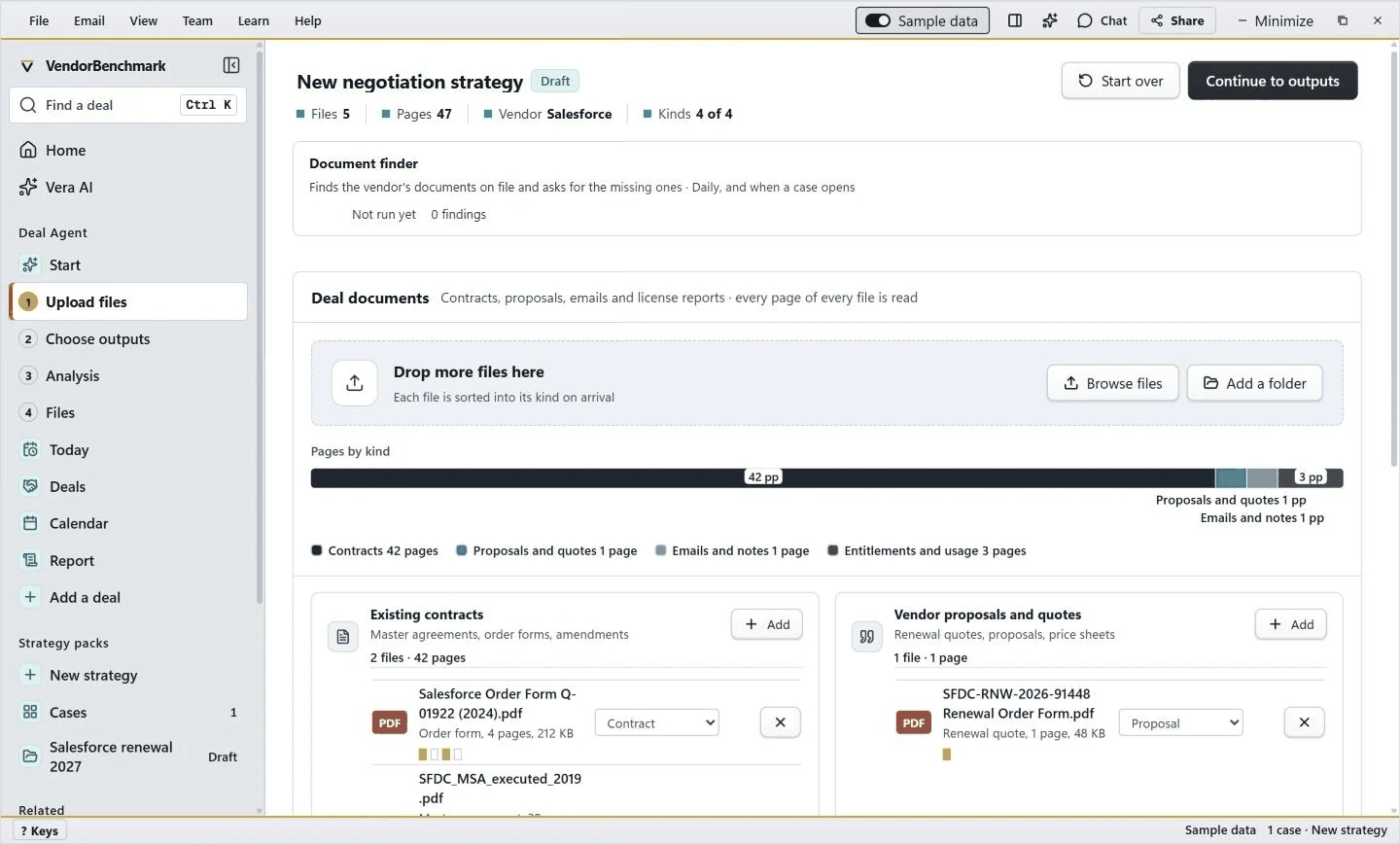
The Deal Agent on sample data: a new negotiation strategy, with the deal documents sorted into existing contracts and vendor proposals and quotes.
THE SAME JOB, TWICE
TODAY, BY HAND
- Read the contract for the dates, the uplift language and the terms worth reopening
- Search for the vendor's pricing moves and guess when its quarter closes
- Ask colleagues and peers what a fair price looks like for this product at your size
- Write the plan, the talking points and an opening script the night before the call
Roughly 2 working days of preparation per negotiation, most of it reading and searching
WITH VERA
- Upload the contract and state the goal in your own words
- Read the pack: the expert read, the dated plan, what to say and never say, and the talking points
- Run the First call rehearsal once the meeting is booked
- Paste the meeting link so Vera joins the call as a named participant
About 45 minutes of your attention before the call, most of it reading
What changes: roughly 16 hours of preparation becomes about 45 minutes of reading and choosing. For example, across 10 negotiations a year that is roughly 160 hours of preparation against about 8 hours, and every call starts with the plan and the script already written.
What the time depends on: how many documents sit behind the deal, how clean the paper is, and how many people have to agree the position before you engage. A single order form is quicker than a master agreement with six amendments. The reading is the part that shrinks. The deciding still takes as long as your approvers take.
PART TWO
How to prepare a negotiation, step by step
- Drop in the deal's documents. Put the contract, the vendor's proposal and your usage into the Deal Agent and forward the vendor's emails. It reads the offers, the concessions, the deadlines and the tactics in play.
- State the goal. The preparation jobs ask what you want to achieve, in your own words, before they run. Every document is aimed at that goal.
- Get the vendor brief. Prepare a negotiation: any vendor writes where the vendor stands now: its pricing and licensing moves and what its sales team is paid to do this quarter. Run it a week before you engage.
- Get the contract read and the plan. Prepare a negotiation: your contract reads what you signed, then plans phase by phase against the dates in your paper, including what happens if the dates slip.
- Set the position. The Benchmark step sets the offer against the peer price, the vendor's quarter and your alternatives. The Plan step turns that into a target, a walk away and the asks in order. On Terms you set a standard, a fallback and a walk away line for each term.
- Script and rehearse. Call script for your contract writes the first call in plain spoken lines. First call rehearsal plays the vendor: its likely pressure lines in order and your answer to each.
The benchmark library behind the price work covers 4,100 vendors. Where the number needs a person's judgment, a human analyst answers within 24 hours. Timing matters as much as price, which is why the brief names the vendor's quarter and the Deal Agent keeps the vendor fiscal calendar.
PART THREE
On the call: an analyst in the room
Vera on calls joins the vendor meeting. You paste a Zoom, Microsoft Teams, Google Meet or Webex link, and Vera or a specialist enters as a named participant. A public call notice tells the room the session is assisted, so nobody is listened to in secret.
Before the call she has the position and the asks. During it, a whisper rail gives you prompts as the vendor speaks: the claim to challenge, the number to hold, the concession still on the table. Each prompt is tied to a fact on file. When the vendor quotes a figure, it is priced against the market and your own paper while the call is still running.
After the call you get what was decided and who owes what, with dates, and a follow up email drafted but not sent. The earlier posts on the call copilot and the voice sparring room go deeper on the live session and the rehearsal.
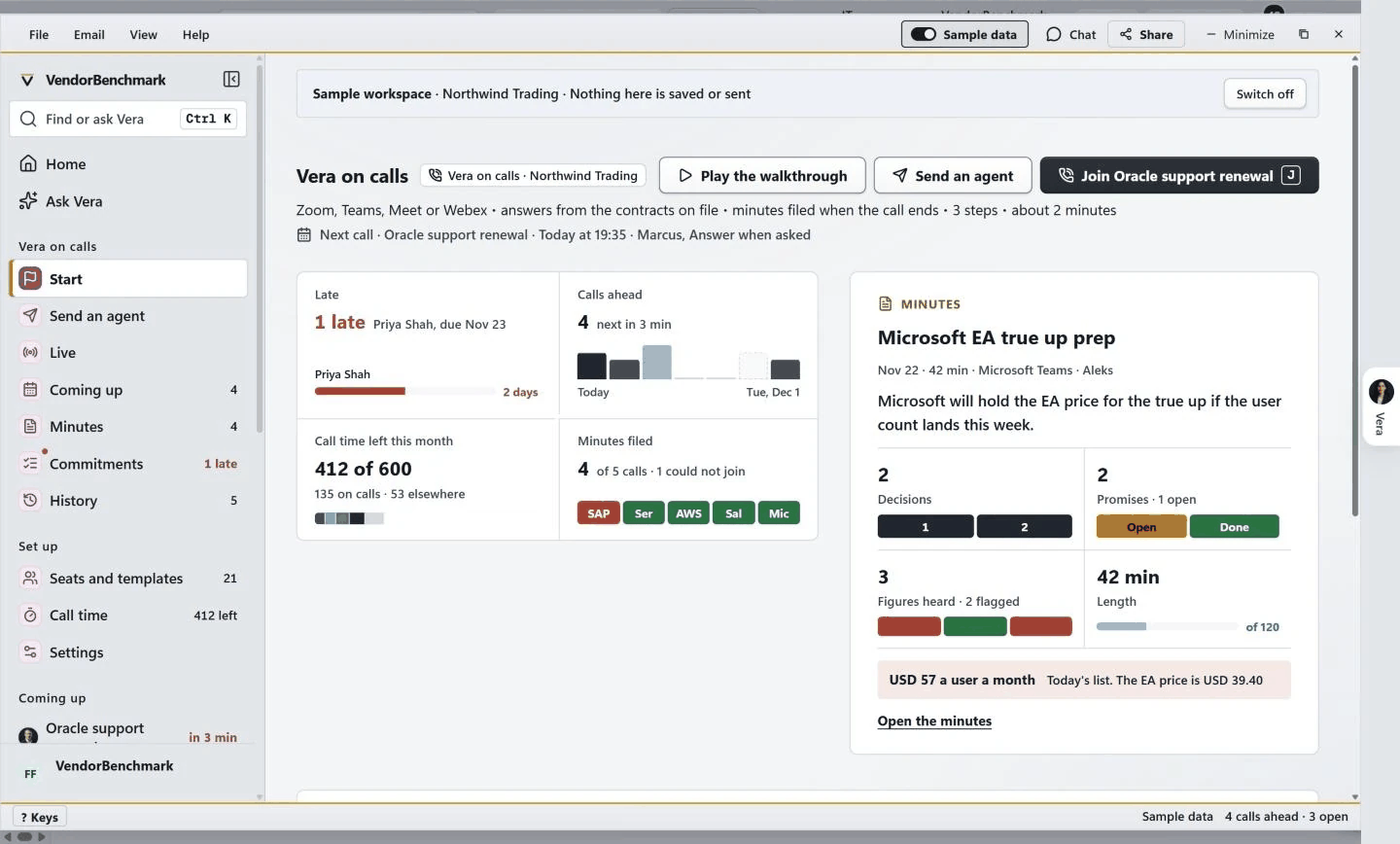
Vera on calls, on sample data: late commitments, the calls ahead, call time left and the minutes of a vendor call.
PART FOUR
By email: every reply read and every counter drafted
Most of a negotiation happens in writing. Forward the vendor's email to the Deal Agent and it does three things. It names the tactic, for example an artificial deadline. It logs what was conceded and what was committed to the deal thread. And it drafts the counter in your voice, grounded in your numbers, with a note on the play behind the vendor's message.
Each draft is checked before it can leave. A guardian reads it against the mandate you signed and allows it, rewrites it, blocks it or escalates it, and each ruling is logged with the rule and the reason. You then accept, counter with a steer or walk away. The same drafting idea is described in the ghost writer.
If you would rather not run the thread yourself, hand the renewal to AI Managed. It negotiates by email inside the limits you set, round after round, and brings every offer back to you.
PART FIVE
After the deal closes
The Close step writes the report and the board paper, then a lessons digest so the knowledge stays in the team. The Deal close and handoff job records what was won and what it is worth, opens every obligation date as a task and writes the memo that starts the next renewal file.
The agent prepares the room. You decide what gets said in it.
PART SIX
What the AI does, and what stays with you
Across the four stages the AI does the reading, the comparing and the drafting. It reads the contract, the proposal and the vendor's emails. It compares the offer with what comparable buyers pay. It drafts the plan, the script, the counter and the follow up, and on a call it ties each prompt to a fact on file. The mandate is yours: how hard to push, what may be disclosed, the annual spend the agent may commit and when its authority lapses.
- It never signs. Your people sign. The agents draft, and a person releases.
- It never sends to a vendor by itself. The preparation jobs send nothing to a vendor. Drafted letters and follow ups are held for your approval.
- It never commits on a call. Vera feeds you the line. You decide whether to say it, and every commitment needs a person's approval.
- It never goes above your walk away. A price above the walk away is a person's decision, never the agent's.
- It works from what you load. A plan built on one contract knows nothing about the side letter nobody uploaded. The rehearsal prepares you; it does not speak for you.
Some deals deserve a negotiator. VendorBenchmark's negotiation services put buyer side negotiators on the deal, either fronting the calls or staying behind the scenes while your team sends every message in its own name.
PART SEVEN
Common questions
- What do I have to give the AI to prepare a negotiation? The contract or the vendor's proposal, the vendor's emails and your usage, plus the goal in your own words. The Deal Agent reads the deal from there.
- Does the vendor know an AI is on the call? Yes. Vera joins as a named participant and a public call notice tells the room the session is assisted.
- Which meeting tools does Vera join? Zoom, Microsoft Teams, Google Meet and Webex. You paste the link, once or for a meeting that recurs every week.
- Can the AI answer a vendor email for me? It drafts the counter in your voice and checks it against your mandate. You send it, unless you have handed the renewal to AI Managed inside limits you set.
- Where do the documents go? Each job mails its pack as one executive brief and files the same documents on the run desk in the app. Every action is written to the audit log.
- Can I try it without my own contracts? Yes. The free trial needs no card, and every app opens on a sample company.
The short version: the agents take the reading, the research and the first drafts at every stage of a negotiation, and they keep the record afterward. The position, the words you use and the signature stay with you.
