An AI agent in software procurement is a program that reads the paper, judges it and acts within limits a person sets, and Vera AI, the platform from VendorBenchmark, runs more than 150 AI agents that do this for enterprise software buyers. An agent does not replace the buyer. It takes the reading, the chasing and the first drafts off the buyer's desk, so the decisions get the attention.
This post explains what that means for a procurement or IT asset manager: what an agent does, the twenty five agent apps, the agents inside them and how you put one to work. Every agent has its own page at AI agents.
PART ONE
What an AI agent does: it reads, it judges, it acts
- It reads. Every contract, order form, quote and invoice, into products, prices, terms and dates, with the page each fact came from.
- It judges. The price against what comparable customers pay, the deployment against what you own, the renewal against the calendar.
- It acts, within limits. It drafts, watches and negotiates up to the ceiling you set. Committing a change is always a person's press.
The rule behind all of them is that an agent must show its work. Every run is logged, every figure is grounded in your stored data, and nothing leaves the platform without a gate you chose. We made the wider case for buyer side agents in the vendor's AI already knows your price.
An agent must show its work: every run logged, every figure grounded, nothing sent without a gate you chose.
PART TWO
The twenty five agent apps, by the job each one does
An agent app is an agent with its own window. You open it, give it documents or a connection, and work in it. There are twenty five agent apps, and they sort by job.
- Price. The AI benchmark ranks a vendor's offer against comparable buyers. Ask Vera answers questions from your own contracts. Report Studio builds any report on your spend.
- What you own. The Entitlement Agent reads your contracts and reports what the documents say you own. Software Discovery, SaaS Manager, the Java Assistant, the Microsoft 365 Optimizer and Cloud cost read machines, sign ins, tenants and bills.
- Contracts and signing. The Contract Agent marks every suggested change on the page. The Document Agent finds any term in every contract. Check before you sign reads every offer before it is signed.
- Renewals and deals. The Deal Agent runs every renewal from notice to signature. AI Managed negotiates renewals by email inside your limits. Sourcing runs a purchase from intake to the winner. Vera on calls joins vendor calls and records what was decided.
- Spend. The Spend Agent reads every contract and ranks where you can save. Category agents do the same job for freight, services rate cards, agencies, facilities, MRO, travel and staffing.
- The market. Vendor Radar reads vendors' public pricing and licensing changes and prices them on your contracts.
Above them sits Mothership, the main agent, which takes one goal for every contract and directs the others. We cover it in What is Mothership?
PART THREE
The time an agent saves on one contract
Take one job that has all three verbs in it: reading a vendor's draft, judging it and marking the changes. Here it is by hand and with the Contract Agent. The hours are illustrative.
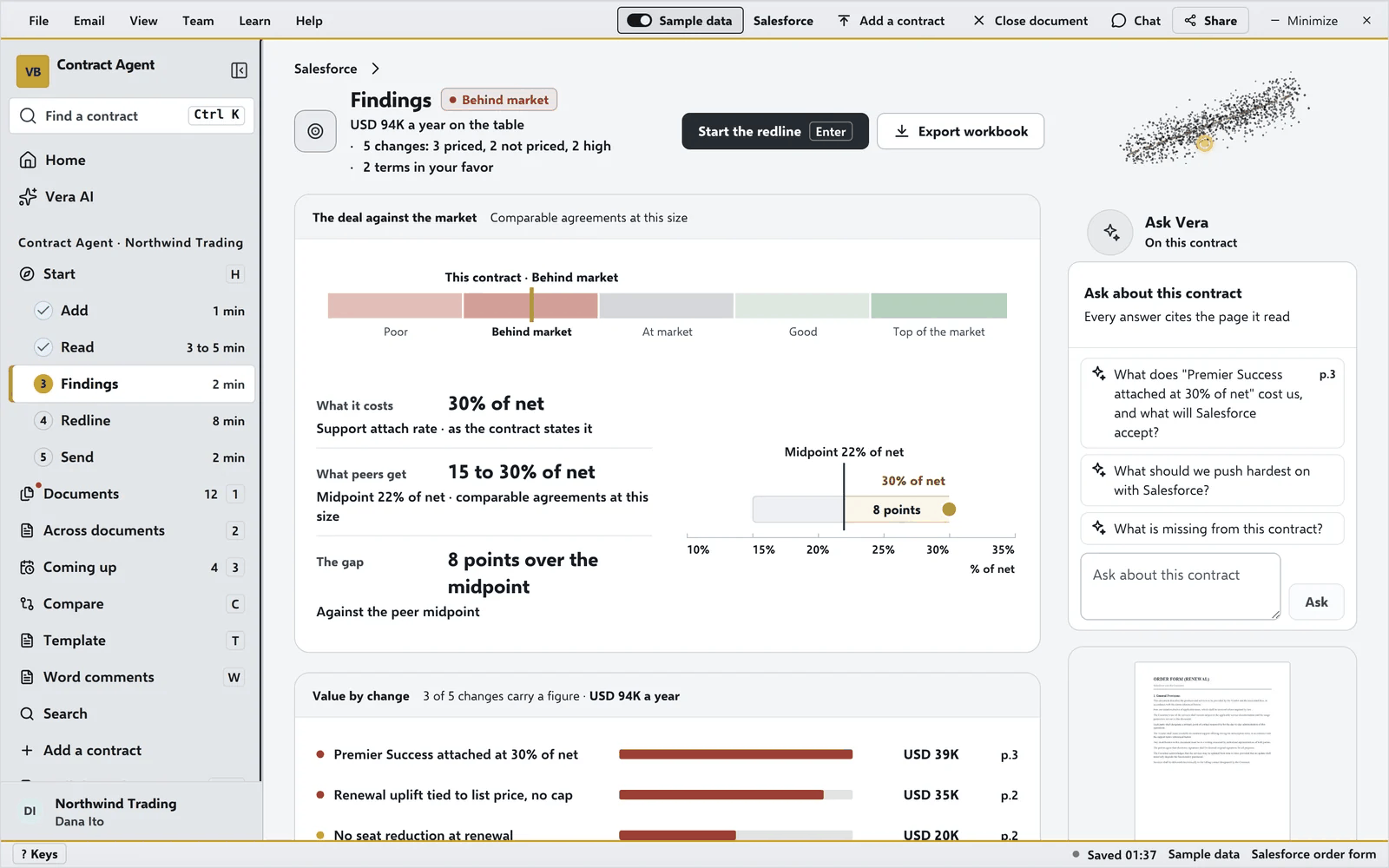
The Contract Agent findings screen on sample data: the deal against the market and the value of each suggested change.
THE SAME JOB, TWICE
TODAY, BY HAND
- Read the vendor's draft clause by clause for price, term, uplift and notice
- Compare the terms with your own template and with last year's paper
- Type each change into the Word file with tracked changes
- Email colleagues about the clauses you are not sure of, and wait
Roughly 5 hours for one order form with its master agreement
WITH VERA
- Upload the document to the Contract Agent, where it opens as pages
- Read each suggested change on the clause it concerns, with the reason beside it
- Approve a change into the redline, edit its wording or send it to a colleague
- Send the redline out as Word
About 30 minutes of your attention
What changes: roughly 5 hours of reading and retyping becomes about 30 minutes of approving and editing. For example, on 6 contracts in a quarter that is roughly 30 hours against about 180 minutes.
What the time depends on: the length of the paper, whether it is a clean file or a scan, whether you have a template to check against, and how many colleagues must weigh in on a clause. A two page order form is quicker than a master agreement with schedules.
PART FOUR
Beyond the apps: more than 150 AI agents
Each app also runs agents of its own. The product manual sorts them into four classes.
- Analysts write documents. On demand or on a schedule: a white paper on your price against the market, the Monday vendor report, the monthly board report. Their output lands in your documents library.
- Watchdogs monitor and flag. They run on the platform's clock and read only the data named on their page. Terms watch, for example, compares each tracked vendor's published price list with the last one every day and prices the change at the seat counts on your agreements.
- Autopilots act under a mandate. The Renewal Autopilot works your renewal calendar at the autonomy you choose. The negotiation ghost writer drafts replies to the vendor emails you forward.
- Workflows are yours. A trigger plus up to eight steps that your own team composes, with a wait for approval where anything would leave the platform.
An agent you have not put to work stays silent, in the app, by email and in chat. How to staff the standing roster is the subject of staffing a procurement desk with AI.
PART FIVE
How to put an agent to work, step by step
- Open Agent jobs and go to Live runs. Every agent working for your organization is drawn as what it reads, what it does and where its work lands.
- Read the agent's page. It states what the agent reads, when it runs and what it delivers, with an example output that is always labeled as an example.
- Press Put it to work. The agent starts reporting on its next scheduled run.
- Set the dial. Where an agent can act, its autonomy dial sits with its other controls.
- Work your queue. Waiting on you lists the sign offs at the gate, oldest first. Anything there is your queue, not the machine's.
- Build your own. New agent opens a wizard. Describe the job in one sentence, review the drafted chain, test it with your data without sending anything outside the platform, then turn it on.
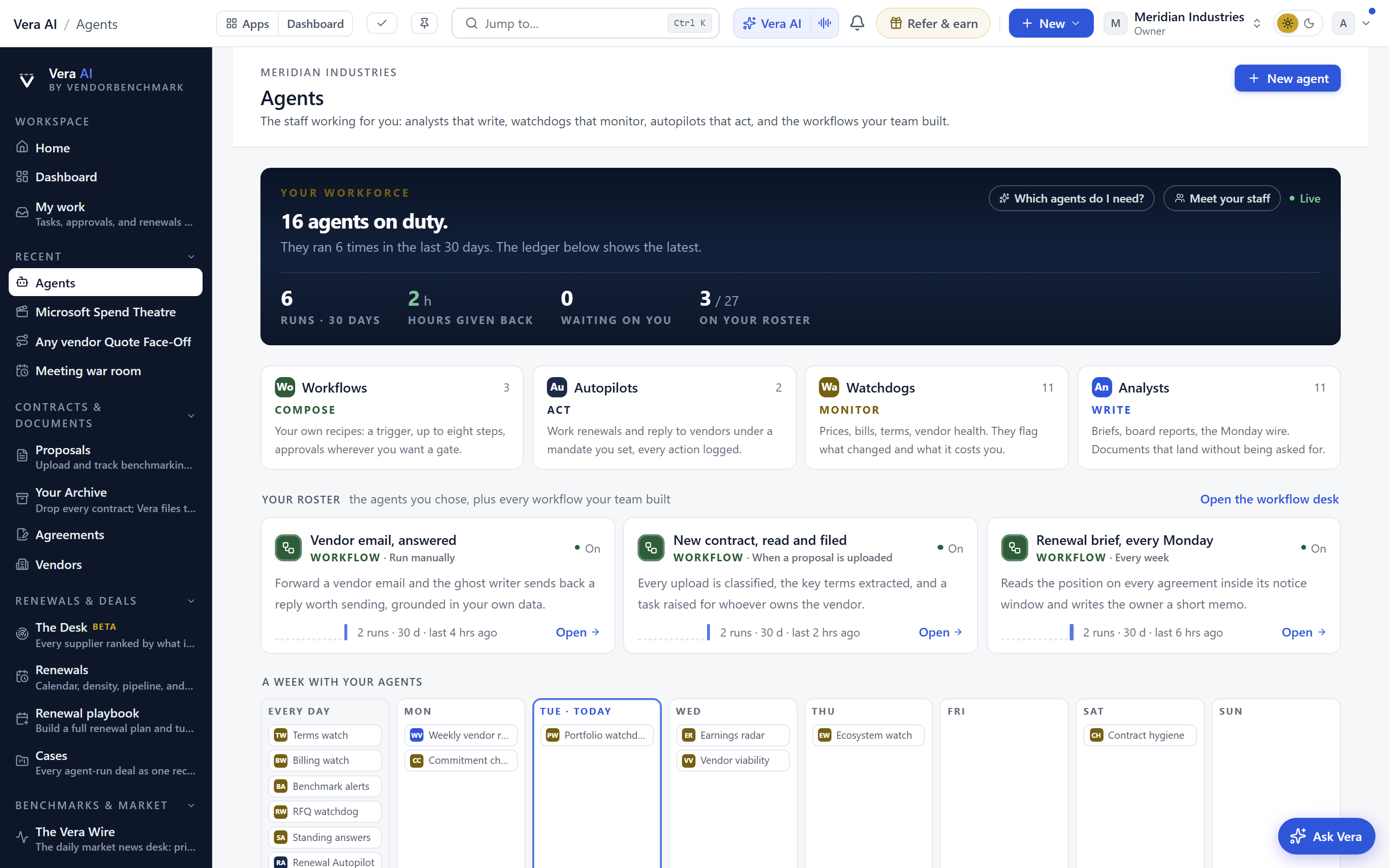
The agent floor on sample data: the sources the agents read on the left, the agents in the middle and where their work lands on the right.
PART SIX
What the AI does, and what stays with a person
What the AI does is concrete. It reads documents into products, prices, terms and dates and keeps the page each fact came from. It compares: a price with what comparable customers pay, an invoice with the contract, a new price list with the last one. It drafts: the counter, the redline, the brief, the email.
It shows its source. Answers come with the clause and the page. Figures in an analyst's memo are checked against stored records, and a missing fact comes back empty rather than invented.
What stays with a person is anything that commits the company. The AI never signs, never serves notice of non renewal, never agrees a price above your walk away and never writes to a vendor without naming itself as an AI. Drafted letters are held for approval, and every action lands in the audit log.
Where it stops: an agent works from what is on file. If the order form is missing, the fact is missing. And when a question needs a person, a human analyst answers within 24 hours through Human Benchmark.
PART SEVEN
Common questions
- What is an AI agent in software procurement? A program that reads contracts, quotes and invoices, judges them against the market and your own records, and acts within limits a person sets.
- How many AI agents does Vera AI have? More than 150 AI agents, including twenty five agent apps that each open in their own window.
- Do AI agents replace the buyer? No. They take the reading, the chasing and the first drafts. Every commitment needs a person's approval.
- Can an AI agent sign a contract? No. Signing belongs to your people. In Vera AI the AI never signs.
- Can I build my own agent? Yes. Describe the job in one sentence and the wizard drafts a workflow with an approval gate, which you test before you turn it on.
The short version: an agent is useful to the degree you can check it and limit it. To see each agent's job drawn out, read see what every agent actually does.
