The Negotiation Workflow is the screen in Vera AI, the platform from VendorBenchmark, that takes one software deal from the vendor's order form to the one page brief a buyer takes to the table. It is built for a procurement lead or an IT asset manager preparing a single renewal or purchase. It runs in five acts, and each act is named as the question you are asking at that point.
This post is the plain reference for that screen: what goes in, the five acts in order, what comes out, how it uses AI and where it stops. The workflow has no page of its own on the site. The nearest is the Deal Agent, the app that holds every renewal and negotiation from the notice date to the signature. The Negotiation Workflow is the narrower tool: one deal, prepared in order.
PART ONE
What the Negotiation Workflow takes in
It takes one deal, given in one of three ways. Drop the order form on the window as a PDF or a Word file, and the read starts the moment the file lands. Type the figures instead: the vendor, the deal size and the discount. Or press Use the sample deal, which places a sample deal with a sample order form so every act can be seen working first.
An uploaded contract is saved to your workspace, private to your organization. Everything an act shows is then computed from that same deal, so a figure on the brief cannot disagree with the act it came from.
PART TWO
How the Negotiation Workflow works, step by step
The five acts sit across the top of the window, numbered. Walk them in order or jump to any one.
- The deal: what are you being offered? Three answers appear on the spot. What you are offered as a percentage off list. What comparable buyers get, as a range with its midpoint. And where the offer ranks, in one of five words: Poor, Behind market, At market, Good or Top of the market. A price that is already top of the market is said to be fine. The term, the payment schedule and the growth you commit are levers, and ten clauses from the order form appear as controls.
- Pressure test: what is wrong with this order form? A verdict in one word, from Signable to Do not sign as drafted. Twelve clauses are placed against the market position for the vendor and the deal size, the risks first, each with what the order form says, what the market gives and what it costs over the term. A tick puts a clause on your asks, and each finding opens the language to ask for.
- The plan: what do you trade? The supported target, or Hold when the price is already top of the market. Three plays to choose from: hold the price, press to the market, or build the alternative. A calendar runs from today to the signature on the vendor's own fiscal year.
- The emails: what do you say? Four emails placed on the calendar: the opening, the counter, the close and an internal note for the CFO. Each is drafted from the figures on screen, in a Measured or a Direct tone. Beside the draft sit three replies a vendor gives, each with its counter.
- The brief: what do you take to the table? One page in six numbered sections: the position, the order form with its clauses, the plan, the calendar, the emails on their dates and the bottom line. You save it as a PDF.
Starting over never loses work: New review sets the current review aside under Recent reviews first. For the wider picture of how the negotiating agents fit together, see how AI agents negotiate for you.
PART THREE
The time it saves
Preparing one deal by hand is mostly reading, arithmetic and writing. Here is the same deal prepared both ways. The hours are illustrative.
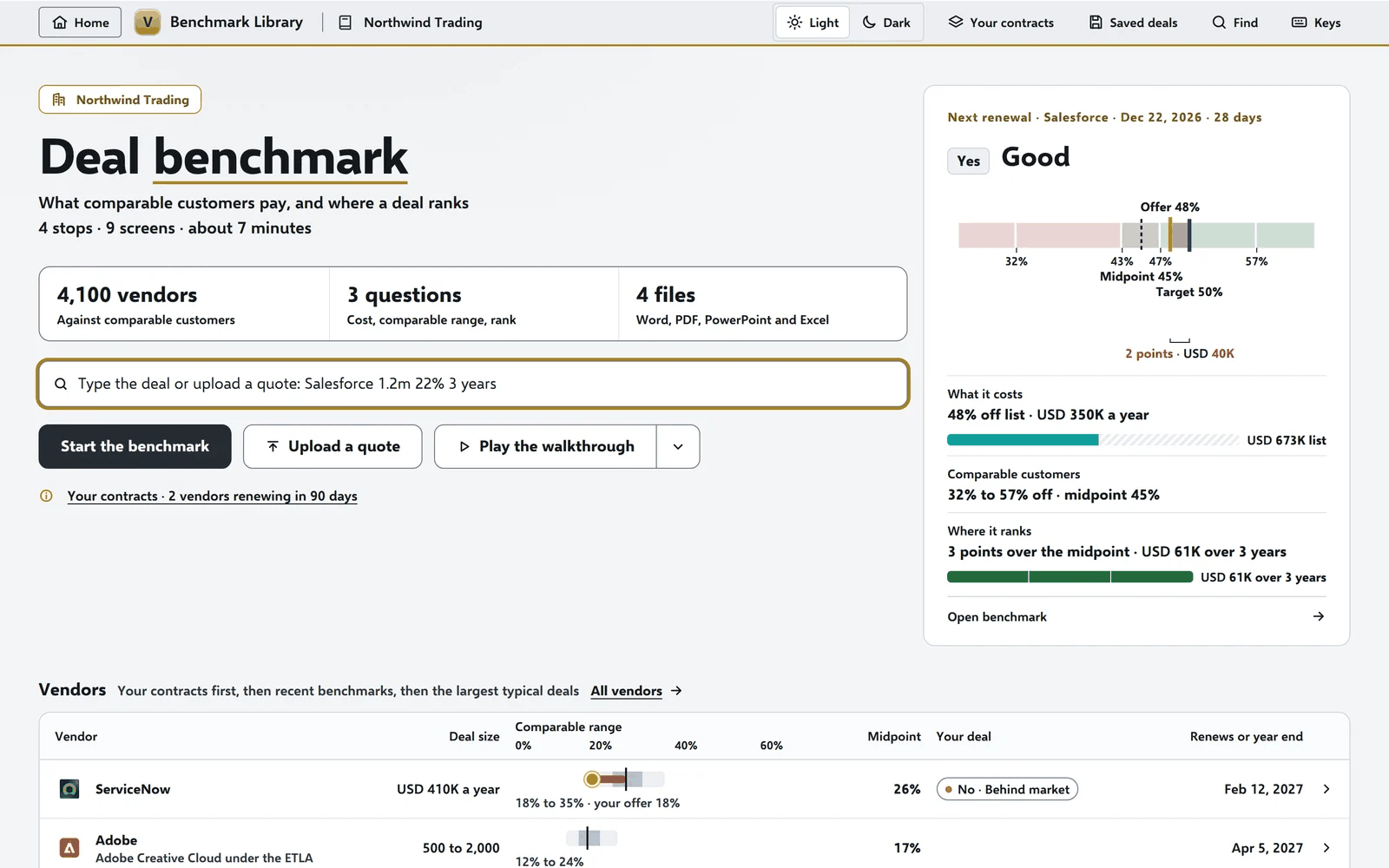
A deal benchmark in the Benchmark Library on sample data: what the deal costs, what comparable customers pay and where it ranks. The workflow's first act gives the same three answers.
THE SAME JOB, TWICE
TODAY, BY HAND
- Read the order form clause by clause and note the uplift, notice, liability and exit terms
- Ask colleagues and search old deals for what a fair discount looks like at this size
- Build a spreadsheet of the cost over the term under two or three outcomes
- Write the opening email, the counter and a note for the CFO from a blank page
Roughly 2 days of a procurement lead's time for one deal, usually spread over a week
WITH VERA
- Drop the order form on the window, or type the vendor, the deal size and the discount
- Read the three answers and tick the clauses you want fixed onto the asks
- Pick a play and a signing month on the plan
- Copy the drafted emails and save the one page brief as a PDF
About 30 minutes of your attention for one deal
What changes: roughly 2 days of preparation, about 16 working hours, becomes about 30 minutes of reading and choosing. For example, across 10 renewals a year that is roughly 160 hours of preparation against about 5 hours.
What the time depends on: how clean the order form is, whether it prints prices at all, how many clauses you decide to contest, and how long your own approvals take outside the tool. The workflow shortens the preparation. It does not shorten the vendor's reply time or your internal sign off.
PART FOUR
What you get at the end
- The one page brief. Six sections, saved as a PDF.
- Four drafted emails. Each with Copy and Open in your mail app, plus the CFO note in plain text.
- The asks, ranked. Every clause you ticked, ordered by what it is worth, with the language to paste.
- Scenarios compared. Up to four saved versions of the deal beside the deal as it stands.
- A slide view. Present plays the deal as eight slides.
From the brief you can also send the deal on. Open the negotiation starts a running negotiation with the vendor attached. Give the deal to Vera to run hands it over with the mandate, and Vera asks before every send. Ask a human benchmark sends it to an analyst, who answers within 24 hours. The structure behind a mandate is covered in the negotiation war room.
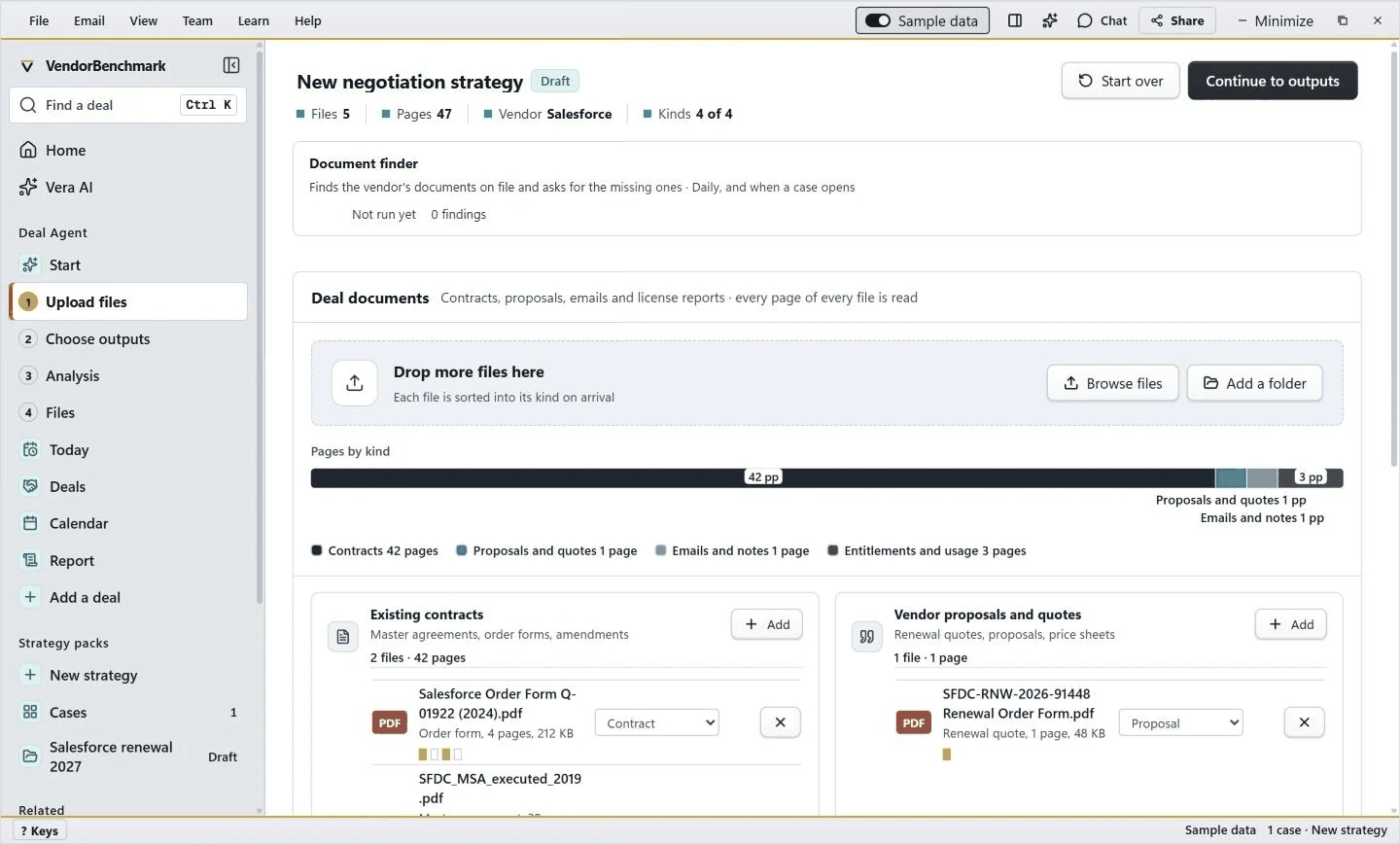
The Deal Agent on sample data: a new negotiation strategy with the deal documents sorted into contracts and vendor quotes. It is the neighboring app that holds every negotiation.
PART FIVE
How the Negotiation Workflow uses AI
The AI does the reading and the drafting. When you upload an order form, Vera reads it, and the clauses it finds land on the pressure test with their verdict words. A finished read also returns a verdict brief with arguments, drafts and priced paths. On the plan, Ask Vera for a brief runs one of Vera's reads on the deal's own paper.
The placement itself is not a guess. The vendor, the deal size and the discount place the deal on its range the same way every time: the same inputs always give the same rank. That matters when the number goes into a negotiation, a point made at more length in what grounded AI means in a negotiation.
You can see what an answer rests on. Pressing a finding lights its clause up on the order form sheet beside it. Under each drafted email, the figures it carries stand as chips that open the act they came from. The emails name the comparable range and never the comparables.
The AI reads the order form and drafts the words. You choose the asks, the play and the month, and you press send.
PART SIX
What it will not do
- It does not send. Nothing sends itself. You copy a draft or open it in your own mail app.
- It does not sign. The workflow ends at the brief. The signature is yours.
- It does not place what it cannot read. A read that finds no prices comes back Not placed yet, with the verdict Hold, get priced. A clause nobody has read says Not placed until the read or you set it.
- It works one deal at a time. The calendar of every renewal is the Deal Agent's job.
- It keeps the working deal in your browser. The status bar says Saved in this browser once a deal is in progress. The uploaded contract itself is saved to your workspace.
PART SEVEN
Common questions
- What is the Negotiation Workflow? It is one window in Vera AI that takes a single software deal through five acts: the deal, the pressure test, the plan, the emails and the brief.
- Do I need to upload a contract to try it? No. Use the sample deal places a sample deal, and you can also type the vendor, the deal size and the discount yourself.
- Does it email the vendor for me? No. It drafts four emails and nothing sends itself. If you hand the deal to Vera to run, Vera asks before every send.
- What does the pressure test check? Twelve clauses, each placed against the market position for the vendor and the deal size, with what the order form says, what the market gives and what it costs over the term.
If the uplift clause is where your deal hurts, negotiating the uplift is the companion read. In a free trial, no card required, the sample deal opens every act before you bring your own paper.
