The vendor's second draft arrives with a cover note about the lower price. What it does to the terms sits further in, and a draft that cuts the price can take back protection you already had. Read side by side by hand, that trade is easy to miss.
Proposal comparison is the tool in Vera AI by VendorBenchmark that reads one proposal against another. It answers three questions a market benchmark does not: what moved, did it move your way, and what is the movement worth.
Two proposals in, every change out
On Add proposals you upload the two documents as A and B, PDF or Word up to 25 MB each, or pick either from Contracts on file without uploading anything. A is the baseline and B is what changed against it. The same vendor in both is compared round over round; two vendors are lined up as a shortlist. A contract picked from file is read from its stored copy, and the read is recorded in your audit log as a view of that file.
The read plays over the window: both documents scanned, each change landing in a list in its color with the counts climbing, then the verdict. One of the two samples is exactly the case above: a CRM revision that cut the price and took back three terms.
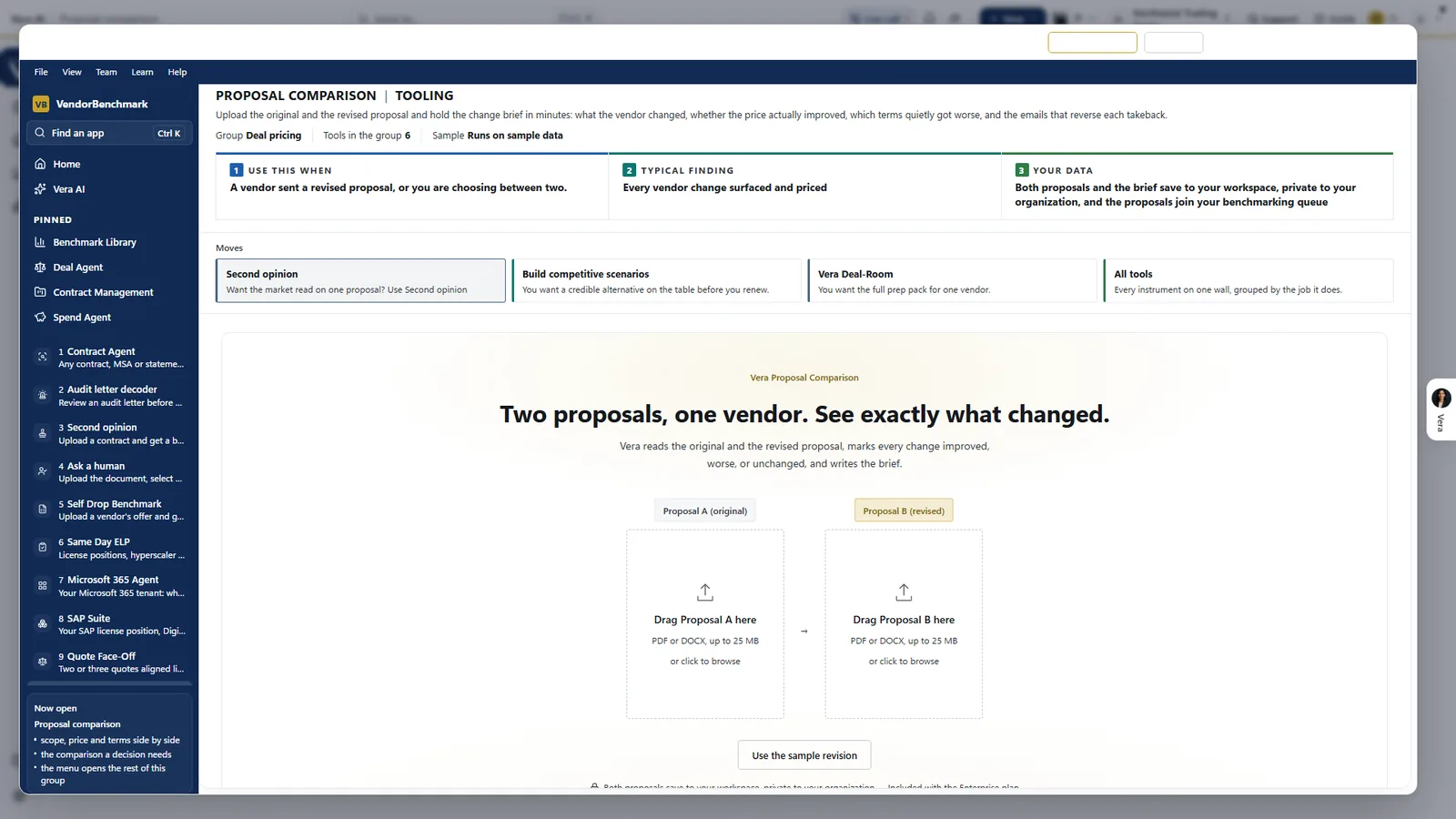
Two slots, one question. The original goes in slot A and the revision in slot B, PDF or DOCX up to 25 MB each. Vera marks every change improved, worse or unchanged and writes the brief, and both proposals save to your workspace, private to your organization.
Every term in one of three lanes
The Summary screen puts every term in one of three lanes, better, worse and unchanged, each with its count. Do now is a numbered table with a button on every row: hold each takeback, aim the discount at the peer midpoint, send the counter. Price over the term sets the original, the revision, the peer midpoint and your aim side by side as bars.
Where it lands places the revision on its own ladder: Worse overall, A trade, Better on balance or Better throughout. It is proposal against proposal, so it never borrows the market ladder. Each takeback has a switch; hold one and the marker moves.
A draft that cuts the price and takes back terms is a trade, not an improvement. The ladder calls it one.
- Changes. One term in full: the sentence from each document with the changed words marked and the page they are on, what the change is worth, what it means, and the push back drafted as an email.
- Benchmark. The discount off list of both proposals pinned on the peer range from the Benchmark Library, with the five ranks drawn as bands. When the proposals print no discount off list, it says so and ranks nothing.
- Negotiate. A switch for each takeback, the discount to aim for and a 3 percent renewal cap. The counter writes itself from what you set and opens in your own email.
- Brief. A four page brief in our document style, with five email drafts to copy or open in your mail.
Three sellers, one need: the quote face off
When the choice is between sellers, vendor direct against a reseller against a cloud solution provider, the quote face off takes two or three competing quotes for the same need. It aligns equivalent SKUs into one board, benchmarks every line, marks who wins each line, and prices the best mix across all the documents.
Each price is marked against comparable customers as at or under the midpoint, above it, or well above it, and each quote's column head ranks the whole deal from Poor to Top of the market. What if lets you pick the quote to counter and pull its worst lines to the cheapest seller's price one at a time. The memo says which quote to take, which terms to pull from the others, and the counter to send.
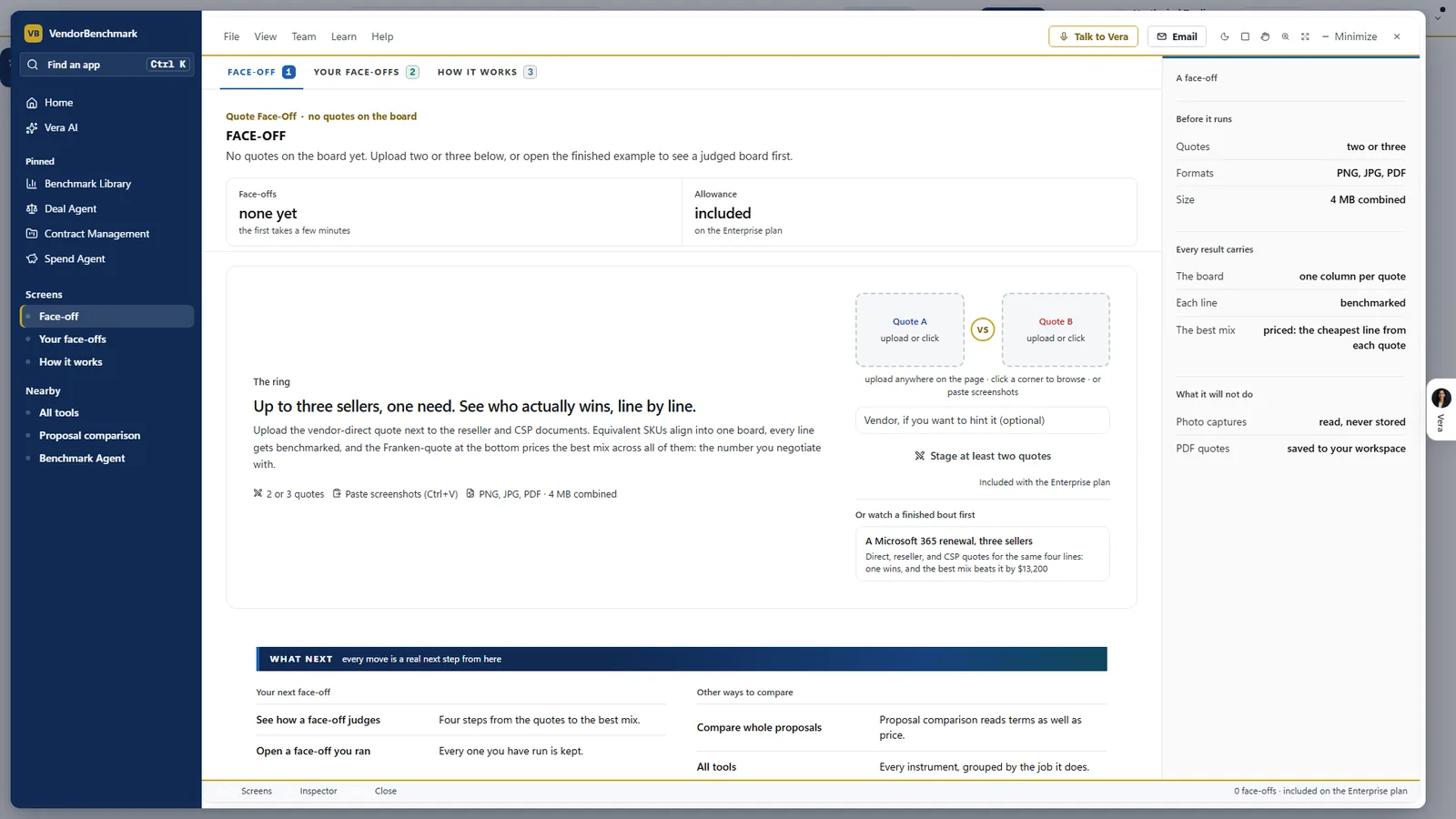
Up to three sellers on one board. The face off takes two or three quotes as PNG, JPG or PDF. Every result carries one column per quote, every line benchmarked and the best mix priced. A photo capture is read and never stored; a PDF quote is saved to your workspace.
What is kept, and where
Both proposals in a comparison are filed under Contracts as vendor proposals, private to your organization, and join your benchmarking queue; a contract picked from file is not saved a second time. In the face off, a PDF quote saves to your workspace, and a photo or screenshot is read in memory and never stored. Deleting a saved quote removes the record and the stored file and writes a deletion certificate. Owners can turn document saving off under Data controls.
Where it sits
Proposal comparison prices the change between two offers. The rest of the cluster prices each offer against the market.
- Competitive scenarios, to price the alternatives before the vendor's first offer.
- The three answers, for where a single offer sits against comparable customers.
- The Benchmark Library, whose peer range the Benchmark screen pins both proposals on.
For two contracts rather than two proposals, Compare puts the earlier contract on the left and the new one on the right, with every changed passage lit on the pages, the AI summary and the reply. The AI benchmarking guide covers the rest.
What to do first
- Open a sample. Switch on Sample data for the CRM revision that cut the price and took back three terms, and read its Summary.
- Load your two offers. Put the original in A and the revision in B, or pick either from Contracts on file.
- Hold the takebacks. On Negotiate, switch on each term you want back and set the discount to aim for.
- Send the counter. Open it in your own email, or email a copy of the brief to a colleague first.
Questions buyers ask
Can it compare two different vendors?
Yes. The same vendor in both slots is compared round over round, and two vendors are lined up as a shortlist, with the terms to ask the second vendor to match.
Does it benchmark the proposals against the market?
Yes. The Benchmark screen pins the discount off list of both proposals on the peer range from the Benchmark Library. When the proposals print no discount off list, it says so and ranks nothing.
What files does it take?
Proposal comparison takes PDF or Word up to 25 MB per proposal, or a contract already on file. The quote face off takes two or three quotes as PNG, JPG or PDF, and you can paste screenshots.
Is anything sent to the vendor?
No. The counter and the email drafts open in your own mail. Nothing sends from the platform.
Can I try it on a trial?
Yes, on the samples. Everyone can preview them, and comparing your own proposals needs a paid plan.